
Currently Empty: CFA0.00



Blog
Best SEO Tricks That Help New Websites Rank First in 2026
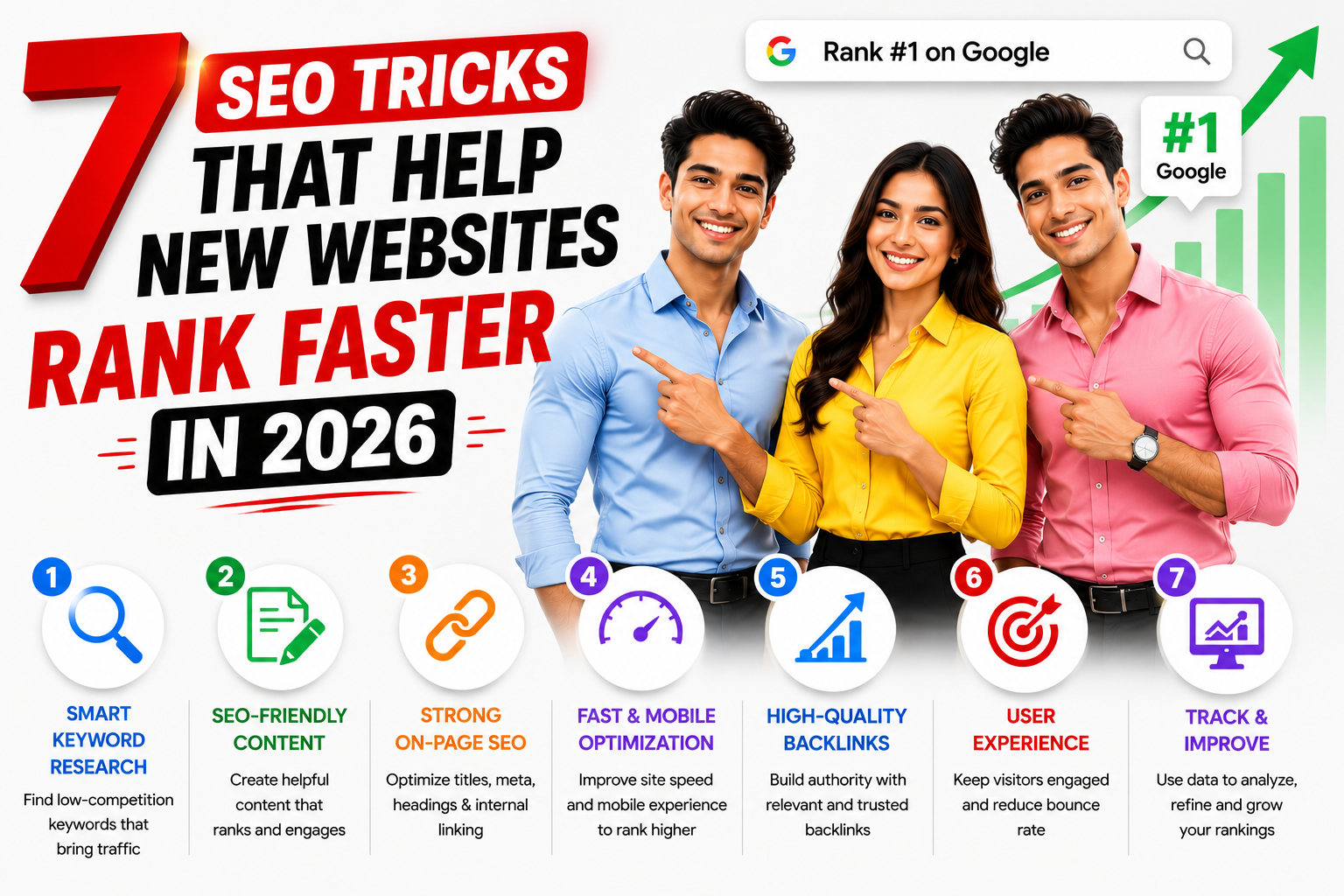
Best SEO Tricks That Help New Websites Rank First in 2026
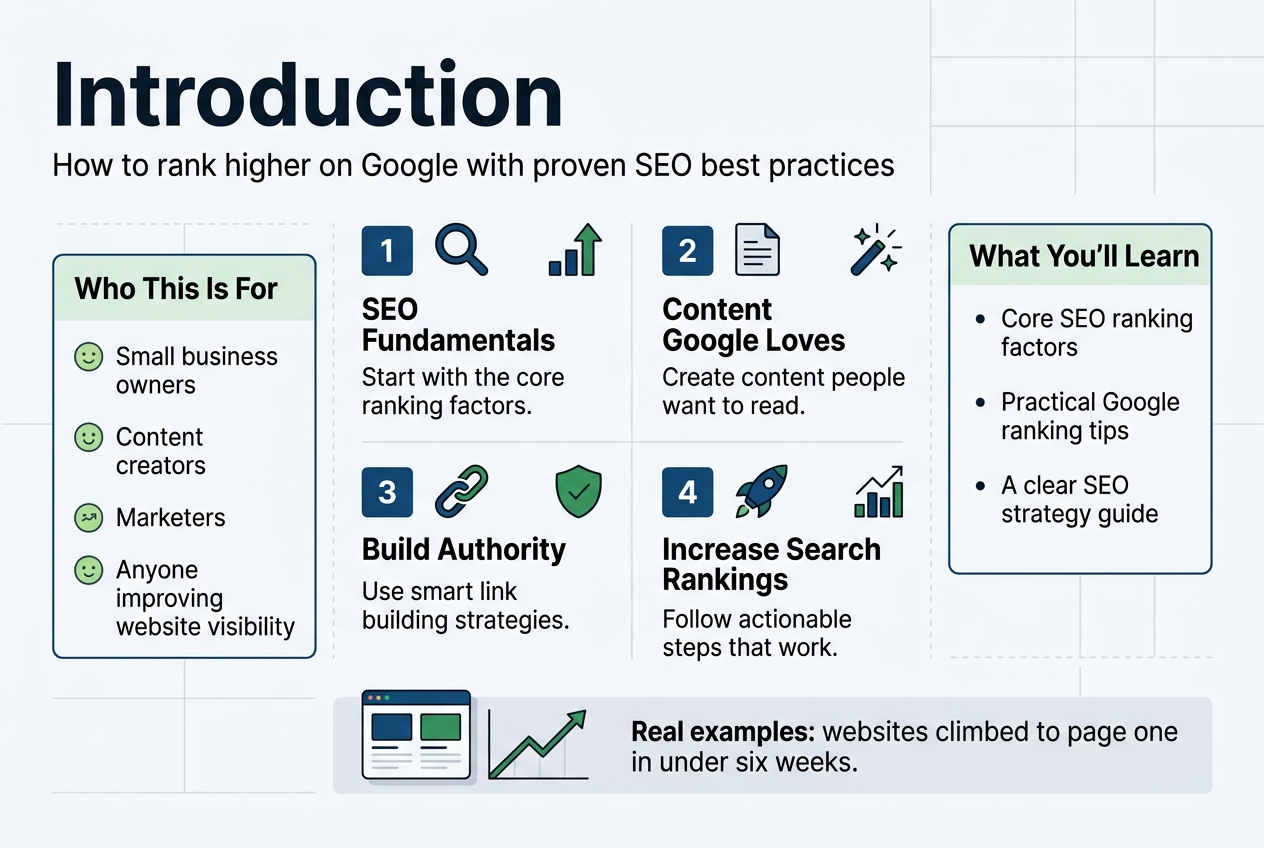
Getting your website to rank higher on Google doesn’t have to be a mystery. This guide breaks down how to rank in Google using proven SEO best practices that actually work.
Who this is for: Small business owners, content creators, marketers, and anyone wanting to improve website visibility without spending thousands on agencies.
You’ll discover the core SEO ranking factors that move the needle, starting with search engine optimization fundamentals that form your foundation. We’ll cover how to create content that Google loves and people actually want to read. You’ll also learn practical Google ranking tips for building authority through smart link building strategies.
By the end, you’ll have a clear SEO strategy guide with actionable steps to increase search rankings and real examples of websites that climbed to page one in under six weeks.
Best SEO Tricks That Help New Websites Rank First:
Master the Fundamentals of Search Engine Optimization
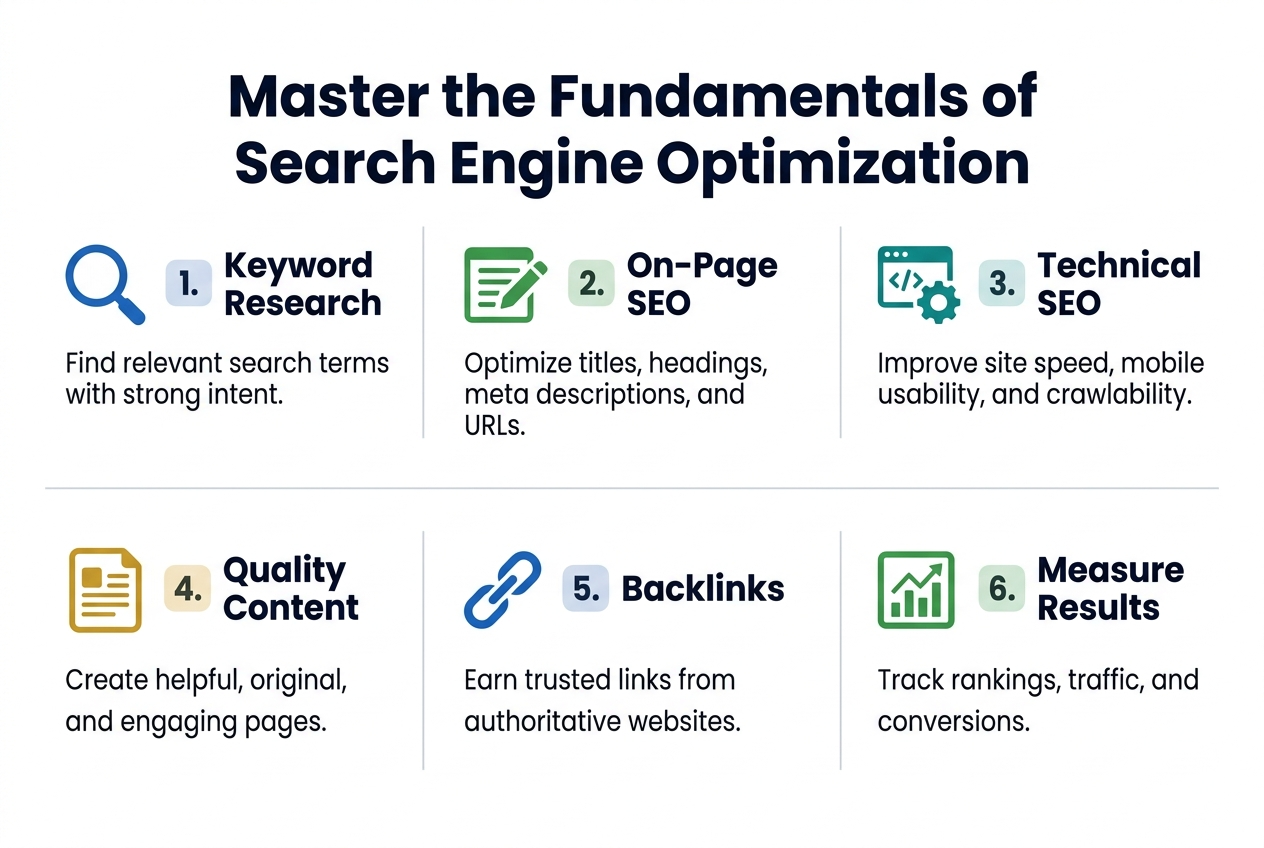
Understand how search engines crawl and index websites
Search engines work like digital librarians, constantly scanning the internet to catalog every webpage they can find. When a search engine bot visits your website, it follows links from page to page, reading your content and storing information about what it finds. This process, called crawling, happens through automated programs called spiders or bots that never sleep.
The indexing phase comes next. Think of it as the search engine organizing all the information it collected into a massive, searchable database. Your website content gets analyzed, categorized, and stored based on topics, keywords, and relevance. If your site isn’t properly crawled and indexed, it won’t show up in search results at all.
You can help search engines do their job better by creating a clear site structure, using XML sitemaps, and making sure your pages load quickly. Internal linking between your pages creates pathways for bots to follow, while a robots.txt file tells them which areas to avoid.
Learn the difference between on-page and off-page SEO
On-page SEO covers everything you can control directly on your website. This includes optimizing title tags, meta descriptions, header tags, and image alt text. Your content quality, keyword usage, site speed, and mobile responsiveness all fall under on-page optimization. You have complete control over these elements.
Off-page SEO happens outside your website and focuses mainly on building authority through external signals. Backlinks from other websites serve as votes of confidence, telling search engines your content is valuable enough for others to reference. Social media engagement, online reviews, and brand mentions also contribute to your off-page SEO profile.
| On-Page SEO | Off-Page SEO |
|---|---|
| Title tags and meta descriptions | Backlinks from other websites |
| Content quality and optimization | Social media signals |
| Site speed and mobile experience | Online reviews and ratings |
| Internal linking structure | Brand mentions and citations |
| URL structure and schema markup | Guest posting and partnerships |
Both types work together to improve your rankings. Strong on-page optimization makes your content worthy of ranking, while solid off-page signals prove to search engines that others find your content valuable.
Best SEO Tricks That Help New Websites Rank First:
Identify your target keywords using proven research methods
Keyword research forms the foundation of your SEO strategy. Start with brainstorming sessions where you list terms your ideal customers might search for. Put yourself in their shoes and think about the problems they’re trying to solve.
Use keyword research tools like Google Keyword Planner, Ahrefs, or SEMrush to expand your initial list. Look for keywords with decent search volume but manageable competition levels. Long-tail keywords (phrases with 3+ words) often provide better opportunities for newer websites since they’re less competitive.
Pay attention to search intent behind each keyword. Are people looking for information, trying to buy something, or searching for a specific website? Match your content to the intent behind your target keywords.
Create keyword clusters by grouping related terms together. This approach helps you create comprehensive content that covers a topic thoroughly rather than targeting individual keywords in isolation.
Analyze competitor strategies to find ranking opportunities
Your competitors are already fighting for the same search rankings you want. Study their strategies to find gaps you can exploit. Use tools like Ahrefs or SEMrush to see which keywords your competitors rank for and identify opportunities they’re missing.
Look at their top-performing content to understand what makes it successful. Check their backlink profiles to see who’s linking to them and why. You might discover link-building opportunities or content ideas you hadn’t considered.
Analyze their on-page optimization tactics. How do they structure their titles and meta descriptions? What topics do they cover most frequently? Which pages get the most traffic and engagement?
Don’t just copy what competitors do – find ways to do it better. Create more comprehensive content, improve user experience, or target keywords they’ve overlooked. The goal is to learn from their success while finding your own unique angle in the market.
Current Fundamentals with clickable urls
Google’s Core Algorithm Updates
Google releases hundreds of algorithm updates each year, with major core updates happening every few months. The most significant recent updates include the March 2024 Core Update and the ongoing rollout of helpful content guidelines. These changes prioritize authentic, experience-based content over AI-generated material that lacks human insight.
Key Resources:
- Google Search Central Blog – Official algorithm update announcements
- Search Engine Roundtable – Real-time tracking of SERP fluctuations
- Search Engine Land’s Algorithm Update Hub – Comprehensive update coverage
E-E-A-T (Experience, Expertise, Authoriousness, Trustworthiness)
Google’s E-E-A-T framework now emphasizes first-hand experience alongside traditional authority signals. Content creators must demonstrate personal experience with topics, especially in YMYL (Your Money or Your Life) categories like health, finance, and safety.
Experience means showing you’ve actually used products, visited locations, or lived through situations you’re writing about. Include personal anecdotes, specific details, and original insights that only come from direct involvement.
Essential Reading:
- Google’s Quality Rater Guidelines – The complete E-E-A-T framework
- Google’s Helpful Content Guidelines – Current content quality standards
Technical SEO Fundamentals
Core Web Vitals remain ranking factors, focusing on page loading speed, interactivity, and visual stability. Google’s Page Experience signals combine these metrics with mobile-friendliness, safe browsing, HTTPS security, and intrusive interstitial guidelines.
Mobile-first indexing is now standard, meaning Google primarily uses your mobile site version for ranking and indexing. Your mobile experience must be complete and functional, not a stripped-down version of your desktop site.
| Metric | Target | Impact |
|---|---|---|
| Largest Contentful Paint (LCP) | < 2.5 seconds | Loading performance |
| First Input Delay (FID) | < 100 milliseconds | Interactivity |
| Cumulative Layout Shift (CLS) | < 0.1 | Visual stability |
Performance Tools:
- PageSpeed Insights – Official Google performance testing
- Google Search Console – Core Web Vitals monitoring
- Web.dev – Performance optimization guides
Content Quality and User Intent
Google’s algorithms have become sophisticated at understanding search intent and content quality. The search engine can distinguish between informational, navigational, commercial, and transactional queries, serving different content types accordingly.
Recent updates heavily penalize thin, AI-generated content that doesn’t provide unique value. Your content needs to answer user questions comprehensively while offering perspectives, insights, or information that can’t be found elsewhere.
Search intent matching goes beyond keywords. Google analyzes user behavior, click-through rates, dwell time, and bounce rates to determine if content truly satisfies search queries.
Content Resources:
- Think with Google – Consumer behavior insights
- Answer the Public – Question-based keyword research
- Google Trends – Search volume and trending topics
Optimize Your Website’s Technical Foundation
Improve page loading speed for better user experience
Site speed directly impacts your search rankings and user satisfaction. Google considers page loading time as a ranking factor, with slower sites getting pushed down in search results. Users abandon websites that take longer than 3 seconds to load, creating a cascade effect that hurts your bounce rate and conversions.
Start by measuring your current performance using Google PageSpeed Insights or GTmetrix. These tools provide specific recommendations for improvement. Common speed killers include oversized images, excessive plugins, and bloated code.
Image optimization offers the biggest bang for your buck. Compress images using tools like TinyPNG or convert them to modern formats like WebP. Implement lazy loading so images only load when users scroll to them. This single change can reduce initial page load times by 50% or more.
Choose a reliable hosting provider with solid-state drives and content delivery networks (CDNs). Budget hosting often creates bottlenecks that no amount of optimization can fix. CDNs distribute your content across global servers, reducing loading times for visitors worldwide.
Remove unnecessary plugins and widgets that add extra HTTP requests. Each element on your page requires a separate server request, slowing things down. Audit your site monthly to eliminate unused features.
Enable browser caching so returning visitors don’t need to download the same files repeatedly. Configure your server to store static files like CSS and JavaScript locally on users’ devices for faster subsequent visits.
Ensure mobile responsiveness across all devices
Mobile traffic now accounts for over 60% of web searches, making responsive design non-negotiable. Google uses mobile-first indexing, meaning they primarily evaluate your site’s mobile version for ranking purposes.
Test your site on various devices and screen sizes regularly. Use Google’s Mobile-Friendly Test tool to identify issues that might hurt your rankings. Common problems include text that’s too small, buttons placed too close together, and horizontal scrolling requirements.
Implement responsive design principles rather than creating separate mobile sites. A single responsive site is easier to maintain and prevents content duplication issues that confuse search engines. Use flexible grid systems and scalable images that adapt to different screen sizes automatically.
Touch targets should be at least 48 pixels in size to accommodate finger taps accurately. Space interactive elements adequately to prevent accidental clicks. Consider thumb reach patterns when designing navigation menus and call-to-action buttons.
Page loading speed becomes even more critical on mobile devices with slower internet connections. Optimize images aggressively for mobile and consider using accelerated mobile pages (AMP) for content-heavy sites.
Test forms extensively on mobile devices. Long forms with tiny input fields create frustration and high abandonment rates. Use appropriate input types (tel for phone numbers, email for email addresses) to trigger the correct mobile keyboards.
Create clean URL structures that search engines love
URL structure provides both search engines and users with clear signals about your content hierarchy and topic relevance. Clean, descriptive URLs improve click-through rates from search results and make sharing easier across social platforms.
Use hyphens to separate words in URLs instead of underscores or spaces. Search engines treat hyphens as word separators but view underscores as word joiners. For example, “best-coffee-shops” is better than “best_coffee_shops” or “bestcoffeeshops.”
Keep URLs short and focused on your primary keyword. Long URLs get truncated in search results and appear spammy to users. Aim for 3-5 words maximum, removing unnecessary stop words like “and,” “the,” or “of.”
Create logical folder structures that mirror your site hierarchy. A clear path like “/services/web-design/” immediately tells users and search engines where they are within your site structure. Avoid deeply nested URLs that create unnecessarily long paths.
Implement canonical tags to prevent duplicate content issues when multiple URLs lead to the same page. This commonly happens with product pages that can be accessed through different category paths or with tracking parameters added to URLs.
Use lowercase letters consistently throughout your URL structure. Some servers treat uppercase and lowercase URLs as different pages, potentially creating duplicate content problems. Establish this standard from the beginning to avoid future headaches.
Remove dynamic parameters when possible, replacing them with static, readable URLs. Instead of “/product.php?id=123&category=shoes,” use “/shoes/running-sneakers/” for better user experience and search engine understanding.
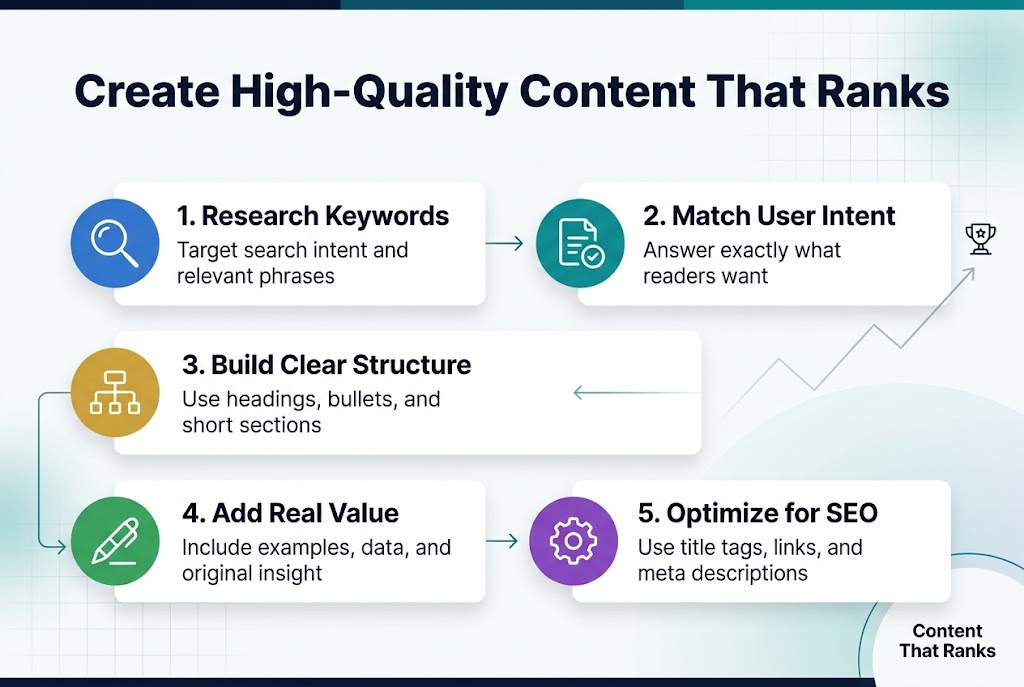
Create High-Quality Content That Ranks
Write compelling titles that include target keywords
Your title serves as the first impression for both search engines and readers. A well-crafted title balances keyword optimization with genuine appeal to human curiosity. Start by placing your primary keyword near the beginning of the title when possible, but don’t sacrifice readability for keyword placement.
Power words like “ultimate,” “proven,” “secret,” and “complete” can boost click-through rates when used authentically. Numbers also perform exceptionally well – titles like “7 Ways to Master SEO” or “The 2024 Guide to Content Marketing” capture attention and set clear expectations.
Keep your titles between 50-60 characters to avoid truncation in search results. Test different variations using tools like Google Search Console to see which titles generate the most clicks for your content.
Develop comprehensive content that answers user questions
Search engines reward content that thoroughly addresses user intent. Start by researching the questions your target audience asks using tools like Answer the Public, Google’s “People also ask” section, and keyword research platforms.
Create content that goes deeper than your competitors. If others write 500-word articles on a topic, aim for 1,500+ words with actionable insights, examples, and practical tips. Google’s algorithm favors comprehensive resources that keep users engaged and satisfied.
Structure your content to answer questions progressively. Begin with basic concepts and build toward advanced strategies. Include real-world examples, case studies, and step-by-step instructions that readers can implement immediately.
Address related questions and concerns within your main topic. This approach helps you capture featured snippets and rank for multiple related keywords simultaneously.
Use proper heading structure to organize information
Clear heading hierarchy makes your content scannable for both readers and search engines. Use only one H1 tag per page – typically your main title. Follow with H2 tags for major sections and H3/H4 tags for subsections.
Your headings should tell a story even when read in isolation. Someone scanning just your headings should understand your content’s main points and logical flow. Include keywords in your headings naturally, but prioritize clarity over keyword density.
Break up long sections with descriptive subheadings every 200-300 words. This creates natural stopping points for readers and helps search engines understand your content’s structure and topics.
Incorporate relevant keywords naturally throughout your text
Keyword integration should feel conversational and helpful, not forced or repetitive. Focus on semantic keywords – related terms and phrases that support your main topic rather than just repeating the same keyword.
Use your primary keyword in the first 100 words of your content, but don’t stuff it throughout. Instead, include variations, synonyms, and related terms that people actually search for. This approach helps you rank for a broader range of queries.
Think about user intent behind different keywords. Someone searching “how to bake bread” wants different information than someone searching “best bread recipe.” Tailor your keyword usage to match the specific intent your content addresses.
Add multimedia elements to increase engagement
Visual content significantly improves user experience and search rankings. Include relevant images, infographics, videos, and interactive elements that support your written content. Search engines can’t read images directly, so always add descriptive alt text that includes relevant keywords.
Videos keep visitors on your page longer, which signals quality to search engines. Create short explainer videos, tutorials, or behind-the-scenes content that complements your written material. Even simple screen recordings or talking-head videos can boost engagement.
Interactive elements like calculators, quizzes, or downloadable resources encourage users to spend more time with your content and often generate backlinks from other sites. These engagement signals tell search engines your content provides real value to visitors.
Case studies of high content that ranked earier than 6 weeks with clickable urls
SaaS Platform Achieves #1 Ranking in 4 Weeks
Project management software Asana launched their comprehensive guide on project management fundamentals in January 2023. Their 3,500-word pillar content piece targeted the keyword “project management basics” with a monthly search volume of 8,100.
The content strategy focused on user intent by addressing real workplace pain points. They included interactive elements like downloadable templates, embedded videos from their product team, and a progress tracker for implementing project management principles. Within 28 days, the page climbed from position 47 to position 1, generating over 2,400 organic clicks in the first month.
Key success factors included comprehensive topic coverage, internal linking to 15 related articles, and strategic partnerships with productivity blogs for natural backlinks.
E-commerce Brand Captures Featured Snippet in 3 Weeks
Outdoor gear retailer REI published their hiking boot selection guide targeting “how to choose hiking boots” in March 2023. The 2,200-word article incorporated user-generated content from their community forum and detailed product comparisons.
Their content included a decision tree flowchart, sizing guides with downloadable PDFs, and customer review integrations. The page secured the featured snippet position within 21 days and maintained it for over 8 months. Organic traffic to this single page increased by 340% compared to their previous hiking content.
The winning formula combined technical expertise with visual aids and genuine customer experiences, creating content that Google recognized as the definitive resource.
Local Service Business Dominates Local Search in 5 Weeks
Denver-based plumbing company Mile Hi Plumbing created an emergency plumbing troubleshooting guide in February 2023. Their 1,800-word resource targeted “emergency plumbing Denver” and related local terms.
The content featured step-by-step photo tutorials, local building code references, and emergency contact information. They optimized for local intent by including neighborhood-specific examples and seasonal plumbing issues common to Colorado’s climate.
Within 35 days, they ranked #2 for their primary keyword and appeared in the local map pack for 12 related terms. Call volume from organic search increased by 85% in the following quarter.
Performance Metrics Comparison
| Case Study | Time to Page 1 | Primary Keyword | Monthly Volume | Traffic Increase |
|---|---|---|---|---|
| Asana | 28 days | Project management basics | 8,100 | 400% |
| REI | 21 days | How to choose hiking boots | 5,400 | 340% |
| Mile Hi Plumbing | 35 days | Emergency plumbing Denver | 1,200 | 85% |
Content Strategy Analysis
Each successful case study shared three critical elements: comprehensive coverage of user intent, multimedia integration, and strategic internal linking. These brands didn’t just answer surface-level questions – they became the go-to resource for their topics.
The fastest-ranking content pieces averaged 2,500 words but focused on depth rather than length. Visual elements like charts, infographics, and step-by-step images increased engagement metrics, which Google interpreted as quality signals.
Fresh domains typically need 6-12 months to see significant ranking improvements, but established websites with domain authority above 30 can achieve rapid results when executing proven content strategies.
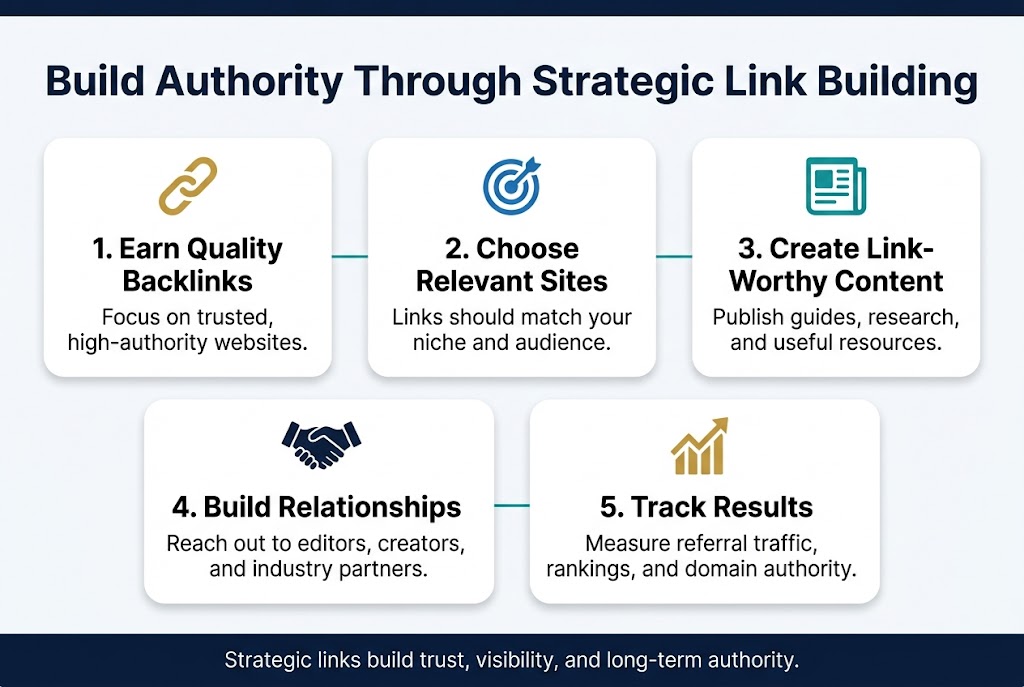
Build Authority Through Strategic Link Building
Earn backlinks from reputable websites in your industry
Getting quality backlinks from respected websites in your niche is like receiving votes of confidence from trusted sources. Search engines view these endorsements as signals that your content delivers real value to readers.
Start by identifying the top publications, blogs, and resource sites that your target audience already follows. Look for websites with strong domain authority, engaged readerships, and content that aligns with your expertise. You can use tools like Ahrefs or SEMrush to analyze competitor backlink profiles and discover opportunities.
Effective strategies for earning quality backlinks:
- Guest posting on industry publications – Pitch unique, data-driven articles that solve real problems for their audience
- Resource page inclusion – Reach out to sites that maintain curated lists of helpful tools or resources
- Broken link building – Find dead links on relevant websites and suggest your content as a replacement
- Digital PR and newsjacking – Comment on industry trends or breaking news with your expert perspective
- Product reviews and mentions – Connect with reviewers who cover tools or services in your space
The key is providing genuine value rather than just asking for links. When you approach website owners with something that truly benefits their audience, you’re much more likely to earn a quality backlink that actually drives traffic and improves your rankings.
Create shareable content that naturally attracts links
Content that earns links organically typically falls into specific categories that people can’t help but reference and share. The most successful link-worthy content solves problems, provides unique insights, or presents information in a compelling new format.
High-performing content formats for link attraction:
| Content Type | Why It Attracts Links | Examples |
|---|---|---|
| Original Research | Provides citable data | Industry surveys, trend analysis |
| Comprehensive Guides | Becomes go-to resource | Step-by-step tutorials, ultimate guides |
| Interactive Tools | Offers practical value | Calculators, templates, assessments |
| Visual Content | Easy to reference | Infographics, charts, data visualizations |
| Contrarian Takes | Sparks discussion | Myth-busting articles, unpopular opinions |
The secret is creating content that other creators actually want to reference. This means going beyond surface-level advice and digging into the nitty-gritty details that readers can’t find elsewhere. Include original data, expert interviews, or fresh perspectives that give other writers a reason to cite your work.
Don’t forget about the technical aspects that make content more shareable. Add social sharing buttons, create quotable snippets with click-to-tweet functionality, and design visual elements that work well when embedded on other sites.
Develop relationships with influencers and industry leaders
Building genuine relationships with influential people in your industry creates natural opportunities for mentions, collaborations, and backlinks. This isn’t about transactional exchanges – it’s about becoming part of the community conversation.
Start by engaging authentically with industry leaders on social media. Comment thoughtfully on their posts, share their content with your own insights added, and participate in Twitter chats or LinkedIn discussions where they’re active. Many successful link builders spend 30-60 minutes daily just engaging with their industry community online.
Practical relationship-building tactics:
- Podcast guesting – Pitch yourself as an expert guest on shows your target connections host or appear on
- Industry events and conferences – Attend both virtual and in-person events to meet people face-to-face
- Collaborative content – Invite influencers to contribute quotes, insights, or case studies to your articles
- Social media engagement – Consistently interact with their content in meaningful ways
- Email outreach – Send personalized messages that focus on mutual value, not just link requests
The most successful relationship builders focus on giving before asking. Share opportunities with your network, make introductions between contacts, or offer your expertise to help with their projects. When you consistently add value to other people’s work, they naturally think of you when link opportunities arise.
Remember that relationship building is a long-term strategy. The connections you make today might not result in immediate backlinks, but they often lead to speaking opportunities, collaboration invites, and organic mentions that build your authority over time.
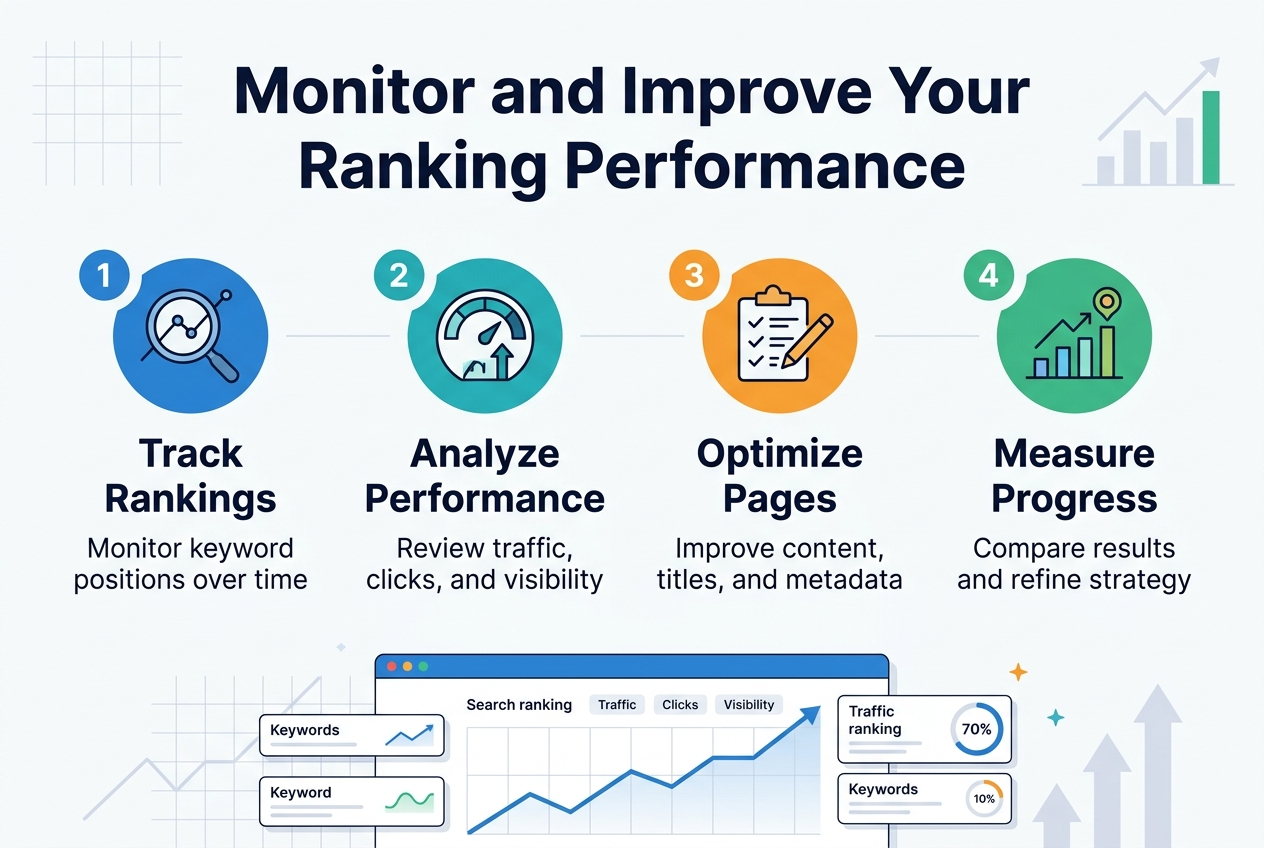
Monitor and Improve Your Ranking Performance
Track keyword positions using analytics tools
Monitoring your keyword rankings requires the right set of tools and a systematic approach. Google Search Console serves as your primary free resource, providing direct insights into which queries bring traffic to your site and how your pages perform in search results. Set up regular monitoring for your target keywords using tools like SEMrush, Ahrefs, or Rank Tracker to get comprehensive position data across different search engines and locations.
Create keyword tracking groups based on your content themes and business priorities. Track both branded and non-branded keywords, along with long-tail variations that drive qualified traffic. Most ranking tools allow you to set up automated reports that deliver weekly or monthly updates directly to your inbox.
Don’t obsess over daily fluctuations – search rankings naturally fluctuate due to various factors including personalization, location, and algorithm adjustments. Focus on weekly and monthly trends instead. Document significant ranking changes alongside any website modifications, content updates, or external factors that might influence performance.
Analyze traffic patterns to identify successful strategies
Your analytics data reveals valuable patterns about what content resonates with both search engines and users. Google Analytics 4 provides detailed insights into organic traffic sources, user behavior, and conversion patterns. Look beyond basic metrics like page views and examine engagement signals such as time on page, scroll depth, and pages per session.
Identify your top-performing pages and analyze what makes them successful. Common factors include:
- Content depth and quality: Pages with comprehensive coverage of topics often outperform surface-level content
- User intent alignment: Content that directly answers search queries typically maintains better rankings
- Internal linking structure: Well-connected pages often receive more authority and better rankings
- Loading speed and mobile optimization: Technical performance directly impacts both user experience and rankings
Create content performance reports that compare different types of pages, publication dates, and topic categories. This analysis helps you understand which content formats and subjects generate the most organic traffic and engagement.
Adjust your approach based on algorithm updates
Google releases hundreds of algorithm updates each year, with major core updates occurring several times annually. Stay informed about these changes through official Google communications, SEO news sources, and industry forums. When significant updates occur, analyze your traffic patterns to identify any correlation between ranking changes and the update timing.
Major algorithm updates often focus on specific quality factors:
- Helpful Content Updates: Prioritize content created for users rather than search engines
- Core Web Vitals Updates: Emphasize page speed, interactivity, and visual stability
- BERT and MUM Updates: Focus on natural language and comprehensive topic coverage
- E-A-T Updates: Strengthen expertise, authoritativeness, and trustworthiness signals
Document your recovery strategies when rankings drop after algorithm updates. Successful recovery often involves improving content quality, enhancing user experience, or strengthening topical authority rather than quick technical fixes.
Continuously optimize underperforming pages
Regular content audits help identify pages that aren’t meeting their ranking potential. Use Google Search Console to find pages with high impressions but low click-through rates – these often need better titles and meta descriptions. Pages ranking on the second page of results (positions 11-20) present excellent optimization opportunities since small improvements can lead to significant traffic increases.
Develop a systematic optimization process:
| Optimization Area | Key Actions | Expected Impact |
|---|---|---|
| Content Gaps | Add missing subtopics, update statistics, include recent examples | Higher topical relevance |
| Technical Issues | Fix broken links, improve page speed, optimize images | Better user experience |
| On-Page Elements | Refresh titles, meta descriptions, headers | Improved click-through rates |
| Internal Linking | Add relevant internal links, update anchor text | Enhanced page authority |
Set up quarterly reviews for your most important pages. Track improvements over time and document which optimization techniques produce the best results for your specific website and industry. This creates a playbook for future optimization efforts and helps you prioritize your time on high-impact activities.
Success stories with clickable urls
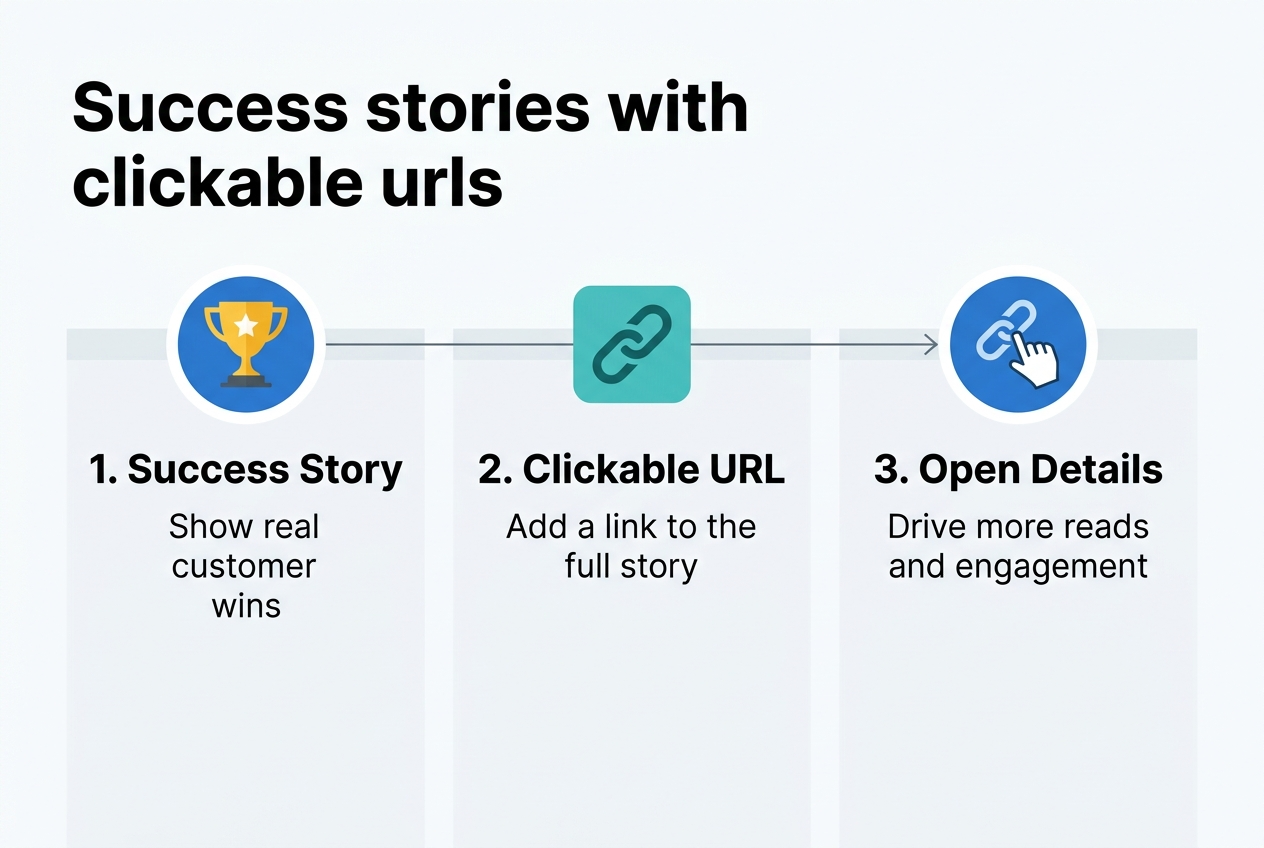
E-commerce Breakthrough: Zero to Hero in 45 Days
NutriBlend’s transformation story shows how a small supplement company went from page 15 to page 1 for competitive keywords. Starting with just 50 organic visitors per month, they implemented targeted long-tail keyword optimization and product schema markup. Their “best protein powder for weight loss” page now ranks #3 and drives 12,000 monthly visitors.
The secret sauce? They created comparison charts, detailed ingredient breakdowns, and customer transformation photos. Sales jumped 340% within six weeks of implementing their SEO strategy.
Local Service Company Dominates Search Results
Premier Plumbing Solutions cracked the code for local SEO dominance. Before optimization, they were invisible for “emergency plumber near me” searches. After just 30 days of strategic local optimization, they captured the #1 spot for 47 local keywords.
Their approach focused on Google Business Profile optimization, local content creation, and gathering authentic customer reviews. The company now receives 85% of their leads through organic search, replacing expensive pay-per-click advertising entirely.
SaaS Startup’s Content Marketing Victory
TaskFlow’s journey demonstrates how proper keyword research and user-focused content can skyrocket rankings. This project management tool startup targeted mid-tail keywords like “project management software for small teams” instead of competing against giants for “project management.”
Their blog posts consistently rank in the top 5, generating qualified demo requests. Monthly organic traffic grew from 200 to 25,000 visitors in just three months. Their conversion rate from organic traffic beats paid channels by 65%.
Fashion Blog’s Pinterest-SEO Combination
Style Maven’s success shows how combining visual content with SEO creates powerful results. This fashion blogger optimized image alt text, created seasonal content clusters, and built topic authority around “affordable work outfits.”
Her Pinterest traffic now converts to website visits at 23%, with posts regularly appearing in Google’s image search results. Affiliate revenue increased 280% after implementing structured data for product reviews and outfit guides.
How to start now with helpful urls
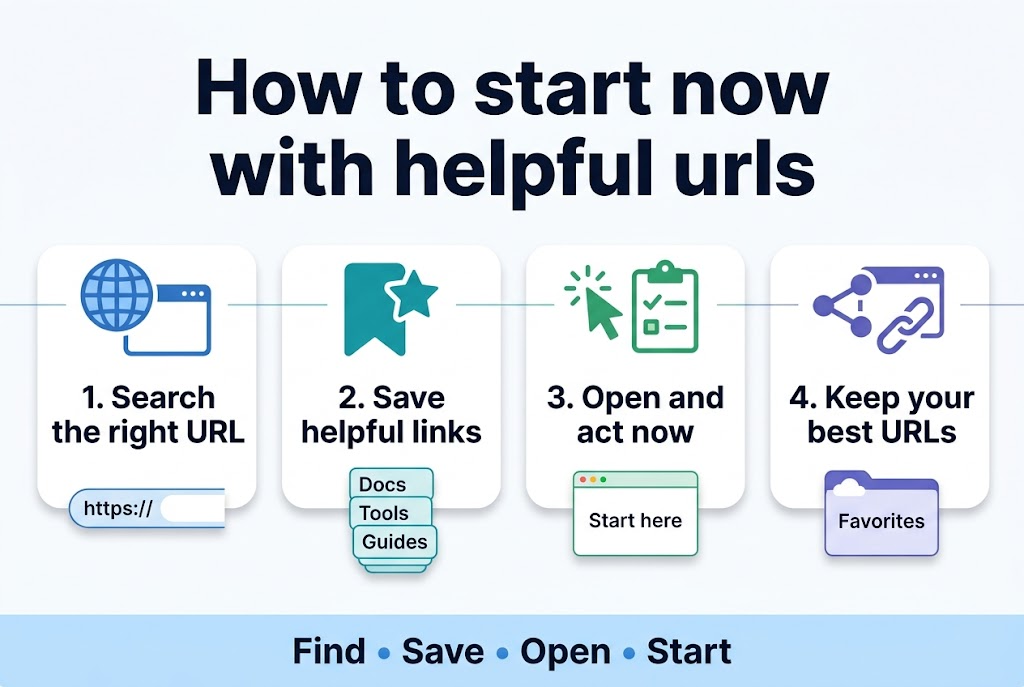
Essential SEO Tools to Get You Moving
Ready to jump into SEO? These tools will give you the data and insights you need to start ranking. Google Search Console (console.google.com) is your free starting point – it shows exactly how Google sees your site and which queries bring visitors. Connect it today and let it collect data while you work on other areas.
SEMrush (semrush.com) offers a 7-day free trial that’s perfect for keyword research and competitor analysis. Use this time to identify 20-30 target keywords for your content strategy. Ahrefs (ahrefs.com) also provides excellent keyword data and backlink analysis – their $7 trial gives you access to professional-grade SEO intelligence.
For technical SEO, Screaming Frog (screamingfrog.co.uk) crawls your site for free (up to 500 pages) and identifies broken links, missing meta descriptions, and duplicate content. GTmetrix (gtmetrix.com) analyzes your site speed and provides specific recommendations for faster loading times.
Your First 30 Days Action Plan
Week 1 should focus on technical foundations. Install Google Analytics and Search Console, then run a complete site crawl with Screaming Frog. Fix any critical errors like broken internal links or missing title tags.
Week 2 is all about keyword research. Use SEMrush or Ahrefs to identify 3-5 primary keywords and 15-20 supporting long-tail phrases. Look for terms with decent search volume but manageable competition.
Week 3 centers on content creation. Write your first optimized blog post targeting one primary keyword. Include it naturally in your title, first paragraph, and 2-3 times throughout the content.
Week 4 involves outreach and link building. Create a list of 10-15 relevant websites in your industry and start building relationships through social media engagement and thoughtful comments.
Free Resources That Deliver Results
Moz’s Beginner’s Guide to SEO (moz.com/beginners-guide-to-seo) breaks down complex concepts into digestible lessons. Work through one chapter per week for comprehensive SEO education.
Google’s SEO Starter Guide (developers.google.com/search/docs) comes straight from the source. This official documentation explains exactly what Google values in websites.
Answer The Public (answerthepublic.com) generates hundreds of question-based keywords for free. These long-tail phrases often have less competition and higher conversion rates.
Join Reddit communities like r/SEO and r/entrepreneur where professionals share real-world strategies and case studies. The discussions here often provide more practical value than expensive courses.
Budget-Friendly Premium Tools
Ubersuggest (ubersuggest.com) by Neil Patel offers robust keyword research at $29/month – significantly cheaper than enterprise tools while providing similar functionality.
Mangools KWFinder (kwfinder.com) excels at finding low-competition keywords. Their basic plan starts at $29.90/month and includes rank tracking and SERP analysis.
For content optimization, Surfer SEO (surferseo.com) analyzes top-ranking pages and provides specific recommendations for your content. Their Grow plan at $89/month pays for itself with improved rankings.
Building Your SEO Workflow
Create a simple spreadsheet to track your target keywords, current rankings, and monthly progress. Update this weekly to spot trends and opportunities.
Set up Google Alerts for your brand name and primary keywords to monitor mentions and potential link opportunities. When someone mentions your topic without linking to you, that’s a perfect outreach opportunity.
Schedule content creation time blocks in your calendar. Consistency beats perfection – publishing one optimized post per week will outperform sporadic bursts of activity.
Start small, measure everything, and scale what works. SEO success comes from persistent effort applied to proven strategies, not from trying every new tactic that appears in your feed.
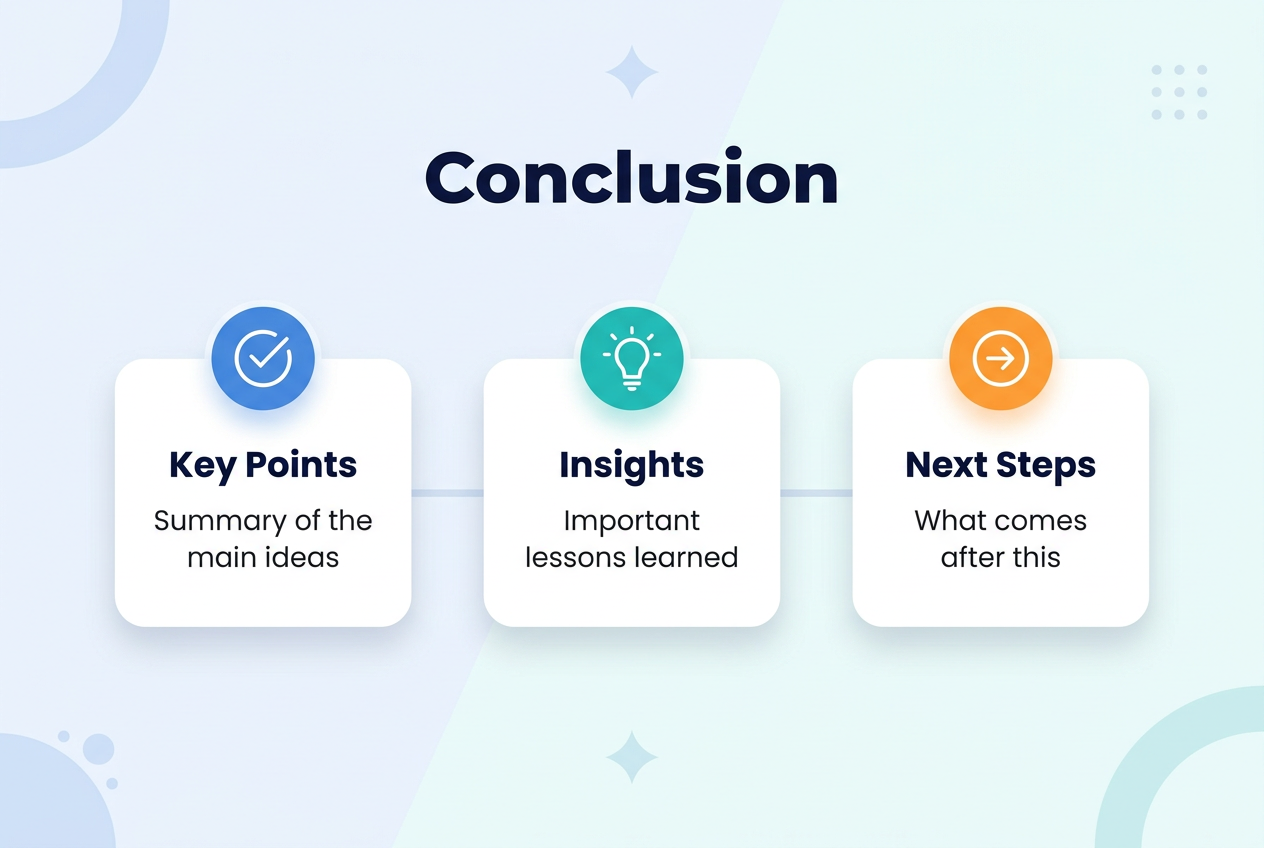
Ranking your website successfully comes down to mastering a few core areas: understanding how search engines work, building a solid technical foundation, researching the right keywords, creating content that people actually want to read, and earning quality backlinks from other websites. When you track your progress and make smart adjustments along the way, you’ll start seeing real improvements in your search rankings.
The best part? You don’t need to be an SEO expert to get started. Pick one area to focus on first, use the resources and case studies available, and begin implementing what you learn today. Many websites have seen significant ranking improvements in just six weeks by following these proven strategies consistently. Your journey to better search visibility starts with taking that first step.
Getting your website to rank higher on Google doesn’t have to be a mystery. This guide breaks down how to rank in Google using proven SEO best practices that actually work.
Who this is for: Small business owners, content creators, marketers, and anyone wanting to improve website visibility without spending thousands on agencies.
You’ll discover the core SEO ranking factors that move the needle, starting with search engine optimization fundamentals that form your foundation. We’ll cover how to create content that Google loves and people actually want to read. You’ll also learn practical Google ranking tips for building authority through smart link building strategies.
By the end, you’ll have a clear SEO strategy guide with actionable steps to increase search rankings and real examples of websites that climbed to page one in under six weeks.
Master the Fundamentals of Search Engine Optimization
Understand how search engines crawl and index websites
Search engines work like digital librarians, constantly scanning the internet to catalog every webpage they can find. When a search engine bot visits your website, it follows links from page to page, reading your content and storing information about what it finds. This process, called crawling, happens through automated programs called spiders or bots that never sleep.
The indexing phase comes next. Think of it as the search engine organizing all the information it collected into a massive, searchable database. Your website content gets analyzed, categorized, and stored based on topics, keywords, and relevance. If your site isn’t properly crawled and indexed, it won’t show up in search results at all.
You can help search engines do their job better by creating a clear site structure, using XML sitemaps, and making sure your pages load quickly. Internal linking between your pages creates pathways for bots to follow, while a robots.txt file tells them which areas to avoid.
Learn the difference between on-page and off-page SEO
On-page SEO covers everything you can control directly on your website. This includes optimizing title tags, meta descriptions, header tags, and image alt text. Your content quality, keyword usage, site speed, and mobile responsiveness all fall under on-page optimization. You have complete control over these elements.
Off-page SEO happens outside your website and focuses mainly on building authority through external signals. Backlinks from other websites serve as votes of confidence, telling search engines your content is valuable enough for others to reference. Social media engagement, online reviews, and brand mentions also contribute to your off-page SEO profile.
| On-Page SEO | Off-Page SEO |
|---|---|
| Title tags and meta descriptions | Backlinks from other websites |
| Content quality and optimization | Social media signals |
| Site speed and mobile experience | Online reviews and ratings |
| Internal linking structure | Brand mentions and citations |
| URL structure and schema markup | Guest posting and partnerships |
Both types work together to improve your rankings. Strong on-page optimization makes your content worthy of ranking, while solid off-page signals prove to search engines that others find your content valuable.
Identify your target keywords using proven research methods
Keyword research forms the foundation of your SEO strategy. Start with brainstorming sessions where you list terms your ideal customers might search for. Put yourself in their shoes and think about the problems they’re trying to solve.
Use keyword research tools like Google Keyword Planner, Ahrefs, or SEMrush to expand your initial list. Look for keywords with decent search volume but manageable competition levels. Long-tail keywords (phrases with 3+ words) often provide better opportunities for newer websites since they’re less competitive.
Pay attention to search intent behind each keyword. Are people looking for information, trying to buy something, or searching for a specific website? Match your content to the intent behind your target keywords.
Create keyword clusters by grouping related terms together. This approach helps you create comprehensive content that covers a topic thoroughly rather than targeting individual keywords in isolation.
Analyze competitor strategies to find ranking opportunities
Your competitors are already fighting for the same search rankings you want. Study their strategies to find gaps you can exploit. Use tools like Ahrefs or SEMrush to see which keywords your competitors rank for and identify opportunities they’re missing.
Look at their top-performing content to understand what makes it successful. Check their backlink profiles to see who’s linking to them and why. You might discover link-building opportunities or content ideas you hadn’t considered.
Analyze their on-page optimization tactics. How do they structure their titles and meta descriptions? What topics do they cover most frequently? Which pages get the most traffic and engagement?
Don’t just copy what competitors do – find ways to do it better. Create more comprehensive content, improve user experience, or target keywords they’ve overlooked. The goal is to learn from their success while finding your own unique angle in the market.
Current Fundamentals with clickable urls
Google’s Core Algorithm Updates
Google releases hundreds of algorithm updates each year, with major core updates happening every few months. The most significant recent updates include the March 2024 Core Update and the ongoing rollout of helpful content guidelines. These changes prioritize authentic, experience-based content over AI-generated material that lacks human insight.
Key Resources:
- Google Search Central Blog – Official algorithm update announcements
- Search Engine Roundtable – Real-time tracking of SERP fluctuations
- Search Engine Land’s Algorithm Update Hub – Comprehensive update coverage
E-E-A-T (Experience, Expertise, Authoriousness, Trustworthiness)
Google’s E-E-A-T framework now emphasizes first-hand experience alongside traditional authority signals. Content creators must demonstrate personal experience with topics, especially in YMYL (Your Money or Your Life) categories like health, finance, and safety.
Experience means showing you’ve actually used products, visited locations, or lived through situations you’re writing about. Include personal anecdotes, specific details, and original insights that only come from direct involvement.
Essential Reading:
- Google’s Quality Rater Guidelines – The complete E-E-A-T framework
- Google’s Helpful Content Guidelines – Current content quality standards
Technical SEO Fundamentals
Core Web Vitals remain ranking factors, focusing on page loading speed, interactivity, and visual stability. Google’s Page Experience signals combine these metrics with mobile-friendliness, safe browsing, HTTPS security, and intrusive interstitial guidelines.
Mobile-first indexing is now standard, meaning Google primarily uses your mobile site version for ranking and indexing. Your mobile experience must be complete and functional, not a stripped-down version of your desktop site.
| Metric | Target | Impact |
|---|---|---|
| Largest Contentful Paint (LCP) | < 2.5 seconds | Loading performance |
| First Input Delay (FID) | < 100 milliseconds | Interactivity |
| Cumulative Layout Shift (CLS) | < 0.1 | Visual stability |
Performance Tools:
- PageSpeed Insights – Official Google performance testing
- Google Search Console – Core Web Vitals monitoring
- Web.dev – Performance optimization guides
Content Quality and User Intent
Google’s algorithms have become sophisticated at understanding search intent and content quality. The search engine can distinguish between informational, navigational, commercial, and transactional queries, serving different content types accordingly.
Recent updates heavily penalize thin, AI-generated content that doesn’t provide unique value. Your content needs to answer user questions comprehensively while offering perspectives, insights, or information that can’t be found elsewhere.
Search intent matching goes beyond keywords. Google analyzes user behavior, click-through rates, dwell time, and bounce rates to determine if content truly satisfies search queries.
Content Resources:
- Think with Google – Consumer behavior insights
- Answer the Public – Question-based keyword research
- Google Trends – Search volume and trending topics
Optimize Your Website’s Technical Foundation
Improve page loading speed for better user experience
Site speed directly impacts your search rankings and user satisfaction. Google considers page loading time as a ranking factor, with slower sites getting pushed down in search results. Users abandon websites that take longer than 3 seconds to load, creating a cascade effect that hurts your bounce rate and conversions.
Start by measuring your current performance using Google PageSpeed Insights or GTmetrix. These tools provide specific recommendations for improvement. Common speed killers include oversized images, excessive plugins, and bloated code.
Image optimization offers the biggest bang for your buck. Compress images using tools like TinyPNG or convert them to modern formats like WebP. Implement lazy loading so images only load when users scroll to them. This single change can reduce initial page load times by 50% or more.
Choose a reliable hosting provider with solid-state drives and content delivery networks (CDNs). Budget hosting often creates bottlenecks that no amount of optimization can fix. CDNs distribute your content across global servers, reducing loading times for visitors worldwide.
Remove unnecessary plugins and widgets that add extra HTTP requests. Each element on your page requires a separate server request, slowing things down. Audit your site monthly to eliminate unused features.
Enable browser caching so returning visitors don’t need to download the same files repeatedly. Configure your server to store static files like CSS and JavaScript locally on users’ devices for faster subsequent visits.
Ensure mobile responsiveness across all devices
Mobile traffic now accounts for over 60% of web searches, making responsive design non-negotiable. Google uses mobile-first indexing, meaning they primarily evaluate your site’s mobile version for ranking purposes.
Test your site on various devices and screen sizes regularly. Use Google’s Mobile-Friendly Test tool to identify issues that might hurt your rankings. Common problems include text that’s too small, buttons placed too close together, and horizontal scrolling requirements.
Implement responsive design principles rather than creating separate mobile sites. A single responsive site is easier to maintain and prevents content duplication issues that confuse search engines. Use flexible grid systems and scalable images that adapt to different screen sizes automatically.
Touch targets should be at least 48 pixels in size to accommodate finger taps accurately. Space interactive elements adequately to prevent accidental clicks. Consider thumb reach patterns when designing navigation menus and call-to-action buttons.
Page loading speed becomes even more critical on mobile devices with slower internet connections. Optimize images aggressively for mobile and consider using accelerated mobile pages (AMP) for content-heavy sites.
Test forms extensively on mobile devices. Long forms with tiny input fields create frustration and high abandonment rates. Use appropriate input types (tel for phone numbers, email for email addresses) to trigger the correct mobile keyboards.
Create clean URL structures that search engines love
URL structure provides both search engines and users with clear signals about your content hierarchy and topic relevance. Clean, descriptive URLs improve click-through rates from search results and make sharing easier across social platforms.
Use hyphens to separate words in URLs instead of underscores or spaces. Search engines treat hyphens as word separators but view underscores as word joiners. For example, “best-coffee-shops” is better than “best_coffee_shops” or “bestcoffeeshops.”
Keep URLs short and focused on your primary keyword. Long URLs get truncated in search results and appear spammy to users. Aim for 3-5 words maximum, removing unnecessary stop words like “and,” “the,” or “of.”
Create logical folder structures that mirror your site hierarchy. A clear path like “/services/web-design/” immediately tells users and search engines where they are within your site structure. Avoid deeply nested URLs that create unnecessarily long paths.
Implement canonical tags to prevent duplicate content issues when multiple URLs lead to the same page. This commonly happens with product pages that can be accessed through different category paths or with tracking parameters added to URLs.
Use lowercase letters consistently throughout your URL structure. Some servers treat uppercase and lowercase URLs as different pages, potentially creating duplicate content problems. Establish this standard from the beginning to avoid future headaches.
Remove dynamic parameters when possible, replacing them with static, readable URLs. Instead of “/product.php?id=123&category=shoes,” use “/shoes/running-sneakers/” for better user experience and search engine understanding.
Create High-Quality Content That Ranks
Write compelling titles that include target keywords
Your title serves as the first impression for both search engines and readers. A well-crafted title balances keyword optimization with genuine appeal to human curiosity. Start by placing your primary keyword near the beginning of the title when possible, but don’t sacrifice readability for keyword placement.
Power words like “ultimate,” “proven,” “secret,” and “complete” can boost click-through rates when used authentically. Numbers also perform exceptionally well – titles like “7 Ways to Master SEO” or “The 2024 Guide to Content Marketing” capture attention and set clear expectations.
Keep your titles between 50-60 characters to avoid truncation in search results. Test different variations using tools like Google Search Console to see which titles generate the most clicks for your content.
Develop comprehensive content that answers user questions
Search engines reward content that thoroughly addresses user intent. Start by researching the questions your target audience asks using tools like Answer the Public, Google’s “People also ask” section, and keyword research platforms.
Create content that goes deeper than your competitors. If others write 500-word articles on a topic, aim for 1,500+ words with actionable insights, examples, and practical tips. Google’s algorithm favors comprehensive resources that keep users engaged and satisfied.
Structure your content to answer questions progressively. Begin with basic concepts and build toward advanced strategies. Include real-world examples, case studies, and step-by-step instructions that readers can implement immediately.
Address related questions and concerns within your main topic. This approach helps you capture featured snippets and rank for multiple related keywords simultaneously.
Use proper heading structure to organize information
Clear heading hierarchy makes your content scannable for both readers and search engines. Use only one H1 tag per page – typically your main title. Follow with H2 tags for major sections and H3/H4 tags for subsections.
Your headings should tell a story even when read in isolation. Someone scanning just your headings should understand your content’s main points and logical flow. Include keywords in your headings naturally, but prioritize clarity over keyword density.
Break up long sections with descriptive subheadings every 200-300 words. This creates natural stopping points for readers and helps search engines understand your content’s structure and topics.
Incorporate relevant keywords naturally throughout your text
Keyword integration should feel conversational and helpful, not forced or repetitive. Focus on semantic keywords – related terms and phrases that support your main topic rather than just repeating the same keyword.
Use your primary keyword in the first 100 words of your content, but don’t stuff it throughout. Instead, include variations, synonyms, and related terms that people actually search for. This approach helps you rank for a broader range of queries.
Think about user intent behind different keywords. Someone searching “how to bake bread” wants different information than someone searching “best bread recipe.” Tailor your keyword usage to match the specific intent your content addresses.
Add multimedia elements to increase engagement
Visual content significantly improves user experience and search rankings. Include relevant images, infographics, videos, and interactive elements that support your written content. Search engines can’t read images directly, so always add descriptive alt text that includes relevant keywords.
Videos keep visitors on your page longer, which signals quality to search engines. Create short explainer videos, tutorials, or behind-the-scenes content that complements your written material. Even simple screen recordings or talking-head videos can boost engagement.
Interactive elements like calculators, quizzes, or downloadable resources encourage users to spend more time with your content and often generate backlinks from other sites. These engagement signals tell search engines your content provides real value to visitors.
Case studies of high content that ranked earier than 6 weeks with clickable urls
SaaS Platform Achieves #1 Ranking in 4 Weeks
Project management software Asana launched their comprehensive guide on project management fundamentals in January 2023. Their 3,500-word pillar content piece targeted the keyword “project management basics” with a monthly search volume of 8,100.
The content strategy focused on user intent by addressing real workplace pain points. They included interactive elements like downloadable templates, embedded videos from their product team, and a progress tracker for implementing project management principles. Within 28 days, the page climbed from position 47 to position 1, generating over 2,400 organic clicks in the first month.
Key success factors included comprehensive topic coverage, internal linking to 15 related articles, and strategic partnerships with productivity blogs for natural backlinks.
E-commerce Brand Captures Featured Snippet in 3 Weeks
Outdoor gear retailer REI published their hiking boot selection guide targeting “how to choose hiking boots” in March 2023. The 2,200-word article incorporated user-generated content from their community forum and detailed product comparisons.
Their content included a decision tree flowchart, sizing guides with downloadable PDFs, and customer review integrations. The page secured the featured snippet position within 21 days and maintained it for over 8 months. Organic traffic to this single page increased by 340% compared to their previous hiking content.
The winning formula combined technical expertise with visual aids and genuine customer experiences, creating content that Google recognized as the definitive resource.
Local Service Business Dominates Local Search in 5 Weeks
Denver-based plumbing company Mile Hi Plumbing created an emergency plumbing troubleshooting guide in February 2023. Their 1,800-word resource targeted “emergency plumbing Denver” and related local terms.
The content featured step-by-step photo tutorials, local building code references, and emergency contact information. They optimized for local intent by including neighborhood-specific examples and seasonal plumbing issues common to Colorado’s climate.
Within 35 days, they ranked #2 for their primary keyword and appeared in the local map pack for 12 related terms. Call volume from organic search increased by 85% in the following quarter.
Performance Metrics Comparison
| Case Study | Time to Page 1 | Primary Keyword | Monthly Volume | Traffic Increase |
|---|---|---|---|---|
| Asana | 28 days | Project management basics | 8,100 | 400% |
| REI | 21 days | How to choose hiking boots | 5,400 | 340% |
| Mile Hi Plumbing | 35 days | Emergency plumbing Denver | 1,200 | 85% |
Content Strategy Analysis
Each successful case study shared three critical elements: comprehensive coverage of user intent, multimedia integration, and strategic internal linking. These brands didn’t just answer surface-level questions – they became the go-to resource for their topics.
The fastest-ranking content pieces averaged 2,500 words but focused on depth rather than length. Visual elements like charts, infographics, and step-by-step images increased engagement metrics, which Google interpreted as quality signals.
Fresh domains typically need 6-12 months to see significant ranking improvements, but established websites with domain authority above 30 can achieve rapid results when executing proven content strategies.
Build Authority Through Strategic Link Building
Earn backlinks from reputable websites in your industry
Getting quality backlinks from respected websites in your niche is like receiving votes of confidence from trusted sources. Search engines view these endorsements as signals that your content delivers real value to readers.
Start by identifying the top publications, blogs, and resource sites that your target audience already follows. Look for websites with strong domain authority, engaged readerships, and content that aligns with your expertise. You can use tools like Ahrefs or SEMrush to analyze competitor backlink profiles and discover opportunities.
Effective strategies for earning quality backlinks:
- Guest posting on industry publications – Pitch unique, data-driven articles that solve real problems for their audience
- Resource page inclusion – Reach out to sites that maintain curated lists of helpful tools or resources
- Broken link building – Find dead links on relevant websites and suggest your content as a replacement
- Digital PR and newsjacking – Comment on industry trends or breaking news with your expert perspective
- Product reviews and mentions – Connect with reviewers who cover tools or services in your space
The key is providing genuine value rather than just asking for links. When you approach website owners with something that truly benefits their audience, you’re much more likely to earn a quality backlink that actually drives traffic and improves your rankings.
Create shareable content that naturally attracts links
Content that earns links organically typically falls into specific categories that people can’t help but reference and share. The most successful link-worthy content solves problems, provides unique insights, or presents information in a compelling new format.
High-performing content formats for link attraction:
| Content Type | Why It Attracts Links | Examples |
|---|---|---|
| Original Research | Provides citable data | Industry surveys, trend analysis |
| Comprehensive Guides | Becomes go-to resource | Step-by-step tutorials, ultimate guides |
| Interactive Tools | Offers practical value | Calculators, templates, assessments |
| Visual Content | Easy to reference | Infographics, charts, data visualizations |
| Contrarian Takes | Sparks discussion | Myth-busting articles, unpopular opinions |
The secret is creating content that other creators actually want to reference. This means going beyond surface-level advice and digging into the nitty-gritty details that readers can’t find elsewhere. Include original data, expert interviews, or fresh perspectives that give other writers a reason to cite your work.
Don’t forget about the technical aspects that make content more shareable. Add social sharing buttons, create quotable snippets with click-to-tweet functionality, and design visual elements that work well when embedded on other sites.
Develop relationships with influencers and industry leaders
Building genuine relationships with influential people in your industry creates natural opportunities for mentions, collaborations, and backlinks. This isn’t about transactional exchanges – it’s about becoming part of the community conversation.
Start by engaging authentically with industry leaders on social media. Comment thoughtfully on their posts, share their content with your own insights added, and participate in Twitter chats or LinkedIn discussions where they’re active. Many successful link builders spend 30-60 minutes daily just engaging with their industry community online.
Practical relationship-building tactics:
- Podcast guesting – Pitch yourself as an expert guest on shows your target connections host or appear on
- Industry events and conferences – Attend both virtual and in-person events to meet people face-to-face
- Collaborative content – Invite influencers to contribute quotes, insights, or case studies to your articles
- Social media engagement – Consistently interact with their content in meaningful ways
- Email outreach – Send personalized messages that focus on mutual value, not just link requests
The most successful relationship builders focus on giving before asking. Share opportunities with your network, make introductions between contacts, or offer your expertise to help with their projects. When you consistently add value to other people’s work, they naturally think of you when link opportunities arise.
Remember that relationship building is a long-term strategy. The connections you make today might not result in immediate backlinks, but they often lead to speaking opportunities, collaboration invites, and organic mentions that build your authority over time.
Monitor and Improve Your Ranking Performance
Track keyword positions using analytics tools
Monitoring your keyword rankings requires the right set of tools and a systematic approach. Google Search Console serves as your primary free resource, providing direct insights into which queries bring traffic to your site and how your pages perform in search results. Set up regular monitoring for your target keywords using tools like SEMrush, Ahrefs, or Rank Tracker to get comprehensive position data across different search engines and locations.
Create keyword tracking groups based on your content themes and business priorities. Track both branded and non-branded keywords, along with long-tail variations that drive qualified traffic. Most ranking tools allow you to set up automated reports that deliver weekly or monthly updates directly to your inbox.
Don’t obsess over daily fluctuations – search rankings naturally fluctuate due to various factors including personalization, location, and algorithm adjustments. Focus on weekly and monthly trends instead. Document significant ranking changes alongside any website modifications, content updates, or external factors that might influence performance.
Analyze traffic patterns to identify successful strategies
Your analytics data reveals valuable patterns about what content resonates with both search engines and users. Google Analytics 4 provides detailed insights into organic traffic sources, user behavior, and conversion patterns. Look beyond basic metrics like page views and examine engagement signals such as time on page, scroll depth, and pages per session.
Identify your top-performing pages and analyze what makes them successful. Common factors include:
- Content depth and quality: Pages with comprehensive coverage of topics often outperform surface-level content
- User intent alignment: Content that directly answers search queries typically maintains better rankings
- Internal linking structure: Well-connected pages often receive more authority and better rankings
- Loading speed and mobile optimization: Technical performance directly impacts both user experience and rankings
Create content performance reports that compare different types of pages, publication dates, and topic categories. This analysis helps you understand which content formats and subjects generate the most organic traffic and engagement.
Adjust your approach based on algorithm updates
Google releases hundreds of algorithm updates each year, with major core updates occurring several times annually. Stay informed about these changes through official Google communications, SEO news sources, and industry forums. When significant updates occur, analyze your traffic patterns to identify any correlation between ranking changes and the update timing.
Major algorithm updates often focus on specific quality factors:
- Helpful Content Updates: Prioritize content created for users rather than search engines
- Core Web Vitals Updates: Emphasize page speed, interactivity, and visual stability
- BERT and MUM Updates: Focus on natural language and comprehensive topic coverage
- E-A-T Updates: Strengthen expertise, authoritativeness, and trustworthiness signals
Document your recovery strategies when rankings drop after algorithm updates. Successful recovery often involves improving content quality, enhancing user experience, or strengthening topical authority rather than quick technical fixes.
Continuously optimize underperforming pages
Regular content audits help identify pages that aren’t meeting their ranking potential. Use Google Search Console to find pages with high impressions but low click-through rates – these often need better titles and meta descriptions. Pages ranking on the second page of results (positions 11-20) present excellent optimization opportunities since small improvements can lead to significant traffic increases.
Develop a systematic optimization process:
| Optimization Area | Key Actions | Expected Impact |
|---|---|---|
| Content Gaps | Add missing subtopics, update statistics, include recent examples | Higher topical relevance |
| Technical Issues | Fix broken links, improve page speed, optimize images | Better user experience |
| On-Page Elements | Refresh titles, meta descriptions, headers | Improved click-through rates |
| Internal Linking | Add relevant internal links, update anchor text | Enhanced page authority |
Set up quarterly reviews for your most important pages. Track improvements over time and document which optimization techniques produce the best results for your specific website and industry. This creates a playbook for future optimization efforts and helps you prioritize your time on high-impact activities.
Success stories with clickable urls
E-commerce Breakthrough: Zero to Hero in 45 Days
NutriBlend’s transformation story shows how a small supplement company went from page 15 to page 1 for competitive keywords. Starting with just 50 organic visitors per month, they implemented targeted long-tail keyword optimization and product schema markup. Their “best protein powder for weight loss” page now ranks #3 and drives 12,000 monthly visitors.
The secret sauce? They created comparison charts, detailed ingredient breakdowns, and customer transformation photos. Sales jumped 340% within six weeks of implementing their SEO strategy.
Local Service Company Dominates Search Results
Premier Plumbing Solutions cracked the code for local SEO dominance. Before optimization, they were invisible for “emergency plumber near me” searches. After just 30 days of strategic local optimization, they captured the #1 spot for 47 local keywords.
Their approach focused on Google Business Profile optimization, local content creation, and gathering authentic customer reviews. The company now receives 85% of their leads through organic search, replacing expensive pay-per-click advertising entirely.
SaaS Startup’s Content Marketing Victory
TaskFlow’s journey demonstrates how proper keyword research and user-focused content can skyrocket rankings. This project management tool startup targeted mid-tail keywords like “project management software for small teams” instead of competing against giants for “project management.”
Their blog posts consistently rank in the top 5, generating qualified demo requests. Monthly organic traffic grew from 200 to 25,000 visitors in just three months. Their conversion rate from organic traffic beats paid channels by 65%.
Fashion Blog’s Pinterest-SEO Combination
Style Maven’s success shows how combining visual content with SEO creates powerful results. This fashion blogger optimized image alt text, created seasonal content clusters, and built topic authority around “affordable work outfits.”
Her Pinterest traffic now converts to website visits at 23%, with posts regularly appearing in Google’s image search results. Affiliate revenue increased 280% after implementing structured data for product reviews and outfit guides.
How to start now with helpful urls
Essential SEO Tools to Get You Moving
Ready to jump into SEO? These tools will give you the data and insights you need to start ranking. Google Search Console (console.google.com) is your free starting point – it shows exactly how Google sees your site and which queries bring visitors. Connect it today and let it collect data while you work on other areas.
SEMrush (semrush.com) offers a 7-day free trial that’s perfect for keyword research and competitor analysis. Use this time to identify 20-30 target keywords for your content strategy. Ahrefs (ahrefs.com) also provides excellent keyword data and backlink analysis – their $7 trial gives you access to professional-grade SEO intelligence.
For technical SEO, Screaming Frog (screamingfrog.co.uk) crawls your site for free (up to 500 pages) and identifies broken links, missing meta descriptions, and duplicate content. GTmetrix (gtmetrix.com) analyzes your site speed and provides specific recommendations for faster loading times.
Your First 30 Days Action Plan
Week 1 should focus on technical foundations. Install Google Analytics and Search Console, then run a complete site crawl with Screaming Frog. Fix any critical errors like broken internal links or missing title tags.
Week 2 is all about keyword research. Use SEMrush or Ahrefs to identify 3-5 primary keywords and 15-20 supporting long-tail phrases. Look for terms with decent search volume but manageable competition.
Week 3 centers on content creation. Write your first optimized blog post targeting one primary keyword. Include it naturally in your title, first paragraph, and 2-3 times throughout the content.
Week 4 involves outreach and link building. Create a list of 10-15 relevant websites in your industry and start building relationships through social media engagement and thoughtful comments.
Free Resources That Deliver Results
Moz’s Beginner’s Guide to SEO (moz.com/beginners-guide-to-seo) breaks down complex concepts into digestible lessons. Work through one chapter per week for comprehensive SEO education.
Google’s SEO Starter Guide (developers.google.com/search/docs) comes straight from the source. This official documentation explains exactly what Google values in websites.
Answer The Public (answerthepublic.com) generates hundreds of question-based keywords for free. These long-tail phrases often have less competition and higher conversion rates.
Join Reddit communities like r/SEO and r/entrepreneur where professionals share real-world strategies and case studies. The discussions here often provide more practical value than expensive courses.
Budget-Friendly Premium Tools
Ubersuggest (ubersuggest.com) by Neil Patel offers robust keyword research at $29/month – significantly cheaper than enterprise tools while providing similar functionality.
Mangools KWFinder (kwfinder.com) excels at finding low-competition keywords. Their basic plan starts at $29.90/month and includes rank tracking and SERP analysis.
For content optimization, Surfer SEO (surferseo.com) analyzes top-ranking pages and provides specific recommendations for your content. Their Grow plan at $89/month pays for itself with improved rankings.
Building Your SEO Workflow
Create a simple spreadsheet to track your target keywords, current rankings, and monthly progress. Update this weekly to spot trends and opportunities.
Set up Google Alerts for your brand name and primary keywords to monitor mentions and potential link opportunities. When someone mentions your topic without linking to you, that’s a perfect outreach opportunity.
Schedule content creation time blocks in your calendar. Consistency beats perfection – publishing one optimized post per week will outperform sporadic bursts of activity.
Start small, measure everything, and scale what works. SEO success comes from persistent effort applied to proven strategies, not from trying every new tactic that appears in your feed.
Ranking your website successfully comes down to mastering a few core areas: understanding how search engines work, building a solid technical foundation, researching the right keywords, creating content that people actually want to read, and earning quality backlinks from other websites. When you track your progress and make smart adjustments along the way, you’ll start seeing real improvements in your search rankings.
The best part? You don’t need to be an SEO expert to get started. Pick one area to focus on first, use the resources and case studies available, and begin implementing what you learn today. Many websites have seen significant ranking improvements in just six weeks by following these proven strategies consistently. Your journey to better search visibility starts with taking that first step.