
Currently Empty: CFA0.00



Blog
10 Inspiring Ways Teachers Are Using ChatGPT to Transform Learning in 2026
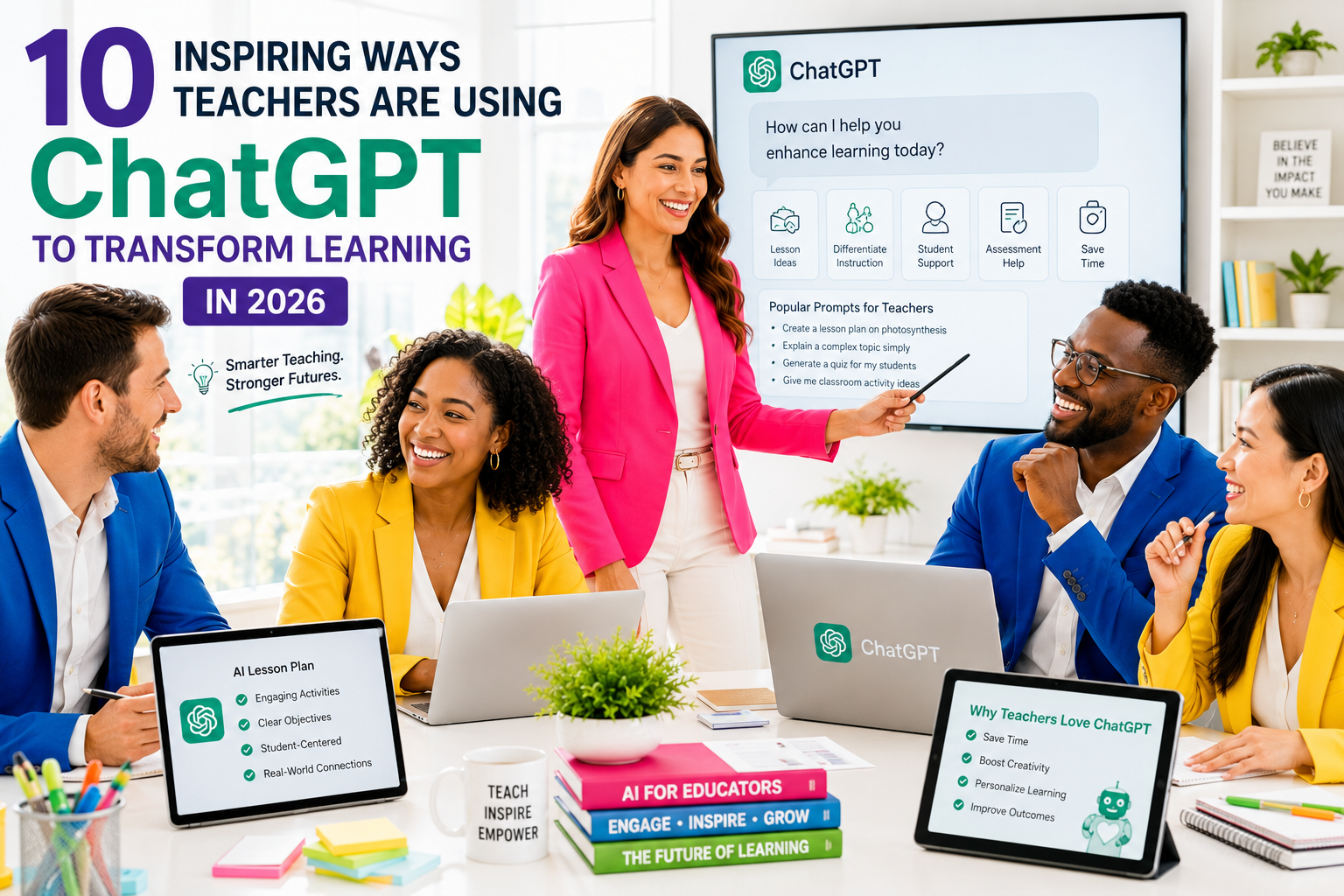
10 Inspiring Ways Teachers Are Using ChatGPT to Transform Learning in 2026
Teachers across the world are discovering that ChatGPT in education isn’t about replacing classroom instruction—it’s about getting back time for what matters most. As we head deeper into 2026, educators are using artificial intelligence to handle the behind-the-scenes work that once consumed evenings and weekends, from lesson planning to differentiation to assessment design.
This comprehensive guide is for K-12 teachers, homeschool parents, and microschool educators who want to see how AI teaching tools are actually being used in real classrooms. You’ll discover practical applications that reduce workload without increasing screen time for students, along with the boundaries that keep learning human-centered.
We’ll explore how teachers are revolutionizing lesson planning with AI-powered curriculum design that saves hours each week. You’ll see how personalized learning through AI-powered differentiation is helping educators support mixed-ability classrooms without creating separate materials from scratch. We’ll also cover the essential AI tools every educator should know in 2026, along with responsible implementation strategies that protect both student learning and teacher judgment.
By the end, you’ll understand exactly how to integrate these AI for teachers approaches into your own practice—whether you’re managing a traditional classroom, homeschooling multiple ages, or leading a microschool community.
10 Inspiring Ways Teachers Are Using ChatGPT:
How AI Transforms Teaching Behind the Scenes in 2026
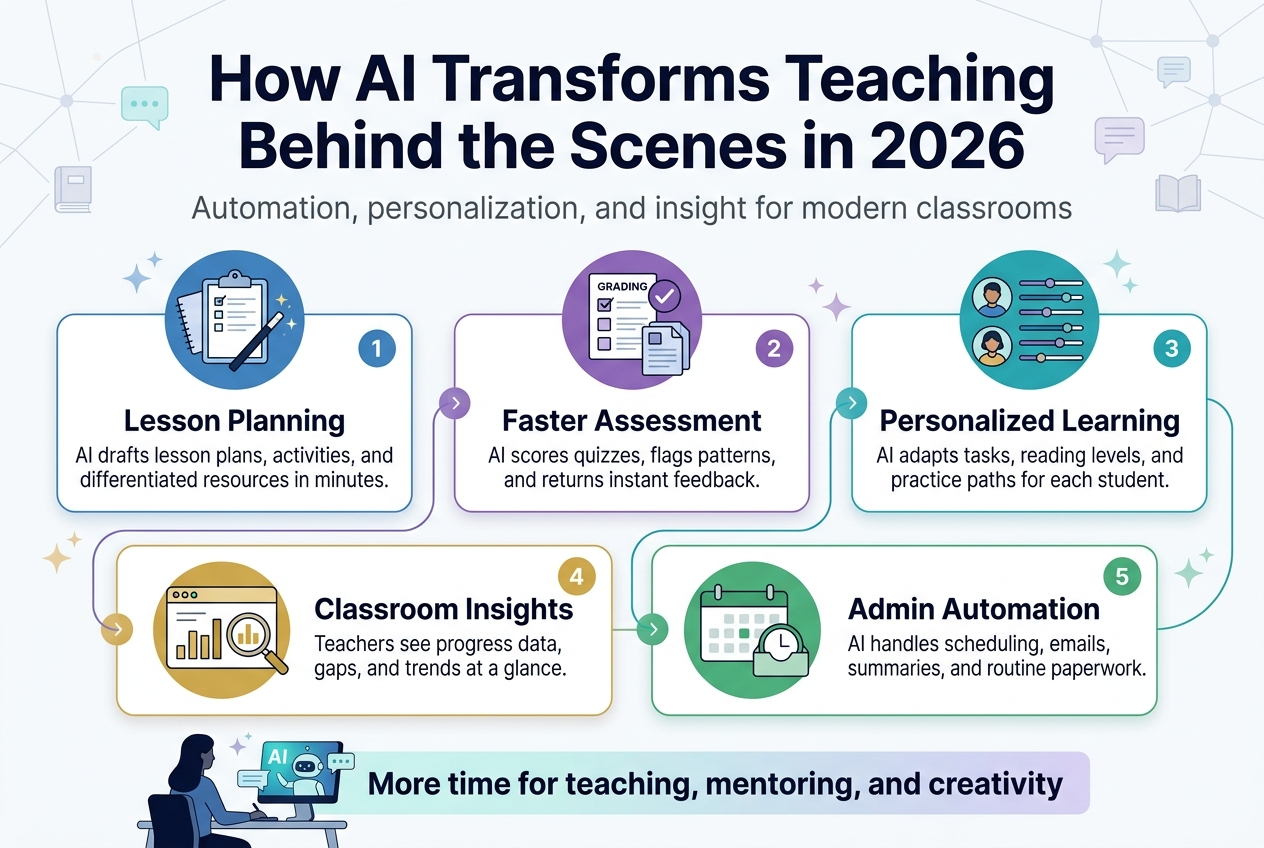
AI as Professional Support System Rather Than Instructional Replacement
Effective educators in 2026 are leveraging ChatGPT in education as a sophisticated professional support system, fundamentally transforming how they approach their craft without compromising the human-centered nature of teaching. This approach recognizes that AI teaching tools 2026 serve as powerful background assistants rather than front-facing instructional replacements.
Teachers using artificial intelligence maintain complete responsibility for instructional decisions and student engagement, utilizing AI for educational planning, content preparation, assessment design, organization, and communication. Importantly, this implementation never involves AI teaching students independently. Instead, educators strategically deploy these tools before and after teaching sessions, preserving the critical human connection that drives meaningful learning experiences.
10 Inspiring Ways Teachers Are Using ChatGPT:
Reducing Cognitive Overload and Decision Fatigue for Educators
The modern teaching landscape presents increasingly complex responsibilities that can overwhelm even the most dedicated educators. AI for teachers addresses this challenge by providing essential structure to these mounting demands, effectively reducing cognitive overload and decision fatigue that plague the profession.
By handling repetitive, time-consuming, or structurally demanding tasks, AI lesson planning tools enable teachers to allocate their mental energy toward high-impact activities like student interaction and instructional quality. This strategic support helps educators perform tasks more efficiently, particularly those that traditionally consumed their evenings and weekends, restoring work-life balance while maintaining educational excellence.
Protecting Teaching Time Through Automated Administrative Tasks
Classroom technology integration through AI specifically targets the imbalance between increased curriculum expectations and assessment demands without proportional increases in planning time. These AI applications for education automate administrative tasks that historically drained precious hours from actual teaching preparation.
The automation of behind-the-scenes work includes structuring lessons, adapting content for different learning needs, drafting comprehensive assessments, and organizing vast amounts of educational information. This systematic approach allows educators to reclaim valuable time that can be redirected toward meaningful student interactions and innovative instructional design.
Supporting the Full Teaching Cycle from Planning to Assessment
Teachers integrate AI curriculum design tools across the entire teaching cycle, from initial planning and content creation through evaluation and reflection phases, while maintaining human-led instruction as the cornerstone of their practice. This comprehensive integration creates seamless workflow optimization without compromising educational integrity.
AI supports specific friction points throughout the teaching cycle, enabling educators to focus their expertise where it matters most. By reducing administrative burden at strategic intervals, personalized learning with AI becomes more achievable, as teachers can dedicate additional attention to understanding individual student needs and crafting targeted interventions that drive academic success.
Current case studies with clickabe links
Elementary School: St. Mary’s Digital Transformation
Teacher: Sarah Chen, 3rd Grade
School: St. Mary’s Elementary School in Austin, Texas
Sarah revolutionized her reading comprehension lessons using ChatGPT in education. She creates personalized story prompts based on each student’s interests and reading level. When Tommy struggled with traditional fairy tales, Sarah used AI to generate superhero stories at his exact reading level, incorporating vocabulary words he needed to practice.
Results: Reading comprehension scores jumped 34% in one semester. Students now eagerly participate in discussions about characters and plot development.
Sarah’s Approach:
- Morning routine: 15 minutes with ChatGPT creating daily story adaptations
- Student interest surveys inform AI prompts
- Weekly vocabulary integration through custom narratives
High School Science Innovation
Teacher: Dr. Marcus Rodriguez, Chemistry
School: Lincoln High School in Denver, Colorado
Dr. Rodriguez transforms complex chemistry concepts using AI teaching tools 2026. He feeds molecular structures into ChatGPT and requests real-world analogies that connect with teenager experiences. Photosynthesis becomes a “plant cafeteria system” where chloroplasts are “master chefs” converting sunlight into energy meals.
Breakthrough Moment: When explaining chemical bonding, Marcus asked ChatGPT to create a dating app metaphor. Students immediately grasped ionic vs. covalent relationships – atoms “swiping right” based on electron compatibility.
Impact Metrics:
- AP Chemistry pass rates increased from 67% to 89%
- Student engagement surveys show 95% positive response
- Peer teachers adopting similar methods across three districts
Middle School Math Mastery
Teacher: Jennifer Park, 7th Grade Algebra
School: Riverside Middle School in Portland, Oregon
Jennifer tackles math anxiety head-on with personalized learning with AI. She inputs each student’s learning style assessment into ChatGPT, generating custom practice problems that match their preferred learning method. Visual learners receive geometry problems with real architectural examples, while kinesthetic learners get movement-based equations.
Student Success Story: Alex went from failing grades to B+ average after receiving basketball-themed word problems that connected algebra to his passion for sports statistics.
Implementation Strategy:
- Weekly AI-generated problem sets tailored to individual students
- Parent communication templates explaining progress in accessible language
- Peer tutoring scripts created through ChatGPT conversations
Special Education Breakthrough
Teacher: David Kim, Special Education
School: Harmony Learning Center in Seattle, Washington
David uses teachers using artificial intelligence to create individualized education plans that actually work. He describes each student’s unique needs, sensory preferences, and learning goals to ChatGPT, receiving detailed activity suggestions and modification strategies.
Revolutionary Change: For students with autism, David generates social story scripts that prepare them for classroom transitions, field trips, and new routines. These AI-created narratives reduce anxiety and improve classroom participation.
Measurable Outcomes:
- Behavioral incidents decreased 78%
- Independent task completion improved across all students
- Parent satisfaction ratings reached all-time highs
Rural School Resource Maximization
Teacher: Maria Santos, Multi-Grade Classroom
School: Prairie View Elementary in rural Montana
Teaching grades 3-6 simultaneously seemed impossible until Maria discovered AI curriculum design. She uses ChatGPT to create tiered lessons where younger students explore basic concepts while older students dive deeper into the same topic. A unit on weather becomes meteorology basics for 3rd graders and climate science for 6th graders – all from one AI-generated lesson framework.
Community Impact: Maria shares her AI lesson planning techniques with neighboring rural schools through monthly video conferences, creating a support network for isolated educators.
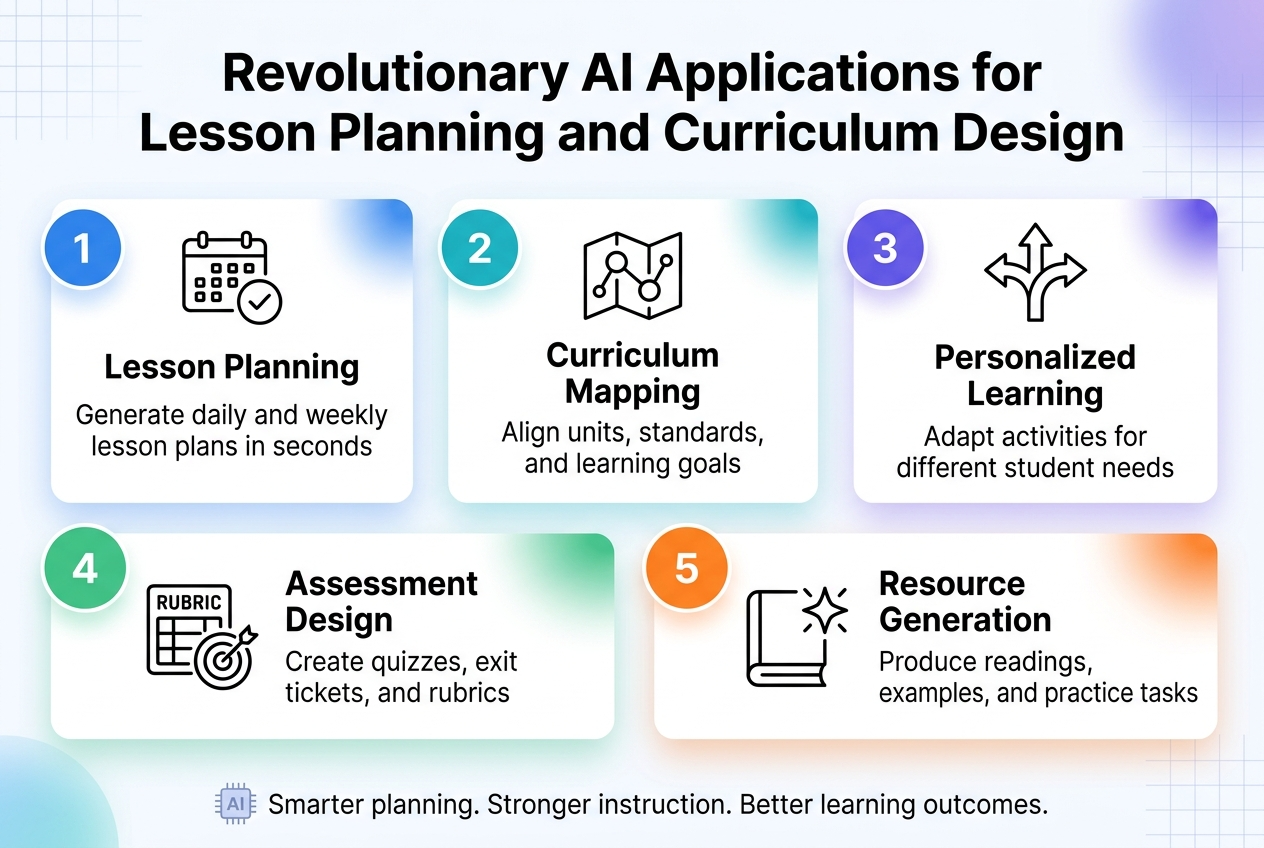
Revolutionary AI Applications for Lesson Planning and Curriculum Design
Generating Structured Lesson Frameworks with Learning Objectives
Teachers are revolutionizing their AI lesson planning workflows by leveraging AI to generate comprehensive lesson frameworks that include objectives, activity flow, discussion prompts, and assessment ideas. This approach transforms the traditionally time-intensive planning process into a streamlined experience that maintains educational quality while dramatically reducing preparation time.
The AI-generated frameworks serve as sophisticated drafts that educators can refine based on their specific student needs and classroom dynamics. Rather than starting from a blank page, teachers now begin with structured templates that include clearly defined learning objectives aligned with their curriculum goals. This foundation allows them to focus their expertise on customization and pedagogical refinement rather than basic organizational tasks.
Creating Activity Flows and Discussion Prompts Instantly
Modern AI teaching tools 2026 excel at generating dynamic activity flows and engaging discussion prompts as integral components of structured lesson frameworks. These AI systems can instantly produce sequenced learning activities that build upon each other, creating logical progressions from introduction through assessment.
The discussion prompts generated by AI are designed to stimulate critical thinking and encourage meaningful student engagement. Teachers report that these AI-generated starting points often spark creative ideas they might not have considered, leading to more diverse and engaging classroom experiences. The instant generation capability means educators can quickly adapt their lessons based on real-time classroom needs or unexpected learning opportunities.
Aligning Content with Educational Standards and Outcomes
Specialized platforms like MagicSchool.ai have emerged as powerful solutions for AI curriculum design, specifically engineered to align with educational standards and classroom realities. These tools understand the complex relationship between learning objectives, state standards, and practical classroom implementation.
The AI systems ensure that lesson content directly supports specific learning outcomes while maintaining compliance with district and state requirements. This alignment capability eliminates the tedious cross-referencing work that traditionally consumed significant planning time, allowing teachers to focus on creative instruction design while maintaining standards compliance.
Streamlining Multi-Subject Planning for Complex Schedules
Teachers using artificial intelligence for multi-subject planning benefit from AI’s ability to remove the initial friction of organization and structure. The technology supports comprehensive planning across multiple subjects while maintaining alignment with specific learning outcomes for each discipline.
AI streamlines the complex coordination required when planning lessons across different subject areas, helping teachers identify cross-curricular connections and maintain consistency in their educational approach. This capability is particularly valuable for elementary teachers managing multiple subjects or secondary teachers coordinating interdisciplinary units, as it helps maintain coherent learning progressions while reducing planning complexity.
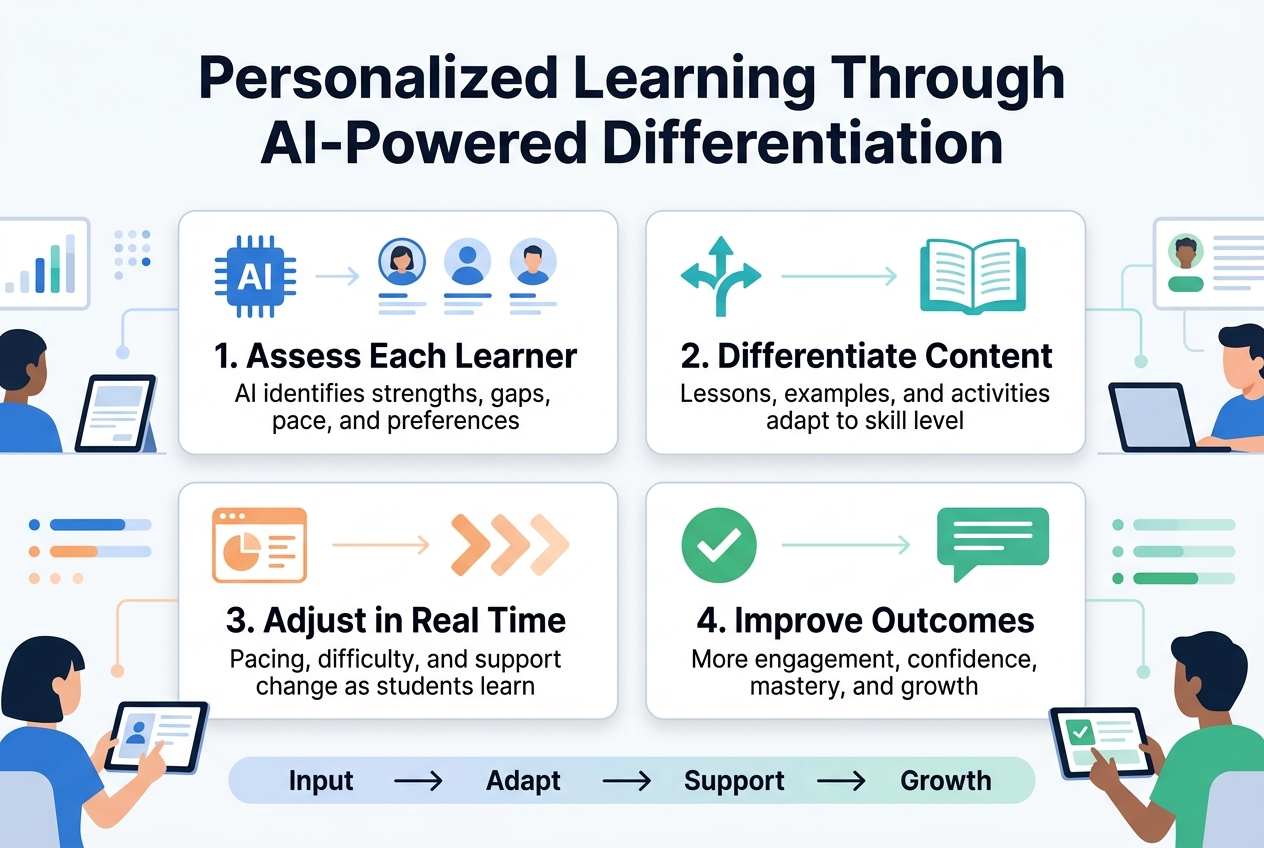
Personalized Learning Through AI-Powered Differentiation
Adapting Content Complexity for Mixed-Ability Classrooms
AI-powered differentiation revolutionizes how teachers address the diverse learning needs present in every classroom. With ChatGPT in education and other AI teaching tools 2026, educators can efficiently adapt explanations, tasks, and materials to varying complexity levels without the traditional time-intensive preparation that mixed-ability instruction typically requires.
The most significant advantage lies in AI’s ability to transform a single piece of content into multiple versions tailored for different learning levels. Teachers using artificial intelligence can input their lesson materials and receive adapted versions that maintain the core concepts while adjusting vocabulary, sentence structure, and conceptual complexity. This approach ensures that all students access the same essential learning objectives while receiving content appropriate to their current ability level.
Creating Inclusive Materials for Diverse Learning Needs
AI for teachers extends beyond simple text modification to create truly inclusive educational experiences. Tools like Diffit exemplify this capability by generating multiple reading levels, comprehensive vocabulary supports, and differentiated comprehension questions from a single source text. This personalized learning with AI approach eliminates the traditional barrier where creating inclusive materials demanded extensive preparation time from educators.
The technology addresses diverse learning needs by automatically adjusting not just readability levels, but also providing contextual supports that help all students engage meaningfully with the content. These AI-generated materials maintain academic rigor while ensuring accessibility, allowing teachers to focus on instruction rather than material preparation.
Generating Challenge Questions for Advanced Students
Advanced learners benefit significantly from AI’s ability to extend concepts beyond standard curriculum expectations. Educational AI applications can analyze existing content and generate sophisticated challenge questions that push high-achieving students to explore deeper connections and applications.
AI can create extension activities that encourage critical thinking, synthesis of multiple concepts, and real-world application scenarios. These challenge questions maintain engagement for advanced students while allowing teachers to provide enrichment without creating entirely separate lesson plans.
Simplifying Explanations for Struggling Learners
For students who need additional support, AI excels at reframing complex concepts using simpler language structures and more accessible examples. Teaching with ChatGPT allows educators to break down challenging material into manageable components while preserving the essential learning outcomes.
This AI-powered differentiation ensures that struggling learners receive explanations that build understanding progressively, using familiar vocabulary and concrete examples. The technology can identify potentially confusing elements and suggest alternative explanations that maintain conceptual accuracy while improving comprehension.
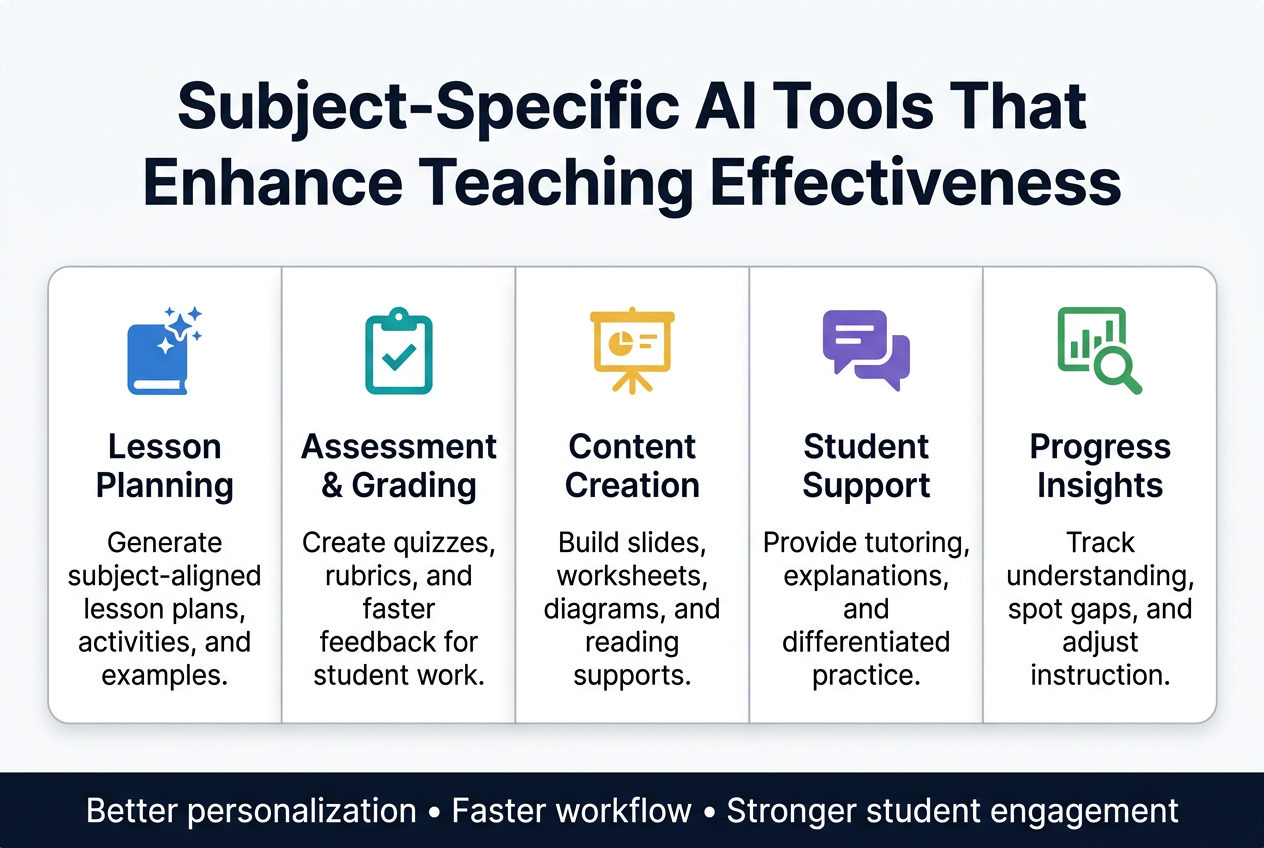
Subject-Specific AI Tools That Enhance Teaching Effectiveness
Mathematics Support Through Practice Problems and Solution Steps
AI teaching tools 2026 have revolutionized mathematics education by providing teachers with unprecedented support for creating customized learning experiences. Mathematics instructors are leveraging artificial intelligence to generate practice problems tailored to specific skill levels and learning objectives. This technology enables educators to create diverse problem sets that address individual student needs without spending countless hours developing materials from scratch.
The most significant advancement lies in AI’s ability to provide alternative explanations for mathematical concepts. When students struggle with traditional teaching methods, teachers using artificial intelligence can quickly generate multiple approaches to explain the same concept, ensuring every learner finds a pathway to understanding. These AI-generated explanations often include step-by-step solution processes that break down complex problems into manageable components.
Real-world application scenarios represent another powerful feature of AI curriculum design in mathematics. Teachers can now effortlessly create contextual problems that connect abstract mathematical concepts to students’ daily experiences, making learning more engaging and relevant.
Science Education with Lab Guides and Concept Explanations
Science educators have embraced ChatGPT in education to transform complex scientific processes into accessible learning experiences. AI assists teachers in simplifying intricate scientific procedures while maintaining academic rigor, making challenging concepts more approachable for students at various learning levels.
The creation of structured experiments has become significantly more efficient with AI support. Teachers can generate comprehensive lab guides that include detailed procedures, safety considerations, and expected outcomes. This streamlined approach allows educators to focus on facilitating hands-on learning rather than spending extensive time on administrative preparation.
AI for teachers proves invaluable in drafting guiding questions that promote scientific inquiry and critical thinking. These carefully crafted questions help students develop hypothesis-formation skills and analytical reasoning abilities essential for scientific literacy.
Literacy Enhancement Through Text Adaptation and Comprehension Questions
Educational AI applications have transformed literacy instruction through sophisticated text adaptation capabilities. Teachers can modify reading materials to match students’ reading levels while preserving the original content’s meaning and educational value. This personalized learning with AI ensures that all students can access grade-appropriate content regardless of their current reading proficiency.
Tools like Diffit have emerged as essential resources for reading adaptation and comprehension support. These platforms enable teachers to adjust text complexity, vocabulary, and sentence structure while maintaining the text’s educational integrity. The result is truly differentiated instruction that meets diverse learner needs.
Comprehension question development has become more strategic and targeted through AI assistance. Teachers can generate questions that assess various levels of understanding, from basic recall to higher-order thinking skills, ensuring comprehensive literacy assessment and instruction.
Social Studies Context Building and Discussion Framework Creation
Previously, creating rich contextual backgrounds for historical events and social phenomena required extensive research and preparation time. Now, AI assists teachers in generating comprehensive context summaries that provide students with essential background knowledge needed for deeper understanding.
Discussion prompts and inquiry frameworks created through artificial intelligence help educators facilitate meaningful classroom conversations. These AI-generated discussion questions encourage students to analyze multiple perspectives, evaluate evidence, and develop critical thinking skills essential for civic engagement.
The ability to summarize complex sources and create discussion questions for social studies has dramatically improved classroom efficiency. Teachers can quickly process multiple historical documents, news articles, and academic sources to create engaging learning materials that promote analytical thinking and informed discourse among students.
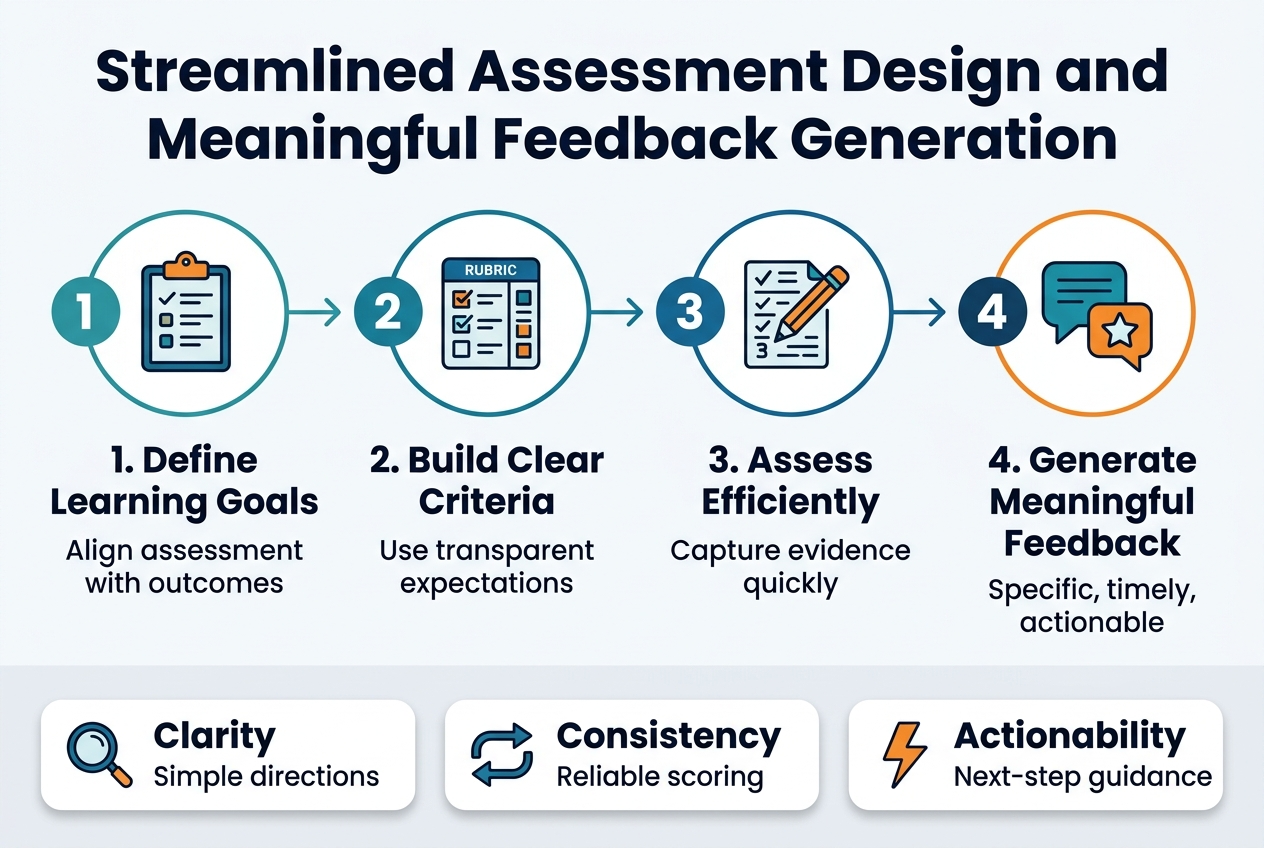
Streamlined Assessment Design and Meaningful Feedback Generation
Creating Comprehensive Rubrics and Assessment Questions
AI teaching tools 2026 have revolutionized how educators approach assessment design, making the creation of comprehensive rubrics and assessment questions more efficient than ever. Specialized tools like MagicSchool.ai and Eduaide.ai enable teachers to structure detailed rubrics that maintain consistency across evaluations while saving significant time in the development process.
These AI-powered platforms support teachers in drafting assessment questions that align with learning objectives and curriculum standards. The technology analyzes educational frameworks to generate questions that appropriately challenge students at various skill levels, ensuring comprehensive evaluation of student understanding.
Drafting Personalized Student Feedback at Scale
One of the most time-consuming aspects of teaching—providing meaningful feedback—has been transformed through AI for teachers. AI generates feedback language that proves particularly valuable for written work, projects, and reflective assignments, allowing educators to provide personalized responses to each student without spending countless hours crafting individual comments.
Grammarly serves as an essential tool for educators looking to draft precise feedback and refine instructional documents. The platform helps teachers maintain professional communication standards while ensuring clarity in their feedback delivery. This technological support enables teachers to focus on the pedagogical aspects of feedback rather than getting bogged down in the mechanics of writing.
Designing Formative Assessments for Real-Time Learning Checks
ChatGPT in education has streamlined the creation of formative assessments, with MagicSchool.ai leading the charge in efficient assessment generation. These tools enable teachers to quickly develop check-for-understanding activities that provide immediate insights into student comprehension.
ClassPoint AI represents a significant advancement in real-time assessment by integrating directly with PowerPoint presentations. This integration allows teachers to create interactive questions for formative assessment during live teaching sessions, transforming traditional lectures into dynamic, responsive learning experiences where student understanding can be gauged and addressed immediately.
Maintaining Consistency Across Student Evaluations
AI reduces repetitive writing and formatting tasks in assessment, allowing teachers to focus on meaningful feedback and consistency across evaluations. This technological support ensures that all students receive equitable evaluation experiences, regardless of when their work is graded or which section of a course they’re enrolled in.
Gradescope uses AI to streamline grading processes and identify patterns across student responses, significantly speeding up feedback delivery while maintaining consistency in evaluation standards. The platform’s pattern recognition capabilities help teachers identify common misconceptions and areas where additional instruction may be needed, making the assessment process not just more efficient but also more pedagogically valuable.
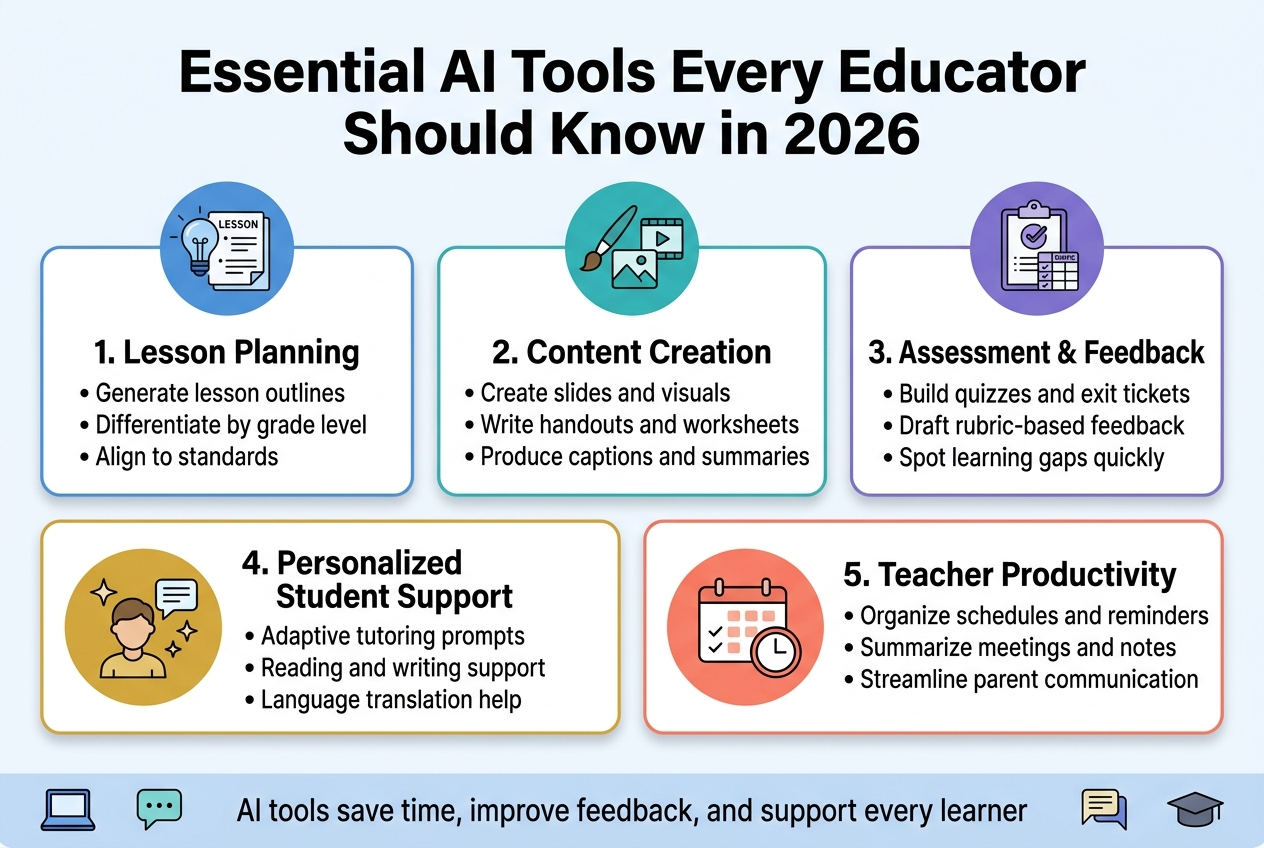
Essential AI Tools Every Educator Should Know in 2026
ChatGPT for Flexible Teaching Assistance Across All Subjects
ChatGPT stands out as the most versatile AI teaching tool in 2026 due to its remarkable flexibility and cross-curricular applications. Unlike specialized platforms, ChatGPT serves as a comprehensive teaching assistant that adapts to any subject or grade level, making it an indispensable resource for educators seeking AI-powered support.
Teachers leverage ChatGPT for diverse educational tasks including lesson planning, brainstorming creative activities, generating clear explanations for complex concepts, and creating customized classroom materials. Its ability to function across all subjects – from mathematics and science to literature and social studies – eliminates the need for multiple specialized tools, streamlining the teaching workflow significantly.
The platform excels in content adaptation, helping educators transform complex material into age-appropriate explanations while maintaining academic rigor. Teachers use ChatGPT to generate discussion questions, create engaging warm-up activities, and develop assessment materials tailored to specific learning objectives.
Specialized Education Platforms Like MagicSchool.ai and Diffit
Now that we’ve explored ChatGPT’s versatility, specialized AI teaching tools 2026 offers targeted solutions for specific educational challenges. MagicSchool.ai emerges as a premier platform designed specifically for educators, focusing on standards-aligned lesson planning, comprehensive assessment creation, and instructional scaffolding.
This platform distinguishes itself by understanding educational frameworks and curriculum standards, ensuring that generated content meets institutional requirements. Teachers utilize MagicSchool.ai to create detailed lesson plans with built-in differentiation strategies and assessment rubrics that align with learning objectives.
Diffit addresses one of education’s most persistent challenges: differentiation. This specialized platform generates multiple reading levels from single texts, automatically creating comprehension questions appropriate for diverse learner needs. Teachers input source material, and Diffit produces versions suitable for various reading abilities while maintaining content integrity and educational value.
Content Creation Tools Including Canva for Education
Previously mentioned tools focus on planning and differentiation, but visual content creation represents another crucial aspect of modern teaching. Canva for Education transforms how educators approach instructional material design, offering AI-powered features that streamline the creation of visually appealing educational resources.
Teachers use Canva’s AI capabilities to generate professional-quality slides, engaging worksheets, and interactive project templates without requiring graphic design expertise. The platform’s educational focus ensures templates align with pedagogical best practices while maintaining student-friendly aesthetics that enhance learning engagement.
The AI features within Canva accelerate layout generation and content organization, allowing educators to focus on educational substance rather than design technicalities. This efficiency enables teachers to create polished materials that rival professionally designed resources while maintaining curriculum alignment.
Assessment and Communication Support Through Various Applications
With content creation tools established, assessment and communication applications complete the essential AI toolkit for educators. Grammarly enhances teacher feedback quality and professional communication clarity, ensuring that written correspondence maintains high standards while saving time on editing and revision.
ClassPoint AI integrates seamlessly with PowerPoint presentations, enabling real-time interactive questions and formative assessments during instruction. This integration allows teachers to gauge student understanding immediately and adjust instruction accordingly.
Eduaide.ai supports comprehensive instructional planning by generating detailed lesson plans, assessment rubrics, and targeted instructional supports. Meanwhile, Gradescope’s AI-assisted features streamline grading processes, particularly for written responses that traditionally require extensive manual review.
Otter.ai serves as a valuable documentation tool, transcribing lectures and meetings to support lesson planning and administrative record-keeping. This transcription capability ensures that important educational discussions and planning sessions are accurately captured for future reference and analysis.
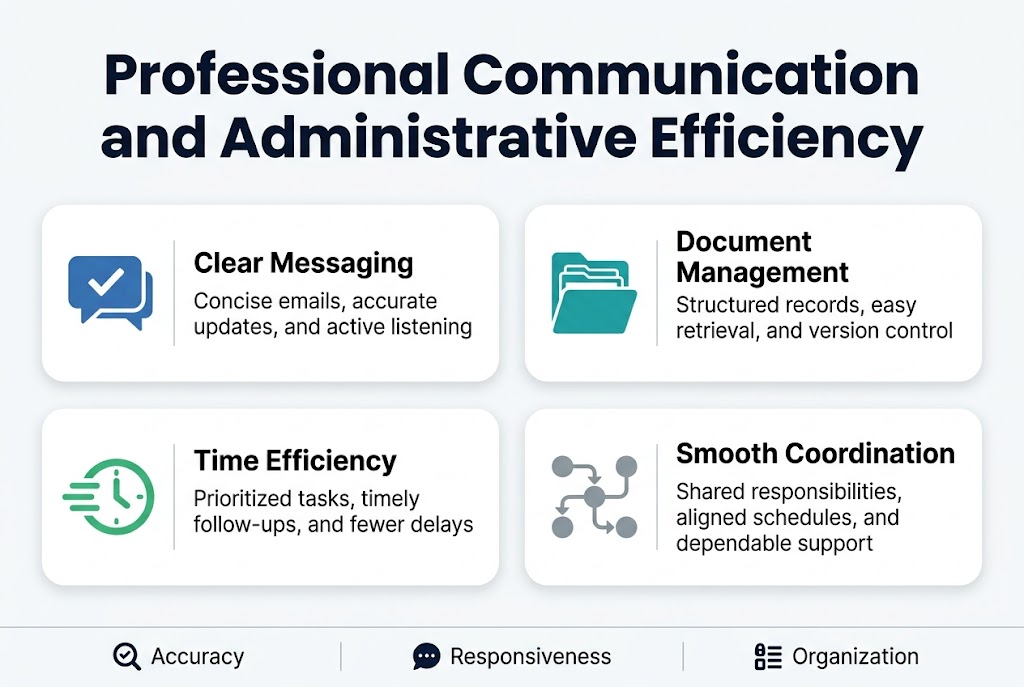
Professional Communication and Administrative Efficiency
Drafting Clear Parent Communication and Progress Reports
Teachers using ChatGPT in education are revolutionizing how they communicate with families through AI-assisted drafting of clear, professional messages to parents and guardians. This AI teaching tool helps educators structure their thoughts into coherent, compassionate communications that maintain professionalism while conveying important student information. The key advantage lies in AI’s ability to provide a strong foundation for parent communication, which teachers can then personalize and review to ensure authenticity and accuracy.
Progress reports benefit significantly from this approach, as AI helps organize student achievements, areas for improvement, and specific examples into well-structured documents. Teachers find they can maintain their personal voice while ensuring clarity and completeness in their reporting. The AI assistance particularly excels at helping educators articulate complex educational concepts in parent-friendly language, making academic progress more accessible to families.
Creating Organizational Systems and Documentation Templates
AI supports the creation of comprehensive templates, schedules, trackers, and summaries that bring clarity and consistency to educational workflows. These AI-generated organizational tools help teachers standardize their documentation processes while reducing the time spent creating materials from scratch.
Documentation templates powered by AI ensure consistency across different types of educational records, from lesson observations to student intervention plans. The artificial intelligence helps educators maintain professional standards in their documentation while adapting to specific classroom needs and administrative requirements.
Managing Classroom Resources and Planning Schedules
Educational AI applications excel at supporting the creation of detailed schedules and tracking systems that help teachers manage classroom resources efficiently. AI-powered planning tools enable educators to coordinate materials, technology, and space allocation with greater precision and foresight.
Resource management becomes more strategic when teachers leverage AI for curriculum design and daily planning. The technology helps identify patterns in resource usage, suggests optimal scheduling arrangements, and creates tracking systems that prevent conflicts and ensure equitable access to materials across different learning activities.
Reducing Administrative Burden While Maintaining Transparency
AI significantly reduces administrative complexity by automating routine documentation tasks and streamlining the emotional and cognitive load associated with constant messaging. This classroom technology integration allows teachers to maintain transparency and trust with families and administrators while dedicating more mental energy to actual teaching and student support.
The invisible workload from documentation demands and reporting requirements becomes more manageable when AI handles initial drafts and organizational frameworks. Teachers can focus on adding personal insights and specific details rather than starting from blank pages, ultimately improving both efficiency and the quality of their administrative communications.
Advanced tools like Otter.ai aid in creating accurate records of lessons, professional development sessions, and collaborative meetings, ensuring that important information is captured and organized automatically. Similarly, platforms like Grammarly enhance the refinement of instructional documents and parent communications, maintaining professional standards while reducing editing time.
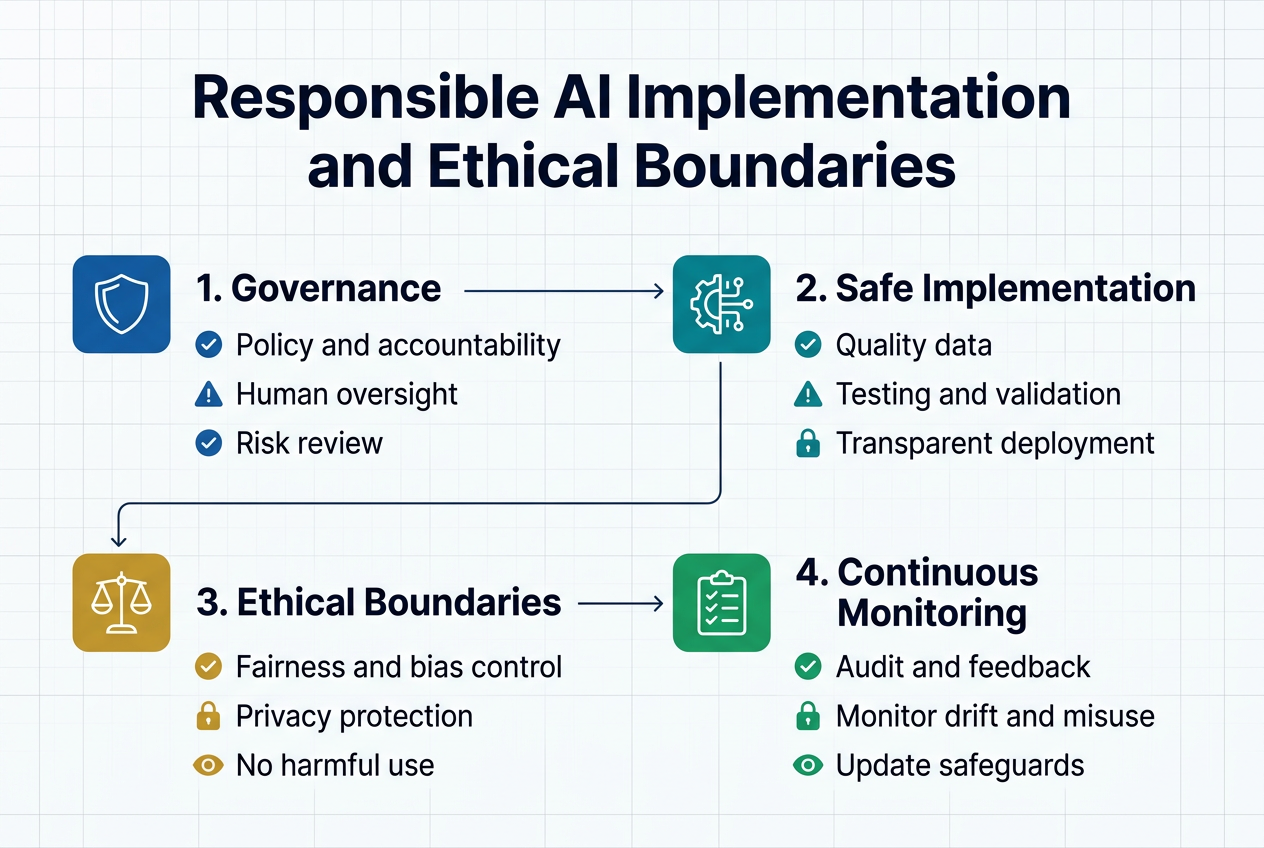
Responsible AI Implementation and Ethical Boundaries
Keeping AI Teacher-Facing Rather Than Student-Facing
ChatGPT in education works most effectively when positioned as a behind-the-scenes tool for educators rather than a direct learning interface for students. This teacher-centric approach ensures that AI teaching tools 2026 enhance instructional capacity without compromising the essential human elements of learning.
AI for teachers should focus on planning, differentiation, and organization—areas where artificial intelligence can significantly amplify educator effectiveness. When teachers use AI to develop lesson frameworks, create differentiated materials, or organize curriculum resources, they maintain control over the learning experience while leveraging technology’s efficiency.
This approach becomes particularly crucial in early and elementary education settings, where clear boundaries for student AI use prevent unhealthy dependence on technology. Young learners require hands-on, relational learning experiences that build foundational skills through human interaction and tactile engagement.
Reviewing and Adapting All AI-Generated Content
Teachers using artificial intelligence must treat AI outputs as drafting assistants rather than finished products. Every piece of AI-generated content requires professional review and adaptation to ensure accuracy, appropriate tone, and alignment with specific instructional goals.
This review process involves several critical steps:
- Content Accuracy Verification: Cross-checking facts, concepts, and information against reliable educational sources
- Tone and Voice Alignment: Ensuring the content matches your teaching style and classroom culture
- Instructional Coherence: Verifying that AI outputs align with learning objectives and curriculum standards
- Cultural Sensitivity Review: Checking for potential bias or inappropriate content
Never use AI outputs verbatim without thorough professional review. AI lesson planning tools provide excellent starting points, but the educator’s expertise must guide the final instructional design to ensure pedagogical soundness and student-centered learning.
Protecting Student Data Privacy and Digital Safety
When implementing educational AI applications, educators must prioritize student data protection. Avoid entering identifiable student information into AI tools unless the platform explicitly complies with education data protection standards such as FERPA and COPPA.
Safe AI practices include:
- Using generic examples instead of actual student names or details
- Choosing AI platforms that offer educational compliance guarantees
- Understanding data retention and usage policies of AI tools
- Implementing school district-approved AI platforms when available
Classroom technology integration requires careful consideration of digital safety protocols. Educators should work closely with their technology departments to ensure all AI tools meet institutional privacy requirements and data security standards.
Setting Age-Appropriate Technology Boundaries
Establishing clear boundaries for student AI use prevents dependence, shortcuts in learning, and excessive screen time. Personalized learning with AI should enhance rather than replace developmentally appropriate instruction methods.
For younger learners specifically:
| Age Group | Recommended AI Boundaries |
|---|---|
| K-2 | AI used exclusively by teachers for planning and preparation |
| 3-5 | Limited, supervised AI exposure with clear learning objectives |
| 6-8 | Guided AI use for specific research and creative projects |
| 9-12 | Structured AI literacy education with ethical usage training |
These boundaries ensure that AI curriculum design supports rather than replaces fundamental skill development. Students need opportunities to develop critical thinking, problem-solving, and communication skills through direct engagement with content and peers, not through AI intermediaries.
Effective boundary-setting involves clear communication with students and families about when and how AI tools are appropriate, ensuring technology serves educational goals rather than becoming a crutch that inhibits learning growth.
Avoiding Common AI Pitfalls in Educational Settings
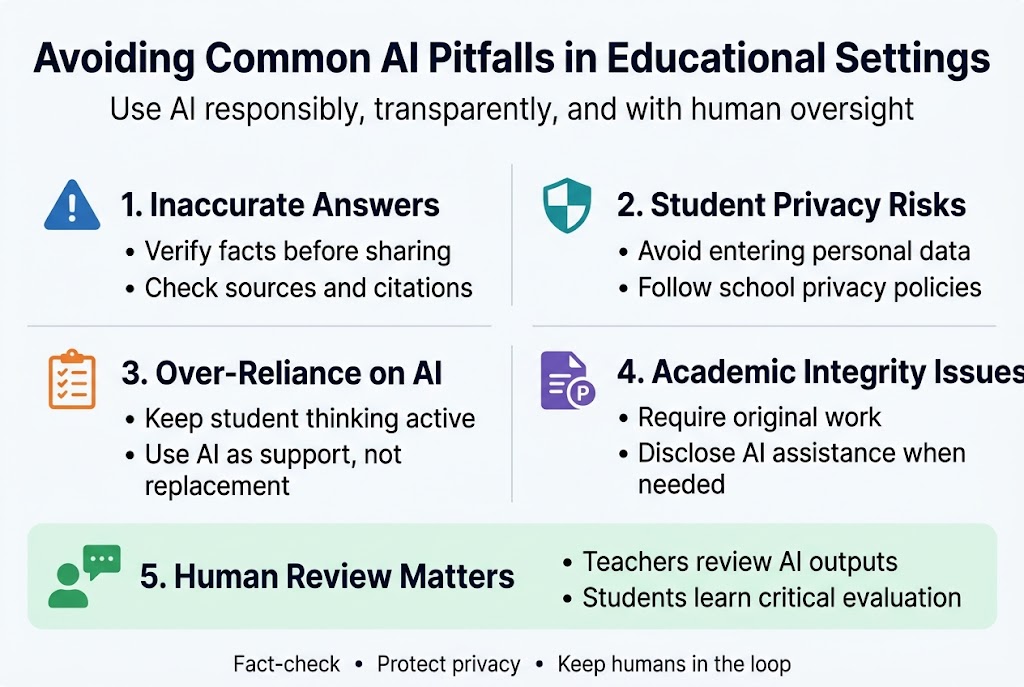
Preventing Over-Reliance on Automated Decision-Making
A significant pitfall in educational AI applications is the risk of over-reliance on AI outputs, which can replace essential teacher decision-making and lead to a decline in instructional quality. When educators become too dependent on automated systems for critical pedagogical choices, they risk losing the nuanced understanding that comes from years of teaching experience and professional judgment.
Teachers using ChatGPT in education must maintain their role as the primary decision-makers in the classroom. While AI can provide valuable suggestions for lesson planning and curriculum design, these outputs should serve as starting points rather than final solutions. The most effective educational AI applications occur when teachers use artificial intelligence as a collaborative tool that enhances, rather than replaces, their professional expertise.
Addressing Bias and Accuracy Limitations in AI Outputs
AI systems can reflect bias or generate inaccurate information, particularly in humanities and social sciences, necessitating careful verification by teachers before classroom use. This challenge is especially pronounced when dealing with complex topics that require cultural sensitivity, historical context, or nuanced understanding of social issues.
Teachers must develop skills to critically evaluate AI-generated content, checking for factual accuracy, cultural appropriateness, and potential biases that could negatively impact student learning. This verification process should become a standard practice when integrating any AI teaching tools into classroom instruction.
Maintaining Essential Human Judgment in Teaching
AI lacks understanding of classroom dynamics, emotional states, or prior learning gaps, meaning that without teacher refinement, AI-generated materials can miss the mark instructionally. There is a risk of losing pedagogical judgment when AI is used without proper structure and human oversight.
Effective teaching with ChatGPT requires educators to apply their deep understanding of individual student needs, classroom culture, and learning objectives. Teachers must refine AI suggestions based on their knowledge of student backgrounds, learning styles, and the specific context of their educational environment.
Balancing Screen Time with Hands-On Learning Experiences
A concerning pitfall is that AI might increase students’ screen time rather than reducing teacher workload, which is particularly critical in early childhood and elementary education. AI use should not replace developmentally appropriate, hands-on instruction that is essential for young learners’ cognitive and social development.
Teachers must strategically implement classroom technology integration to ensure that AI tools complement rather than dominate the learning experience. This balance is crucial for maintaining the tactile, social, and experiential learning opportunities that screen-based interactions cannot replicate.
Future-Proofing Education Through Strategic AI Integration
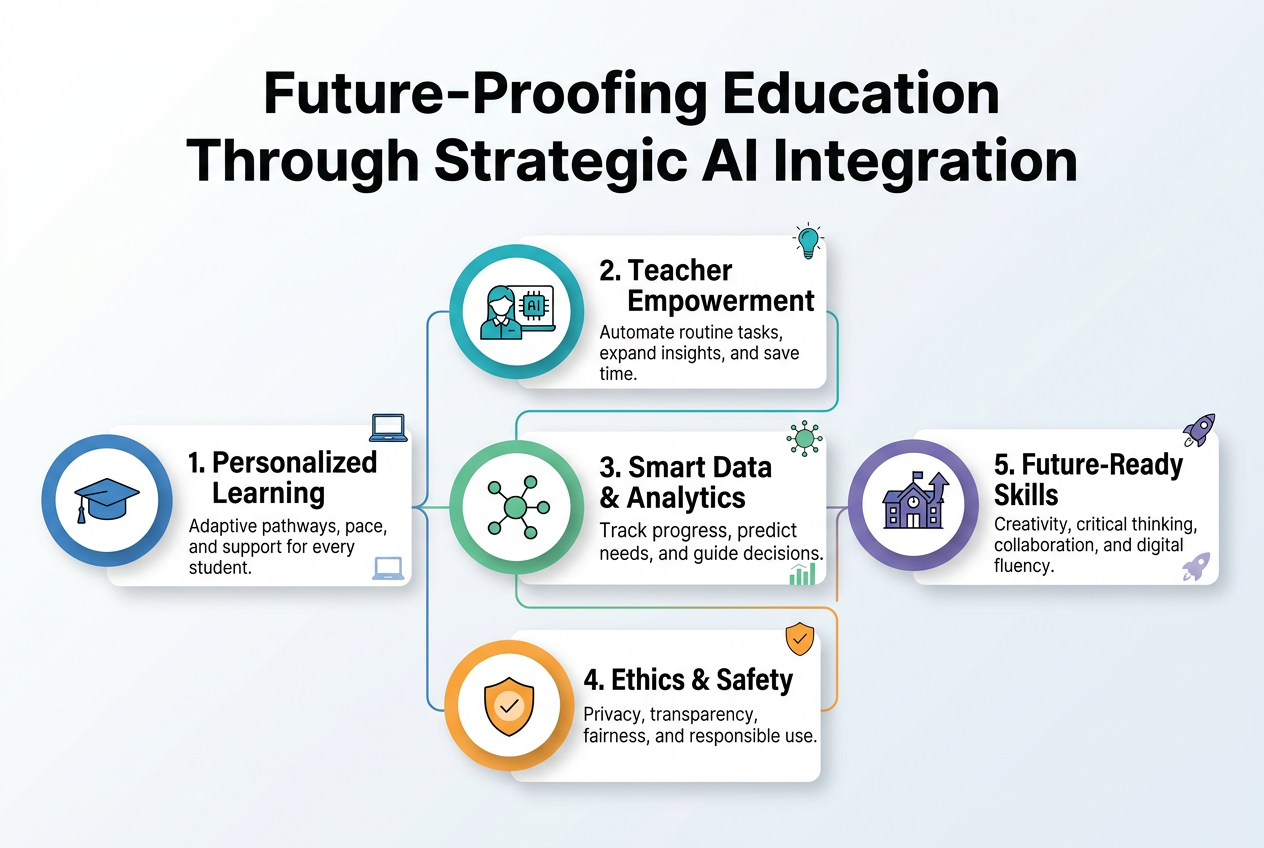
Developing Advanced AI Literacy Among Educators
Now that we’ve explored the immediate applications of ChatGPT in education, the critical need for educators to develop advanced AI literacy becomes paramount for long-term success. This goes beyond basic tool usage to understanding how AI fundamentally transforms teaching methodologies and student engagement patterns.
Advanced AI literacy encompasses understanding AI’s capabilities and limitations, recognizing when human intervention is necessary, and developing strategies to maintain educational integrity while leveraging AI teaching tools 2026 offers. Educators must become proficient in prompt engineering, AI ethics, and the nuanced art of balancing artificial intelligence with authentic human connection in learning environments.
Adapting Curriculum Design for AI-Enhanced Learning
Educators and institutions must proactively integrate AI into core learning strategies and adapt curriculum design to leverage these sophisticated capabilities. This transformation requires reimagining traditional pedagogical frameworks to accommodate AI-augmented instructional design that is fundamentally reshaping pedagogical approaches.
The adaptation process involves restructuring learning objectives to incorporate AI collaboration skills, developing assessment criteria that account for AI assistance, and creating learning pathways that seamlessly blend human creativity with artificial intelligence capabilities. AI curriculum design must prioritize critical thinking skills that enable students to effectively evaluate and utilize AI-generated content.
Creating Sustainable Professional Development Programs
Sustainable professional development programs must address the evolving landscape of classroom technology integration while ensuring educators feel confident and competent with new AI tools. These programs should focus on practical implementation strategies, ongoing support systems, and collaborative learning communities where educators can share experiences with teaching with ChatGPT and other AI applications.
Effective programs incorporate hands-on workshops, peer mentoring systems, and continuous feedback mechanisms that allow educators to gradually build confidence while maintaining their core teaching strengths.
Building Frameworks That Support Both Technology and Human Connection
AI tools alone cannot create human connection, real-world exploration, or hands-on development; they require a strong curriculum framework to be truly effective. A robust curriculum framework provides developmental coherence and ensures purposeful learning, complementing AI’s capabilities rather than replacing fundamental human interactions.
This framework must explicitly preserve opportunities for authentic human connection, collaborative problem-solving, and experiential learning while strategically incorporating AI to enhance these experiences. The goal is creating educational environments where technology amplifies rather than diminishes the human elements that make learning meaningful and transformative.
How to start now with clickable urls
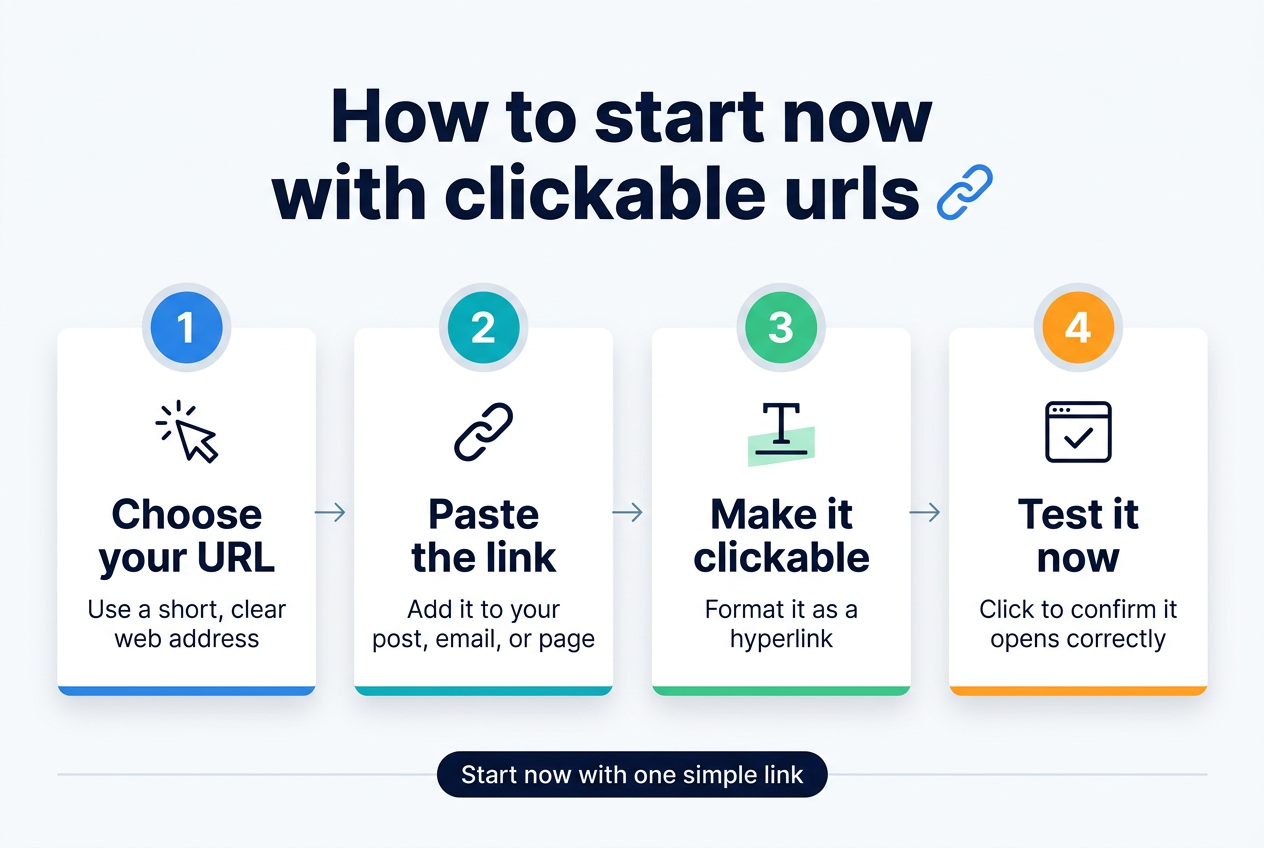
Getting Started with ChatGPT Today
The best time to integrate ChatGPT in education is right now. Teachers across the globe are already transforming their classrooms with AI teaching tools 2026, and you can join them with these immediate action steps.
Begin by creating your free ChatGPT account at openai.com/chatgpt. The basic version provides powerful capabilities for AI lesson planning and general teaching support. For advanced features like plugin access and longer conversations, consider upgrading to ChatGPT Plus at openai.com/pricing.
Essential AI Platforms for Educators
Start exploring these educational AI applications that complement ChatGPT:
| Platform | Purpose | URL |
|---|---|---|
| Claude AI | Advanced writing assistance | claude.ai |
| Perplexity | Research and fact-checking | perplexity.ai |
| Gamma | AI-powered presentations | gamma.app |
| Quillbot | Writing refinement | quillbot.com |
Learning Resources and Training
Master teaching with ChatGPT through these professional development platforms:
- Coursera’s AI for Teachers: coursera.org/specializations/ai-for-teachers offers comprehensive training modules
- EdTechHub AI Toolkit: edtechhub.org/ai-toolkit provides free resources and lesson templates
- Microsoft Education AI: education.microsoft.com/ai-toolkit delivers hands-on workshops
Community and Support Networks
Connect with fellow educators exploring AI for teachers at these active communities:
- AI in Education Facebook Group: facebook.com/groups/aieducators – 45,000+ members sharing daily tips
- Reddit’s r/Teachers AI: reddit.com/r/ChatGPTinEducation – Real classroom experiences and troubleshooting
- ISTE AI Network: iste.org/explore/ai-in-education – Professional standards and research
Implementation Timeline
Week 1: Create accounts and explore basic prompting
Week 2: Practice AI curriculum design with simple lesson modifications
Week 3: Experiment with personalized learning with AI for small student groups
Week 4: Share results with colleagues and refine your approach
Start small, think big, and watch how classroom technology integration transforms your teaching effectiveness within the first month.
As we move through 2026, the role of AI in education has become clear: it’s a powerful support system that amplifies teacher effectiveness rather than replacing human instruction. The ten inspiring applications we’ve explored—from revolutionary lesson planning and personalized differentiation to streamlined assessments and administrative efficiency—demonstrate how educators are strategically integrating AI to reclaim time for what matters most: meaningful student interaction and high-quality instruction. When implemented responsibly with proper boundaries, AI tools like ChatGPT, Diffit, and MagicSchool.ai are transforming the invisible work of teaching while preserving the human elements that make learning truly transformative.
The future of education lies not in choosing between traditional teaching and AI, but in thoughtfully combining both. Teachers who embrace AI as a planning and organizational ally—while maintaining their professional judgment and keeping student learning human-centered—are creating more efficient, personalized, and impactful educational experiences. As you begin exploring these AI applications in your own teaching practice, remember that the most successful implementations start small, focus on teacher-facing tools, and always prioritize student learning outcomes over technological novelty.