

Currently Empty: CFA0.00



Blog
How to Choose the Perfect Portable Projector for Travel 2026
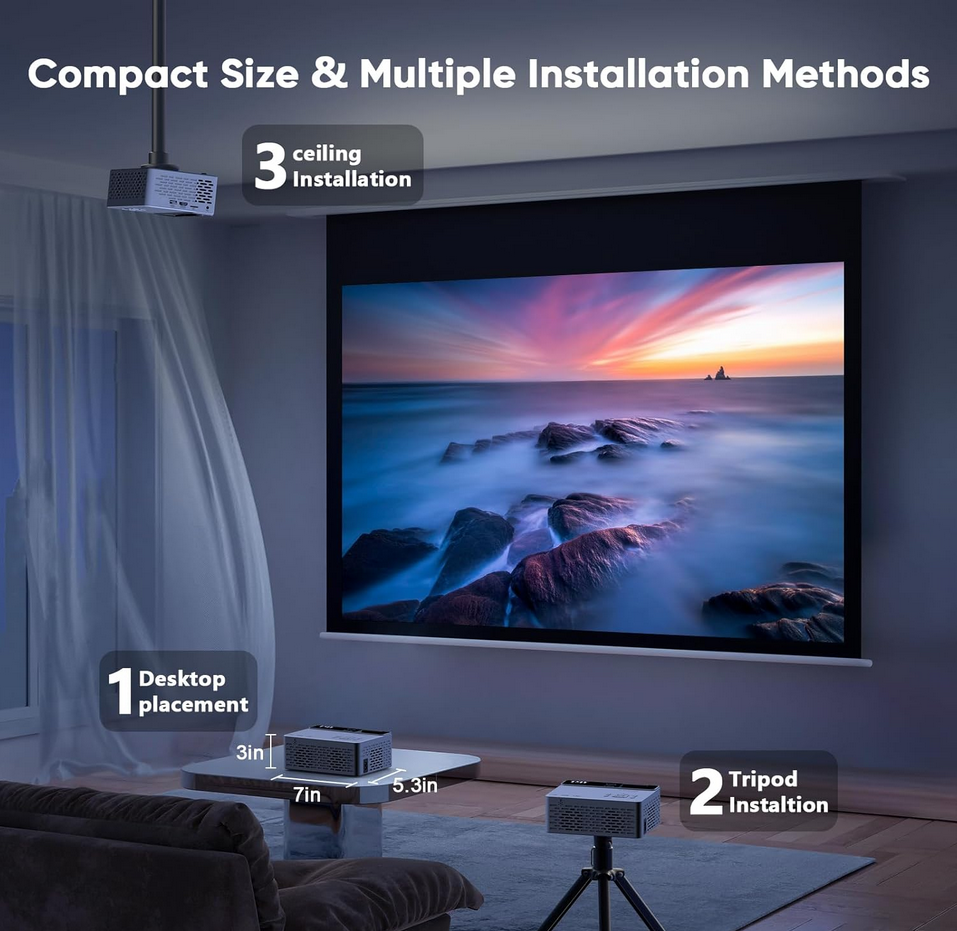
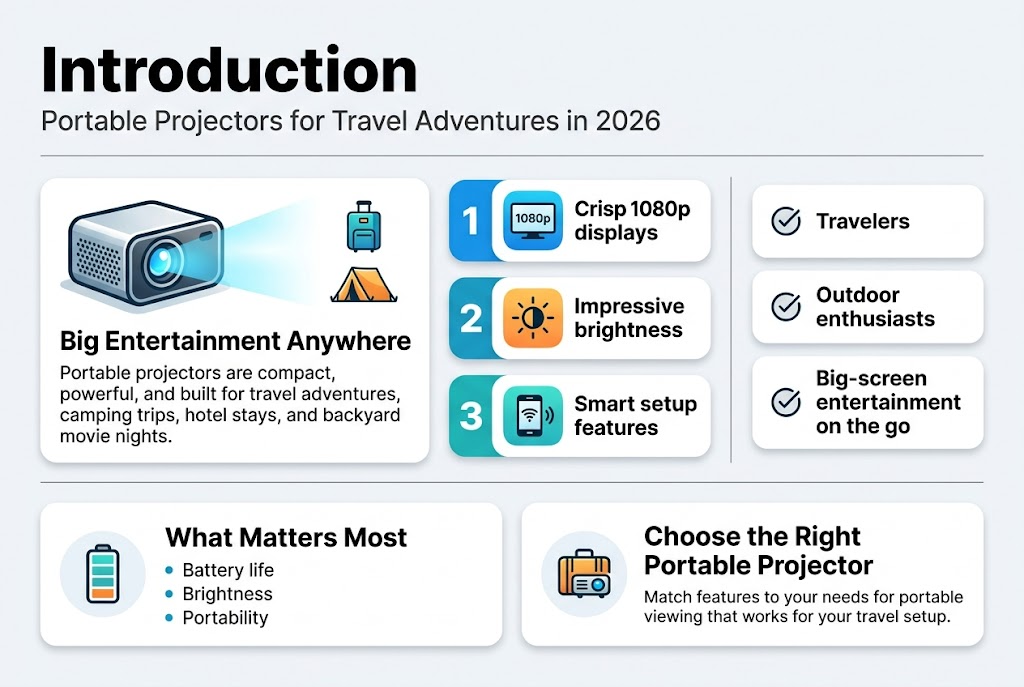
Finding the Perfect Portable Projector for Travel 2026 has never been more exciting. Modern portable projectors pack incredible technology into compact designs, offering crisp 1080p displays, impressive brightness levels, and smart features that make setup a breeze.
This guide is designed to help travelers, outdoor enthusiasts, and entertainment lovers discover the Perfect Portable Projector for Travel 2026 based on their unique needs. Whether you’re planning camping trips, hotel stays, road trips, or backyard movie nights, choosing the right projector can transform your experience.
We’ll walk through the key features that define the Perfect Portable Projector for Travel 2026, including brightness, battery life, portability, and display quality. You’ll also learn how to compare projector specs effectively so you can choose the best model for your setup.
By the end of this guide, you’ll know exactly how to find the Perfect Portable Projector for Travel 2026 for your lifestyle, budget, and entertainment goals.
Key Features That Define Quality Portable Projectors in 2026
Essential Image Quality Specifications
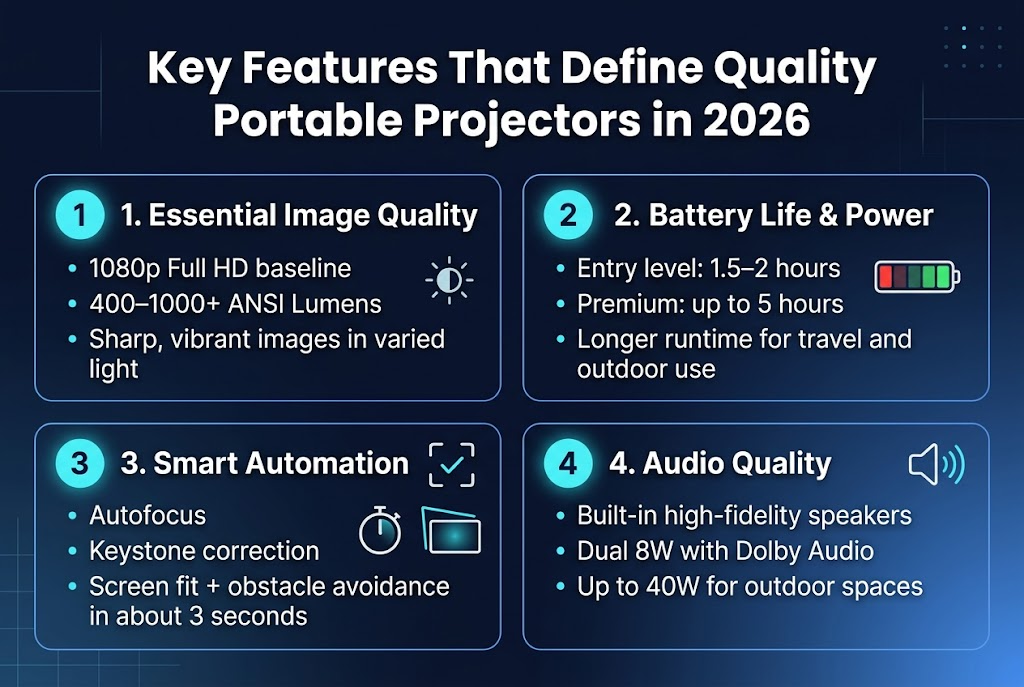
Core specifications like native resolution and brightness remain fundamental pillars of projector quality, but the true differentiation in 2026 lies in the holistic user experience these devices deliver. A top-tier portable projector must deliver sharp, vibrant images that meet modern viewing standards, with 1080p Full HD now serving as the expected baseline for clarity across all price segments.
Brightness, measured in ANSI Lumens, plays a critical role in combating ambient light conditions that frequently challenge portable projection scenarios. The optimal range of 400 to 1000+ lumens effectively covers most viewing environments, from dimly lit hotel rooms to moderately bright outdoor spaces. This specification directly impacts your projector’s versatility and determines where you can confidently set up for an optimal viewing experience.
Battery Life and Power Management Requirements
Battery life stands as a paramount consideration for truly untethered portable projection, with modern power management systems enabling extended video playback sessions without compromising performance. The current landscape reveals significant variation across different market segments, making this specification crucial for matching devices to specific use cases.
Entry-level models typically offer 1.5 to 2 hours of battery life, which suffices for shorter presentations or brief entertainment sessions. However, premium models like the Nebula Mars 3 demonstrate the upper echelon of battery performance, providing up to 5 hours of continuous video playback. This extended runtime transforms the device from a brief-use gadget into a legitimate entertainment solution for extended travel periods or outdoor adventures.
Smart Automation Features for Easy Setup
Intelligent software for automatic setup has evolved from a luxury feature to an essential requirement, handling complex adjustments like focus, keystone correction, and screen alignment in mere seconds. This technological advancement eliminates the traditional frustration of manual projector calibration, making these devices genuinely user-friendly for travelers.
The Nebula Mars 3 Air exemplifies this evolution with its Intelligent Environment Adaptation Technology, which completes a comprehensive setup sequence—including autofocus, keystone correction, screen fit, and obstacle avoidance—in approximately three seconds. This rapid automation ensures that users can transition from unpacking to viewing almost instantaneously, regardless of their technical expertise.
Audio Quality and Built-in Speaker Systems: Perfect Portable Projector for Travel 2026
Integrated, high-fidelity speakers have become essential for eliminating the dependency on external audio equipment, particularly valuable when traveling light. Modern portable projectors now incorporate sophisticated audio systems that deliver immersive sound experiences without requiring additional gear.
The Nebula Mars 3 Air stands out as a perfect portable projector for travel in 2026, thanks to its dual 8W speakers enhanced with Dolby Audio technology. This creates an immersive soundscape and allows the device to function as a capable standalone Bluetooth speaker when projection isn’t needed.
For travelers seeking the best portable projector for outdoor adventures, the Nebula Mars 3 takes audio performance even further with a built-in 40W speaker system. Its powerful, crisp sound can fill larger rooms and outdoor spaces with ease, making it an excellent choice for camping trips, backyard movie nights, and travel entertainment setups.
Whether you need a travel-friendly portable projector, a Bluetooth projector for outdoor movies, or simply the ideal portable projector for travel and entertainment in 2026, both Nebula Mars models deliver premium audio experiences alongside impressive projection performance.
Choosing the Right Portable Projector for Your Specific Needs
Travel and Camping Requirements
For the frequent traveler or camper, durability, compact size, and long battery life are non-negotiable features when selecting a portable projector. A device designed for travel and camping must be rugged enough to handle transit and potentially the elements, while its battery should last through at least one feature-length film without requiring external power sources.
The Nebula Mars 3 exemplifies the ideal travel companion, built to withstand the elements with IPX3 water resistance, drop resistance, and dust resistance. This projector is designed explicitly for outdoor adventures where protection from moisture, impacts, and debris is essential. Such durability features ensure your investment remains functional even when subjected to the harsh conditions often encountered during camping trips or frequent travel.
Battery performance becomes critical in remote locations where power outlets are unavailable. The XGIMI MoGo 4’s built-in battery lasts between 2.5 and 3 hours, providing sufficient power for a complete feature film. This duration eliminates the need for external power sources during most entertainment sessions, making it perfect for campsite movie nights or hotel room viewing.
Perfect Portable Projector for Travel 2026: Home Entertainment Versatility
For those searching for the perfect portable projector for home and travel in 2026, everyday indoor use shifts the focus from rugged outdoor durability to performance features that elevate the viewing experience. Brightness and smart TV integration become more important for competing with indoor lighting and providing seamless access to streaming platforms.
Movie enthusiasts looking for the best portable projector for cinematic entertainment should prioritize resolution, contrast ratio, and audio quality over rugged travel features. These specifications directly improve image clarity and sound performance, helping create a theater-like experience at home.
Outdoor Viewing Considerations
When choosing the ideal portable projector for outdoor travel and movie nights, brightness becomes one of the most critical factors. The Nebula Mars 3 offers 1000 ANSI Lumens, allowing it to project a vivid 200-inch image even in challenging outdoor lighting conditions. This makes it one of the top portable projectors for travel and outdoor entertainment in 2026.
For acceptable daytime viewing, experts recommend selecting a high-brightness travel projector with at least 600+ ANSI Lumens, especially if ambient light cannot be fully controlled. Higher brightness ensures better visibility and stronger image performance outdoors.
Gaming and Sports Viewing Optimization
Travelers and home users seeking a portable projector for gaming and sports in 2026 should pay close attention to latency and gaming-specific features. The Nebula P1 includes an extreme gaming mode that disables keystone correction and lowers latency to under 10 milliseconds, making it an excellent option for responsive gameplay.
Low latency is essential when choosing the perfect projector for gaming while traveling, as it reduces delay between controller input and on-screen action. This responsiveness is particularly valuable for competitive gaming, live sports viewing, and other real-time entertainment experiences.
Top Portable Projector Recommendations for Different Use Cases
Best All-Around Performance Models
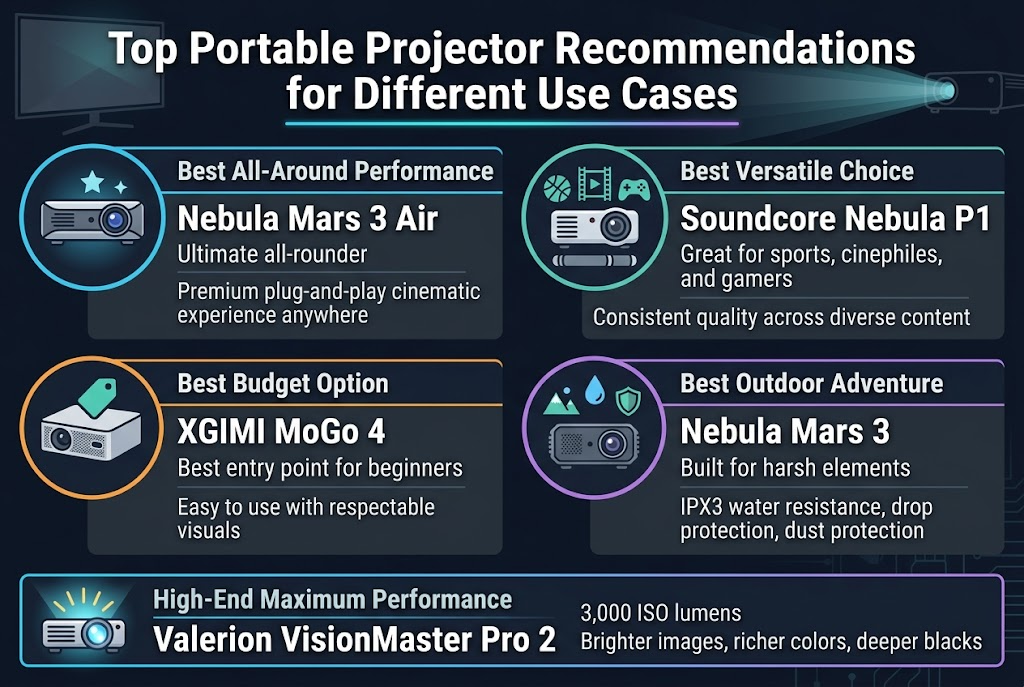
The Nebula Mars 3 Air stands out as the ultimate all-rounder in the portable projector market, delivering a quintessential balance of performance and convenience. This model offers a premium, plug-and-play cinematic experience that can be enjoyed anywhere, making it the ideal choice for users who want reliable performance without compromising on portability.
For those seeking a well-rounded experience across multiple entertainment categories, the Soundcore Nebula P1 emerges as an excellent choice. This versatile projector caters effectively to sports fans, cinephiles, and gamers alike, providing the flexibility needed to handle diverse content types with consistent quality.
Budget-Friendly Options for Beginners
Now that we’ve covered premium all-around models, the XGIMI MoGo 4 represents the best entry point for newcomers to portable projection technology. Recognized as the best budget portable projector, this model excels in ease of use while delivering respectable visuals for its price range. The MoGo 4 makes an ideal first projector for beginners who want to experience portable projection without a significant financial commitment.
Rugged Outdoor Adventure Projectors
With outdoor entertainment in mind, the Nebula Mars 3 serves as the definitive choice for adventurers and outdoor enthusiasts. Built specifically to withstand harsh elements, this projector features IPX3 water resistance along with drop and dust protection. These rugged characteristics ensure reliable performance in challenging outdoor environments where standard projectors might fail.
High-End Models for Maximum Performance
For serious users considering permanent installation or demanding the highest quality output, the Valerion VisionMaster Pro 2 represents the pinnacle of portable projector technology. Operating at an impressive 3,000 ISO lumens, this high-end model delivers wildly brighter images with richer colors and deeper blacks, setting the standard for premium portable projection experiences.
Understanding Brightness and Display Technology
ANSI and ISO Lumens Explained
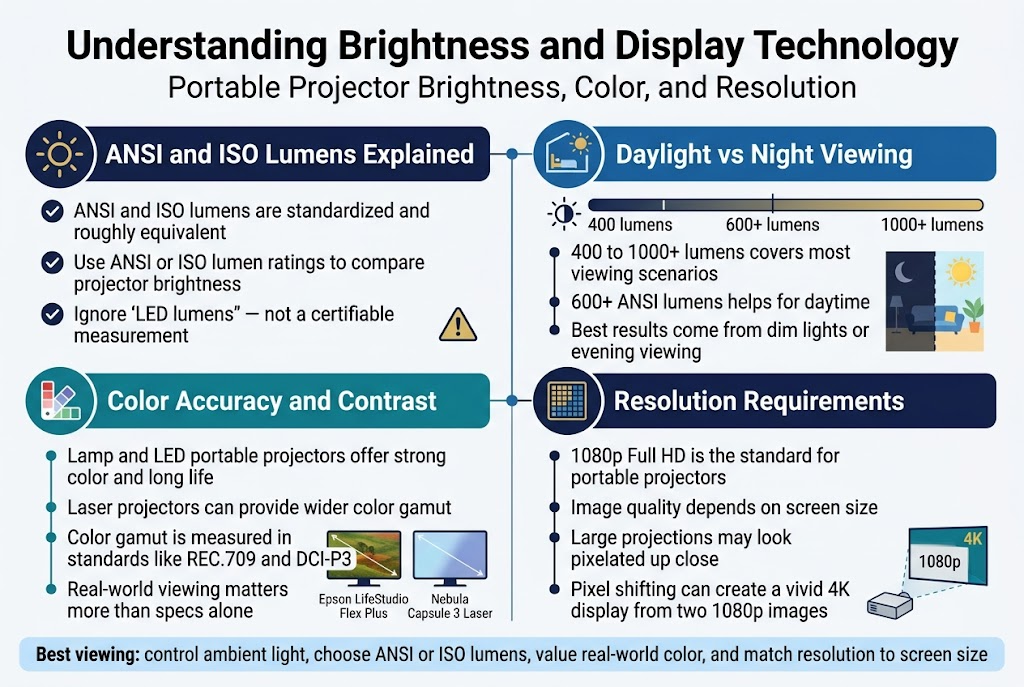
When evaluating portable projectors, understanding brightness measurements is crucial for making an informed decision. Manufacturers use lumens (ANSI or ISO) to measure maximum projector brightness, and both standards are standardized and roughly equivalent. This means you can confidently compare projectors using either measurement system.
However, be cautious of misleading specifications. ‘LED lumens’ is not a certifiable measurement and is likely bogus, so avoid relying on this metric when comparing projectors. Always look for ANSI or ISO lumen ratings when assessing brightness capabilities.
Daylight vs Night Viewing Capabilities
Brightness, measured in ANSI Lumens, is critical for combating ambient light, with 400 to 1000+ lumens covering most scenarios from darkened bedrooms to shaded outdoor areas. For acceptable daytime viewing, a projector with high brightness (600+ ANSI Lumens) is necessary, ideally in a room with strong light control.
For the best viewing experience, dimming lights or viewing in the evening is recommended, regardless of your projector’s brightness rating. Even projectors like the XGIMI MoGo 4, which features 450 ISO lumens—better than earlier iterations—still lacks sufficient brightness for optimal daytime viewing. This demonstrates that even improved brightness specifications may not guarantee satisfactory performance in bright environments.
Color Accuracy and Contrast Considerations
Traditional lamp-based or LED portable projector models offer great color reproduction and long life for most users. However, laser projectors can provide wider color gamut and maintain consistent brightness over a longer lifespan, making them an excellent choice for users prioritizing color performance.
A color gamut refers to the range of the video spectrum a projector can reproduce, often expressed as a percentage of a color space such as REC.709 or DCI-P3. It’s desirable for a projector to cover as much of the standard color spaces as possible, though actual performance is best judged visually rather than relying solely on specifications.
Real-world testing reveals significant differences between models. The Epson LifeStudio Flex Plus demonstrated impressive color accuracy compared to cheaper options, while the Nebula Capsule 3 Laser showed a slight color discrepancy, with whites having a bluish tint in side-by-side testing.
Resolution Requirements for Different Screen Sizes
1080p Full HD is the expected standard for clarity in portable projectors, and this resolution generally looks great as long as the projection’s size limits are not pushed excessively. The key is understanding how resolution performance scales with screen size.
The Nebula P1’s 1080p resolution only looked pixelated when viewed up close on a large projection, demonstrating that standard Full HD resolution remains effective for most portable projector applications. For users seeking enhanced clarity, some manufacturers employ advanced technologies like the Epson LifeStudio Flex Plus, which uses pixel shifting to display two 1080p images, creating a vivid and sharp 4K display that significantly improves image quality beyond standard 1080p projectors.
Essential Portability Features and Design Considerations
Size, Weight and Carrying Options
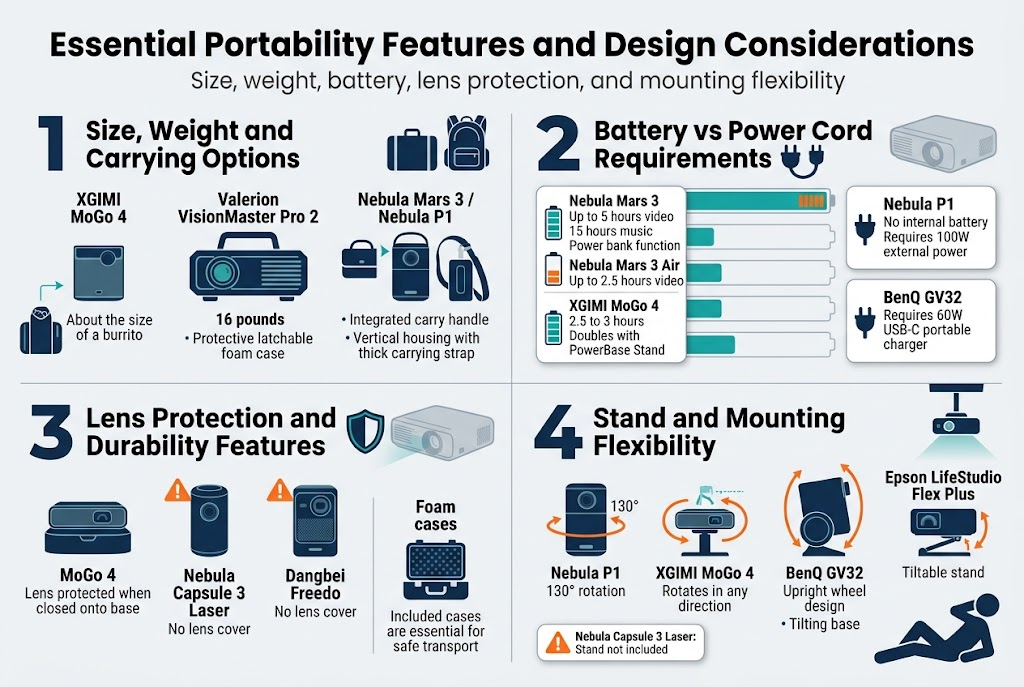
When selecting a portable projector for travel, size and weight are critical factors that determine whether the device is worth hauling and fits comfortably in your bag. The most compact option available is the XGIMI MoGo 4, which measures marginally bigger than a burrito and easily fits into a bag or backpack, making it ideal for frequent travelers who prioritize minimal luggage space.
For those requiring more substantial performance, the Valerion VisionMaster Pro 2 weighs 16 pounds and comes with a protective latchable foam case specifically designed for transport. This option caters to users who prioritize projection quality over ultra-portability.
Several manufacturers have incorporated thoughtful carrying solutions into their designs. The Nebula Mars 3 features an integrated carry handle for easy transport, while the Nebula P1 employs a vertical housing design that conceals the lens and ports, complete with a thick carrying strap for secure transportation.
Battery vs Power Cord Requirements
Battery life becomes paramount when using projectors in untethered environments, particularly for travelers and campers. The Nebula Mars 3 leads in battery performance with its large-capacity battery supporting up to five hours of video playback or an impressive 15 hours of music streaming. Additionally, this projector doubles as a power bank, providing extra functionality for charging other devices.
The Nebula Mars 3 Air offers up to 2.5 hours of video playback on a single charge, while the XGIMI MoGo 4 provides between 2.5 and 3 hours of battery life. The MoGo 4’s runtime can be doubled with the optional PowerBase Stand accessory.
Some projectors require external power sources, which affects portability planning. The Nebula P1 has no internal battery and requires an external power source of at least 100 watts, such as the included Anker charger, portable charger, or power station. Similarly, the BenQ GV32 relies on external power but maintains compatibility with USB-C portable chargers that deliver at least 60 watts.
Lens Protection and Durability Features
Protecting the projector lens during transport is crucial for maintaining image quality and extending device lifespan. Some projectors incorporate natural design protection, such as the MoGo 4, which closes onto its base, automatically protecting the lens when not in use.
However, several models lack adequate lens protection. The Nebula Capsule 3 Laser lacks a lens cover, making it susceptible to smudges during handling and transport. Similarly, the Dangbei Freedo has no lens cover, making it less suitable for frequent transport without relying on its bulky foam carrying case for protection.
For projectors without built-in lens protection, included cases become essential accessories for safe transportation and storage.
Stand and Mounting Flexibility
Effective projection requires easily adjustable but steady stands that allow precise positioning without compromising stability. The Nebula P1’s projector piece hinges within a frame, providing 130 degrees of rotation for flexible display positioning, accommodating various room layouts and viewing preferences.
The XGIMI MoGo 4 features a cylindrical projector that rotates on a balanced, grippy stand, enabling aim in any direction—straight out, angled, or directly toward the ceiling. This versatility proves particularly valuable in cramped spaces or unconventional viewing setups.
The BenQ GV32 employs an upright wheel design with a rotating, tiltable base, making it ideal for ceiling projection when streaming while lying down. The Epson LifeStudio Flex Plus sits on a tiltable stand that easily adjusts angles for optimal viewing positions.
However, the Nebula Capsule 3 Laser does not include a stand, requiring an additional purchase to achieve optimal projection angles, which adds to the overall cost and complexity of the setup.
Audio Solutions for Enhanced Viewing Experience
Built-in Speaker Quality Comparison
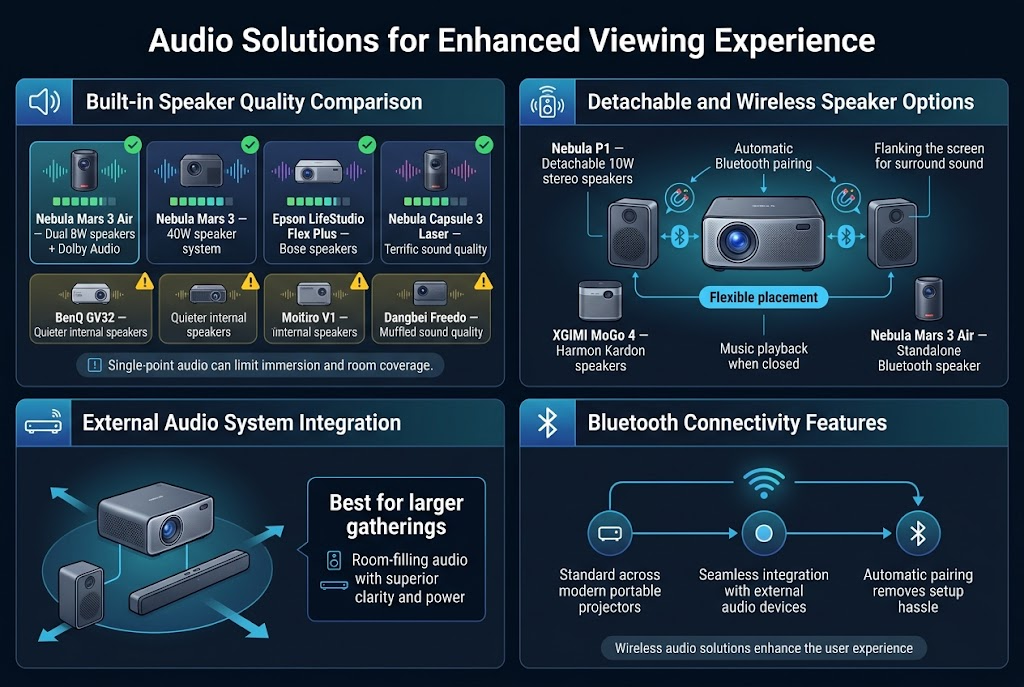
Modern portable projectors have made significant strides in built-in audio quality, with many devices featuring high-quality speakers sufficient for personal or small-group viewing experiences. The Nebula Mars 3 Air stands out with its dual 8W speakers enhanced by Dolby Audio technology, delivering an immersive sound experience that rivals dedicated audio systems. For even more powerful audio output, the Nebula Mars 3 takes it further with a robust 40W speaker system that produces powerful, crisp audio capable of filling larger spaces.
The Epson LifeStudio Flex Plus demonstrates excellent audio engineering with its Bose speakers, which provide well-balanced and clear sound reproduction across various frequencies. Similarly, the Nebula Capsule 3 Laser offers terrific sound quality that enhances the overall viewing experience. However, not all portable projectors deliver equally impressive audio performance. The BenQ GV32’s internal speakers tend to be quieter and require high volume settings to adequately fill a room, while the Dangbei Freedo’s sound quality appears muffled compared to other options in its price range. Many portable projectors face the limitation of audio emanating from a single point in the room, which can affect the overall audio distribution and immersion.
Detachable and Wireless Speaker Options
The Nebula P1 introduces an innovative approach to portable projector audio with its detachable 10-watt stereo speakers that attach magnetically to the projector housing. This unique design allows users to position the speakers separately, such as flanking the screen, creating room-filling or personal surround sound experiences that significantly enhance audio immersion. The Bluetooth pairing between the Nebula P1 projector and its detachable speakers operates automatically, eliminating the hassle of manual connection processes.
The XGIMI MoGo 4 features Harmon Kardon speakers that offer dual functionality, allowing users to play music even when the projector is closed. This versatility makes the device valuable beyond projection purposes. The Nebula Mars 3 Air also demonstrates exceptional versatility by functioning as a capable standalone Bluetooth speaker, providing users with a high-quality audio solution that extends the device’s utility beyond video projection.
External Audio System Integration
For larger gatherings and enhanced audio experiences, external Bluetooth speakers or soundbars can significantly elevate the audio quality beyond what built-in speakers can provide. This integration approach allows users to leverage existing audio equipment or invest in dedicated sound systems that can deliver room-filling audio with superior clarity and power.
Bluetooth Connectivity Features
Bluetooth connectivity has become a standard feature across modern portable projectors, enabling seamless integration with various external audio devices. The automatic pairing capabilities, as demonstrated by the Nebula P1’s speaker system, represent the evolution toward user-friendly wireless audio solutions that eliminate technical barriers and enhance the overall user experience.
Setup and Connectivity Options
Automatic Focus and Keystone Correction
Intelligent software for automatic setup has become an essential feature in modern portable projectors, with automatic focus, keystone correction, and screen alignment leading the way. The most advanced systems can complete these adjustments in remarkably short timeframes. The Nebula Mars 3 Air’s Intelligent Environment Adaptation Technology exemplifies this efficiency, completing autofocus, keystone correction, screen fit, and obstacle avoidance in approximately three seconds.
Keystone correction creates a perfectly rectangular display even when projecting from an angle, while auto focus ensures the image remains sharp regardless of distance from the wall. The Nebula P1 demonstrates these capabilities effectively, automatically correcting the image for both angle and distance variations. Some projectors incorporate obstacle avoidance features that shrink the display to avoid objects in the projection path, though implementation varies significantly between models.
The Nebula P1’s obstacle avoidance requires the Nebula Connect app and taking a picture with your phone, making it less convenient than instant corrections. In contrast, the BenQ GV32 provides manual override options with buttons on both the remote and projector to resize the projection when automatic obstacle avoidance misses obstacles. The Valerion VisionMaster Pro 2 takes a different approach, featuring optical zoom capabilities that allow users to marginally shift projection positioning without sacrificing image quality for quick setup adjustments.
Streaming Platform Integration
Smart TV integration has become critical for providing easy access to streaming platforms without requiring additional hardware. The most effective portable projectors run full-fledged streaming operating systems rather than simply offering basic casting capabilities. Google TV has emerged as the dominant platform among tested projectors, providing comprehensive app ecosystems and intuitive interfaces.
The Nebula Mars 3 Air integrates Google TV directly, providing immediate access to Netflix, Disney+, and thousands of other applications without requiring an external streaming stick. Similarly, the XGIMI MoGo 4 comes with Google TV pre-installed, making initial setup straightforward and eliminating the need for external streaming devices.
While most tested projectors operated on Google TV, alternative platforms exist with varying degrees of success. LG’s CineBeam S runs on WebOS, though this platform proved less intuitive in testing, suggesting that users might benefit more from using an external streamer for optimal functionality.
Gaming Console and Device Compatibility
Input options play a crucial role in connecting gaming systems and streaming devices to portable projectors. The quality and variety of connection ports directly impact the versatility and convenience of your setup. Standard-sized HDMI connections have become increasingly important for seamless connectivity with modern gaming consoles and media devices.
The XGIMI MoGo 4 represents a significant quality-of-life improvement in this area, upgrading from a Micro HDMI port to a standard-sized HDMI connection. This enhancement eliminates the need for adapters and reduces potential connection issues when linking gaming systems or external streaming devices.
Wireless Casting Capabilities
Modern portable projectors successfully support wireless casting from mobile devices through established protocols. Both Google Cast and AirPlay compatibility ensure seamless connectivity across different mobile ecosystems, allowing users to mirror content directly from smartphones and tablets without requiring physical connections.
The distinction between basic casting capabilities and full streaming platform integration becomes apparent in daily use. While some projectors offer simple casting from mobile devices, others provide comprehensive streaming operating systems that reduce dependency on external devices. This wireless functionality proves particularly valuable for travel scenarios where minimizing cable requirements and external hardware enhances portability and setup convenience.
Price Ranges and Value Considerations
Budget Category Performance Expectations
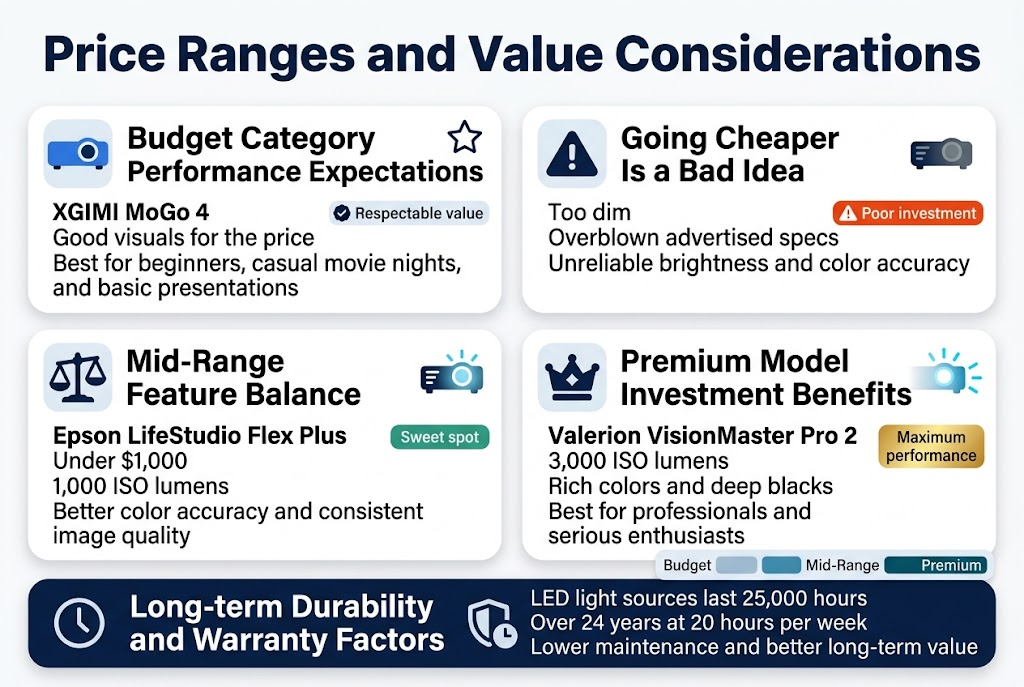
When considering budget-friendly portable projectors, the XGIMI MoGo 4 stands out as a recommended option that delivers respectable visuals for its price range. This category is particularly well-suited for beginners who prioritize ease of use without requiring professional-grade specifications. Budget projectors in this range offer adequate performance for casual movie nights, basic presentations, and entertainment purposes.
However, it’s crucial to understand that going cheaper than the established budget category is generally a bad idea with projectors. Ultra-low-cost options typically suffer from significantly dimmer images and overblown advertised specifications that lead to unreliability and disappointment. These cheaper alternatives often fail to deliver on their promised brightness levels and color accuracy, making them poor investments even at reduced prices.
Mid-Range Feature Balance
The mid-range category offers exceptional value for users seeking a balance between performance and affordability. The Epson LifeStudio Flex Plus exemplifies this sweet spot, providing great value for under $1,000 with its 1,000 ISO lumens of brightness. This model demonstrates the significant improvement in color accuracy compared to cheaper options, making it an ideal choice for users who want reliable performance without premium pricing.
Mid-range projectors typically offer substantial upgrades in image quality, brightness consistency, and color reproduction while maintaining reasonable pricing. This category represents the optimal choice for users who have outgrown budget options but don’t require the absolute highest performance levels.
Premium Model Investment Benefits
Premium portable projectors like the Valerion VisionMaster Pro 2 justify their higher price points through exceptional performance capabilities. At 3,000 ISO lumens, this model is wildly brighter than budget and mid-range alternatives, delivering rich colors and deep blacks that create a truly immersive viewing experience. These premium models are specifically recommended for serious users who value maximum performance and are willing to invest accordingly.
The investment in premium projectors becomes worthwhile for professionals, enthusiasts, or users who frequently rely on their projector for critical applications where image quality cannot be compromised.
Long-term Durability and Warranty Factors
A significant advantage of portable projectors across all price ranges is their LED light source longevity. These LED components typically last 25,000 hours, which equates to over 24 years of use at 20 hours per week. This exceptional durability factor significantly impacts the overall value proposition, as users won’t need to replace expensive lamp components like traditional projector technologies.
This extended lifespan means that even premium investments become more cost-effective over time, as the per-hour usage cost decreases dramatically with consistent use. The reliability of LED technology also reduces maintenance concerns and ensures consistent performance throughout the projector’s extended operational life.
Recommended choice for in regarding quality and price
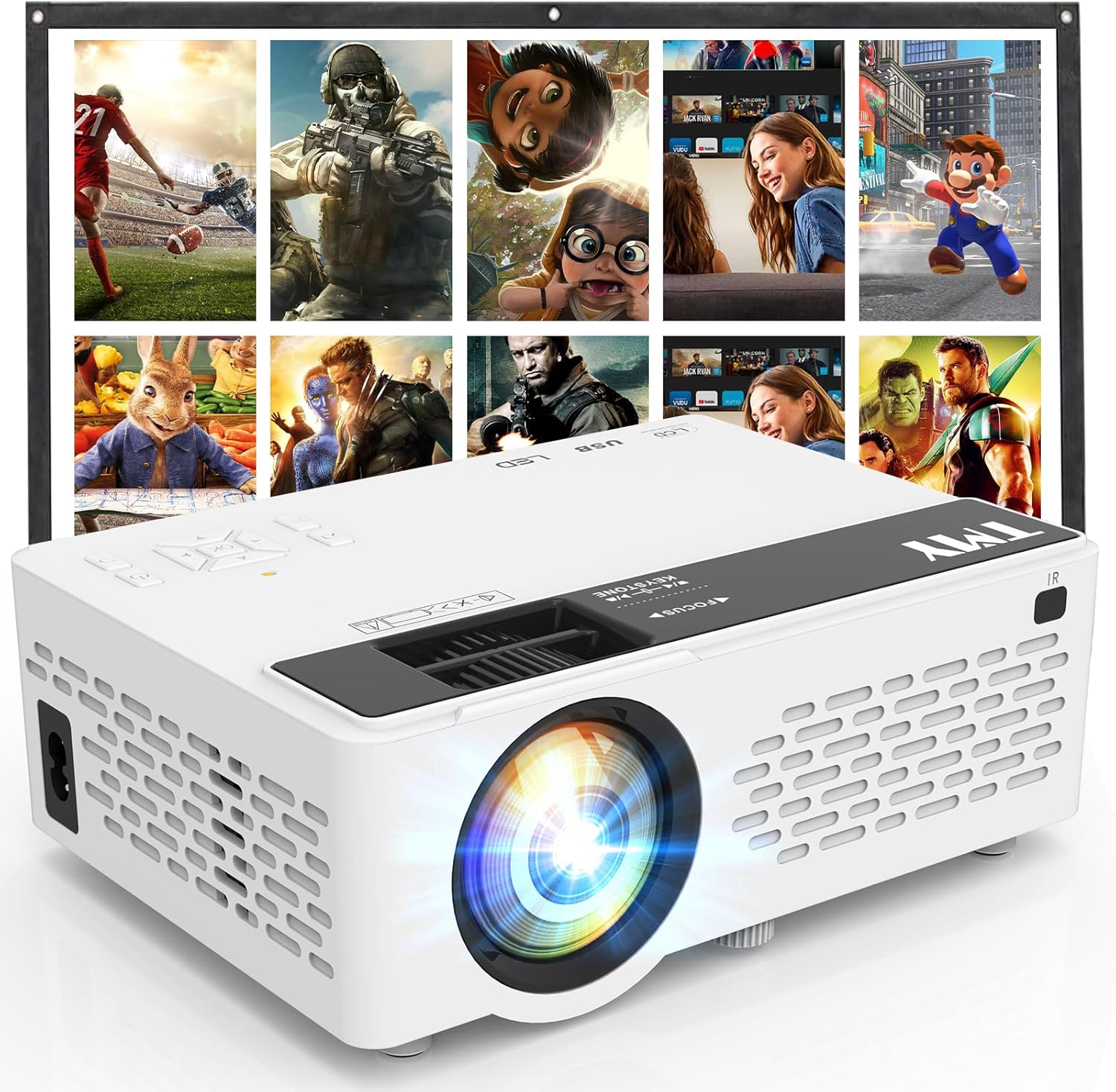
Best Overall Value Pick for 2026
The TMY 1080P Full HD Portable Mini Projector stands out as our top recommendation when balancing quality and price. This upgraded Bluetooth movie projector delivers impressive performance without the premium price tag that usually comes with high-end models.
What makes this projector exceptional is its combination of 1080P full HD resolution with practical features that travelers actually need. The built-in Bluetooth connectivity eliminates the hassle of tangled wires, while the included screen means you can set up anywhere without hunting for a blank wall. The multiple connectivity options – TV stick, smartphone, HDMI, and USB – cover virtually every device you might want to connect during your travels.
Performance That Matches the Price
The 1080P resolution provides sharp, clear images that work well for both indoor presentations and outdoor movie nights. While it might not compete with $500+ projectors in absolute brightness, it delivers more than enough lumens for most travel scenarios. The color reproduction is surprisingly vibrant, and the contrast ratio handles both bright action scenes and darker dramatic moments effectively.
The compact design doesn’t sacrifice image quality. You get consistent focus across the entire projection area, and the LED light source provides up to 50,000 hours of use – basically a lifetime of travel entertainment.
Smart Features That Add Real Value
Bluetooth audio support lets you connect wireless speakers or headphones for better sound quality. This feature becomes invaluable when you’re in hotel rooms with thin walls or camping where you don’t want to disturb other campers. The projector also remembers your settings, so you don’t need to reconfigure everything each time you use it.
The included carrying case and screen make this a complete travel package. Many competitors force you to buy accessories separately, which quickly inflates the total cost.
Cost Comparison Analysis
| Price Range | TMY 1080P Features | Typical Competitors |
|---|---|---|
| $100-150 | 1080P resolution, Bluetooth, included screen | 720P resolution, basic connectivity |
| $150-200 | Multiple inputs, portable design | Limited inputs, bulkier design |
| $200+ | Complete travel package | Premium brands, similar features |
Long-term Value Proposition
This projector hits the sweet spot where affordability meets durability. The LED technology means minimal maintenance costs, and the robust build quality handles the bumps and jostles of travel life. Customer reviews consistently highlight its reliability over extended use, which translates to better value over time compared to cheaper models that fail after a few months.
The TMY projector also receives regular firmware updates, ensuring compatibility with new devices and streaming services. This future-proofing aspect makes it a smarter investment than budget models that become obsolete quickly.
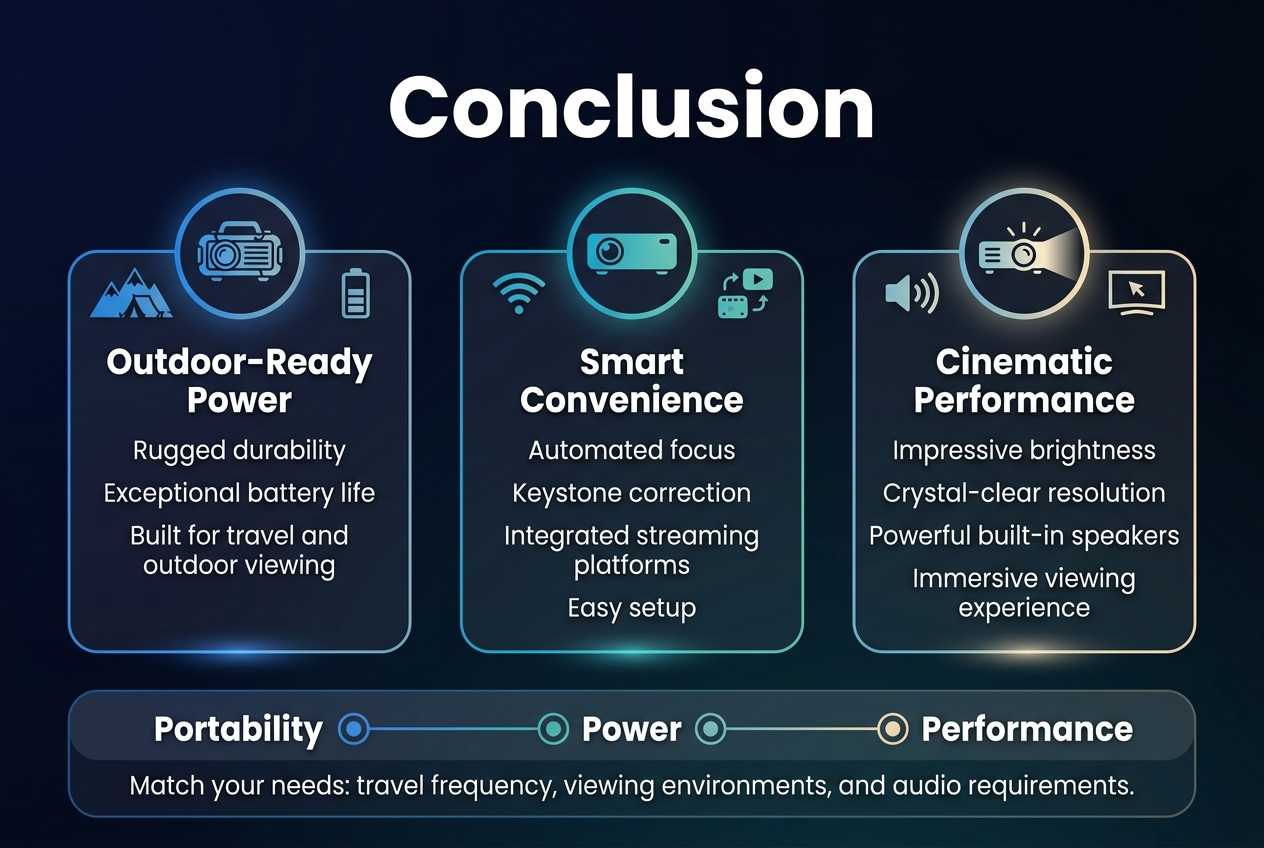
The portable projector landscape in 2026 offers unprecedented opportunities to transform any space into a personal cinema. Whether you prioritize the rugged durability and extended battery life needed for outdoor adventures, or prefer smart TV integration and automated setup for versatile home use, today’s models deliver remarkable performance in compact, travel-friendly designs. Key considerations like brightness levels (400-1000+ ANSI lumens), battery life (2.5-5 hours), and intelligent features such as automatic focus and keystone correction have become essential differentiators that separate exceptional devices from merely adequate ones.
The investment in a quality portable projector pays dividends through years of reliable entertainment, whether you’re enhancing backyard movie nights, creating immersive gaming experiences, or bringing big-screen entertainment to any location. Models like the Nebula Mars 3 Air and Mars 3 exemplify how modern portable projectors successfully balance performance, convenience, and durability without compromising on the viewing experience. By focusing on your specific use cases and prioritizing features that align with your lifestyle, you’ll discover a device that consistently transforms ordinary spaces into extraordinary entertainment venues for years to come.