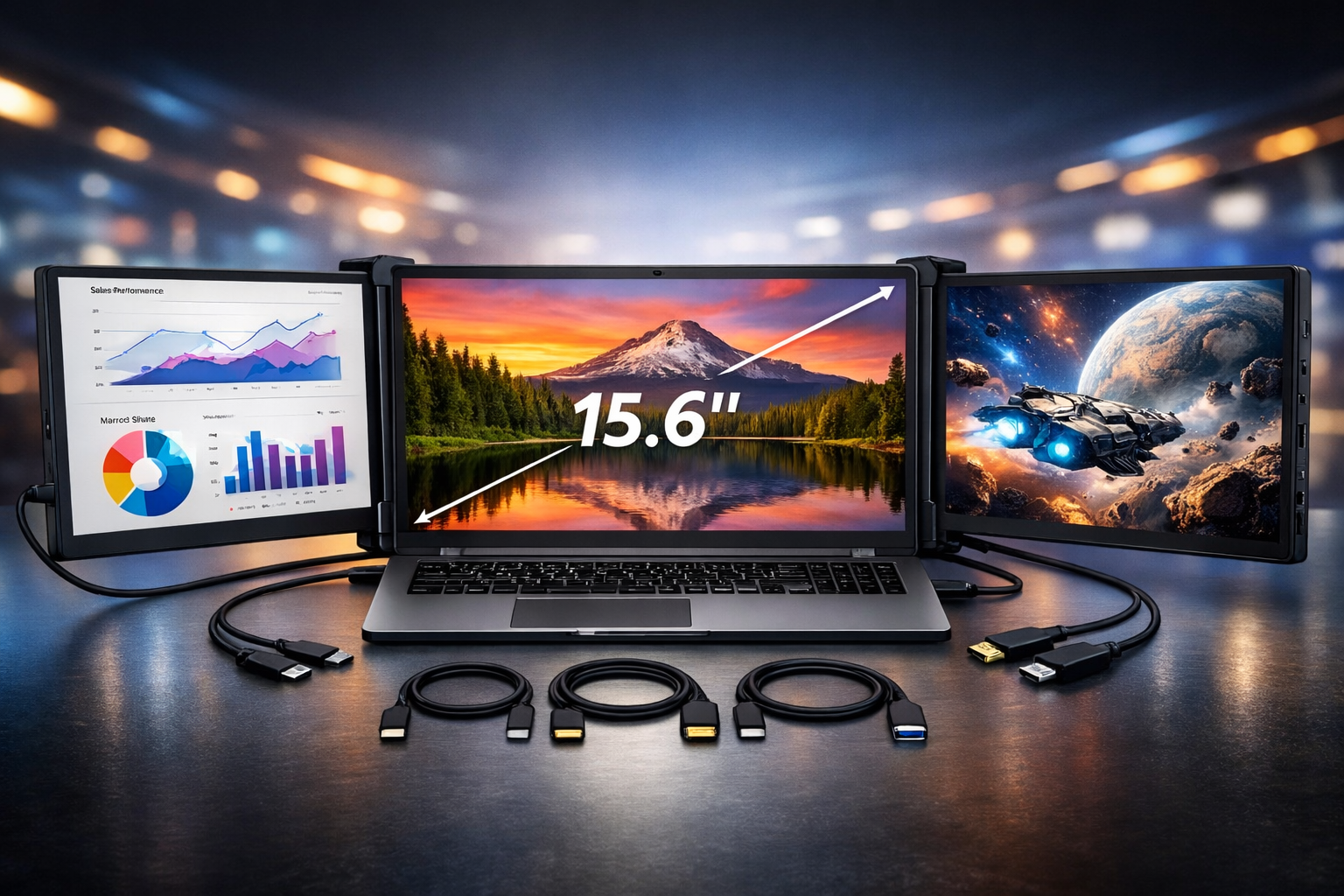
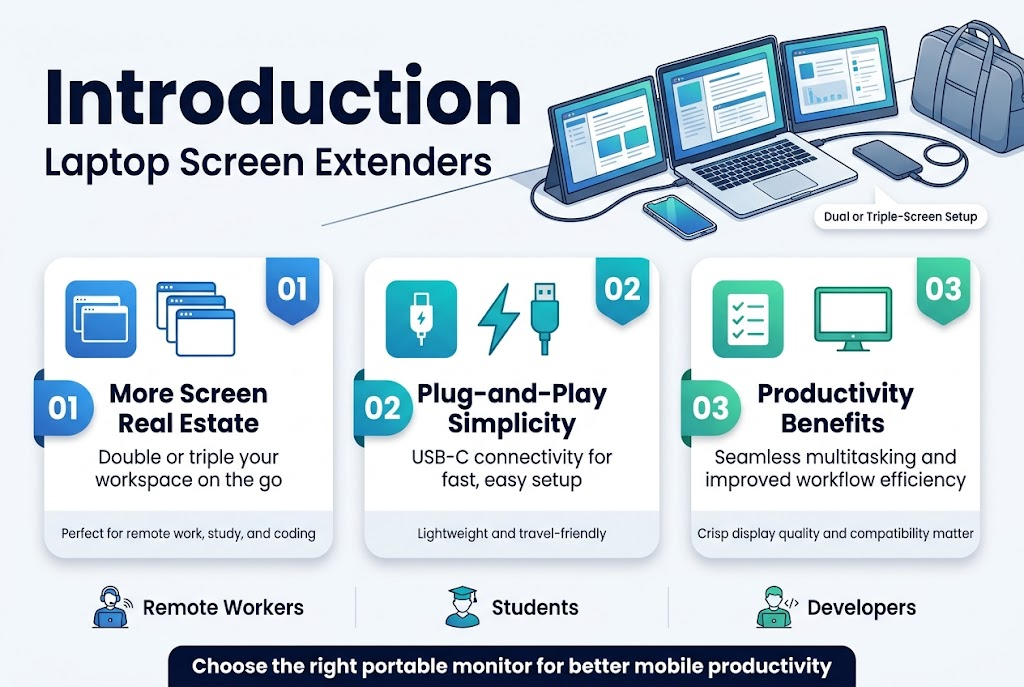
A laptop screen extender transforms your mobile workstation into a powerful dual or triple-screen setup. These portable monitors attach directly to your laptop and instantly double or triple your screen real estate, making them perfect for remote workers, students, developers, and anyone who needs more workspace on the go.
Professionals struggling with cramped single-screen workflows find these devices game-changing for productivity. The best portable monitor for laptop use offers plug-and-play simplicity through USB-C connectivity, crisp display quality, and lightweight portability that won’t weigh down your travel bag.
We’ll explore the key productivity benefits that make laptop screen extension a smart investment, from seamless multitasking to improved workflow efficiency. You’ll also learn about essential features to consider when choosing the right portable dual monitor setup, including display quality, connectivity options, and compatibility with your device. Finally, we’ll cover practical setup advantages and why these travel screen extender solutions have become must-have tools for mobile professionals who refuse to compromise on workspace efficiency.
Key Benefits of Laptop Screen Extenders for Productivity
Enhanced Multitasking Capabilities for Work and Study
A laptop screen extender dramatically transforms how professionals and students approach their daily tasks by eliminating the cramped feeling associated with single-screen setups. The ability to have multiple windows open simultaneously revolutionizes workflow efficiency, allowing users to keep video calls active on one screen while working on documents or presentations on another. This dual screen setup enables seamless transitions between different applications without the constant need for tab switching, which significantly reduces cognitive load and improves focus retention.
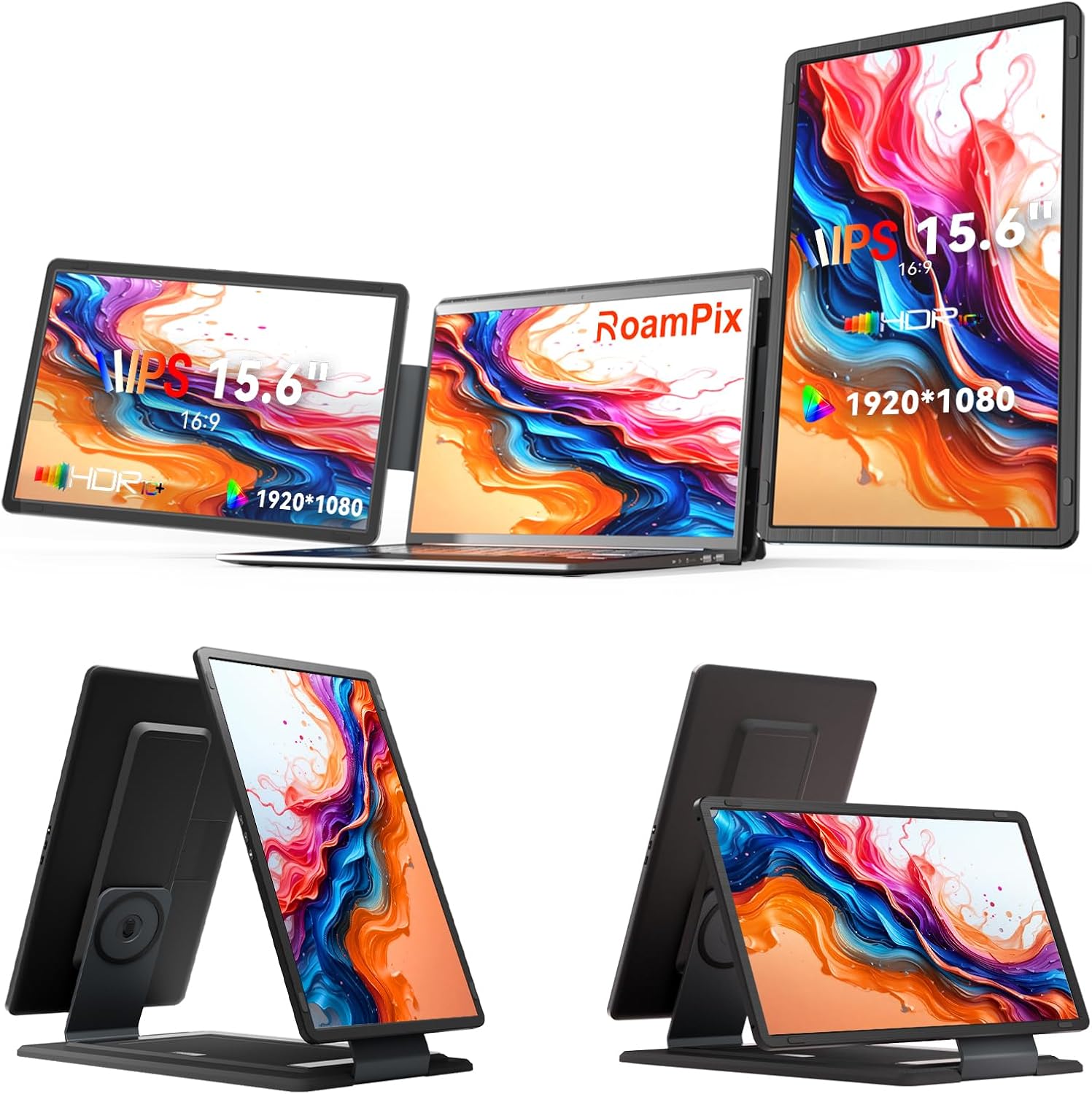
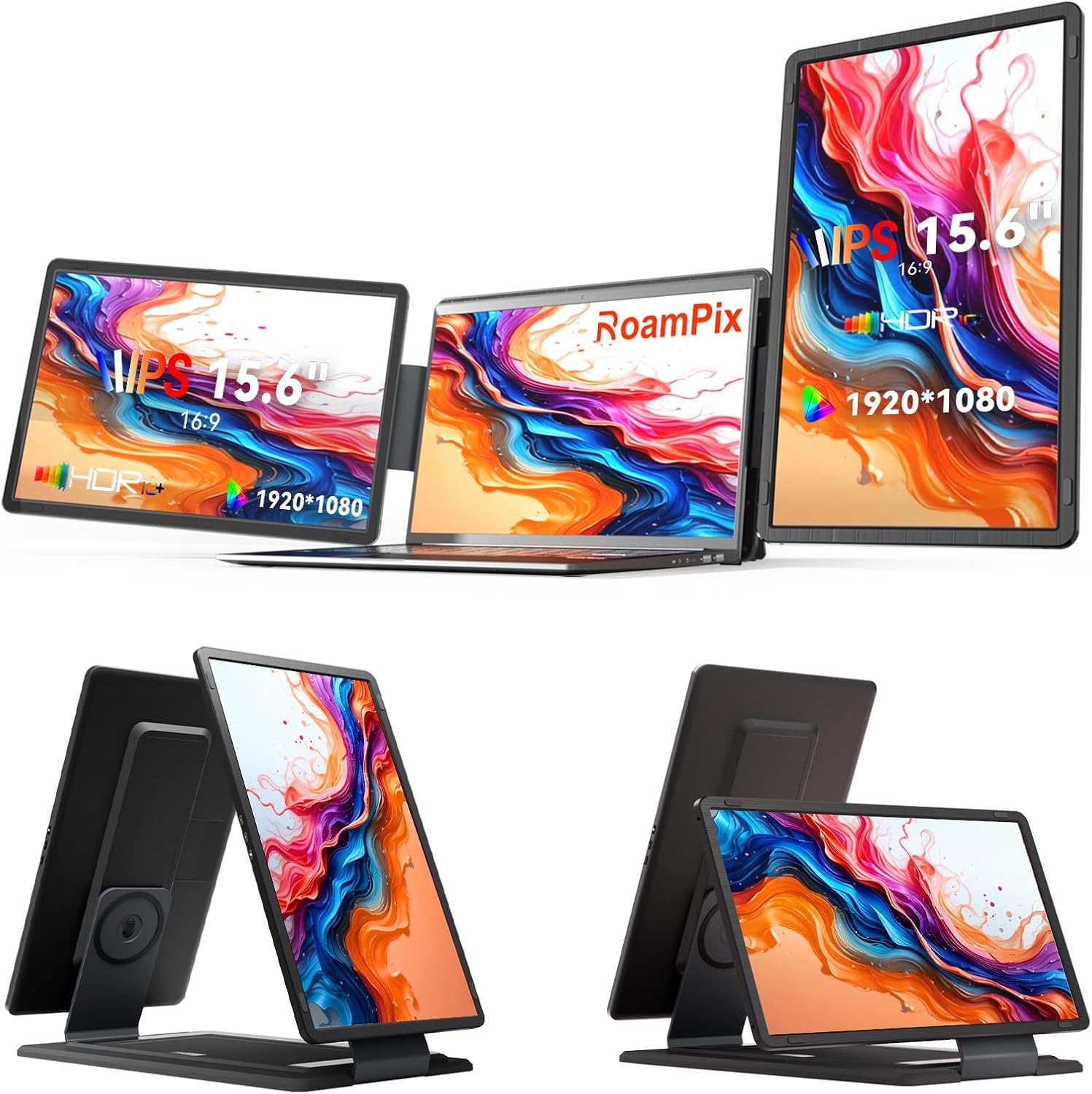
Students particularly benefit from this expanded workspace, as they can maintain research materials on one screen while taking notes or writing assignments on their laptop’s primary display. The 15.6-inch FHD 1080P IPS screen provides crisp, clear visuals that make extended study sessions more comfortable and productive.
Mobile Desktop Experience Anywhere You Go
The portable monitor for laptop creates what users describe as a “mini-desktop” setup that delivers desktop-level dual-monitor experience regardless of location. Whether working from coffee shops, airports, or temporary workspaces, professionals can maintain their productivity standards without being tied to a traditional office setup. This travel screen extender weighs just 3.73 kilograms and measures 16.8″D x 1.85″W x 10.8″H, making it practical for mobile professionals who refuse to compromise on workspace efficiency.
The USB-C portable monitor connectivity ensures compatibility with modern laptops, supporting both Windows and MacOS M1/M2/M3 pro devices, while the additional HDMI ports provide flexibility for various connection scenarios.
Reduced Screen Switching and Tab Management
One of the most significant productivity gains comes from the elimination of constant tab switching and window management. The laptop external display allows users to dedicate specific screens to particular functions – keeping communication tools like email and messaging apps on the extended screen while focusing on primary work tasks on the main laptop display. This separation reduces mental fatigue and helps maintain concentration flow states that are crucial for complex work.
The 60Hz refresh rate and 2000:1 contrast ratio ensure smooth visual transitions, while the IPS display technology provides consistent color accuracy across different viewing angles, making it ideal for collaborative work sessions.
Improved Workflow Efficiency for Professionals
The laptop monitor attachment has proven to be a game-changer for mobile productivity, with users reporting significant improvements in their daily workflow efficiency. Professionals can maintain multiple project windows open simultaneously, compare documents side-by-side, or monitor real-time data while continuing with other tasks. The portable dual monitor setup eliminates the productivity bottlenecks commonly experienced with single-screen configurations.
The matte screen finish reduces glare and eye strain during extended work sessions, while the 1920 x 1080 native resolution ensures that text remains sharp and readable for detailed work. This combination of features makes the laptop screen extension benefits immediately apparent to users who invest in expanding their mobile workspace capabilities.
Essential Features to Look for in Screen Extenders
Multiple Screen Configurations (Dual vs Triple Monitors)
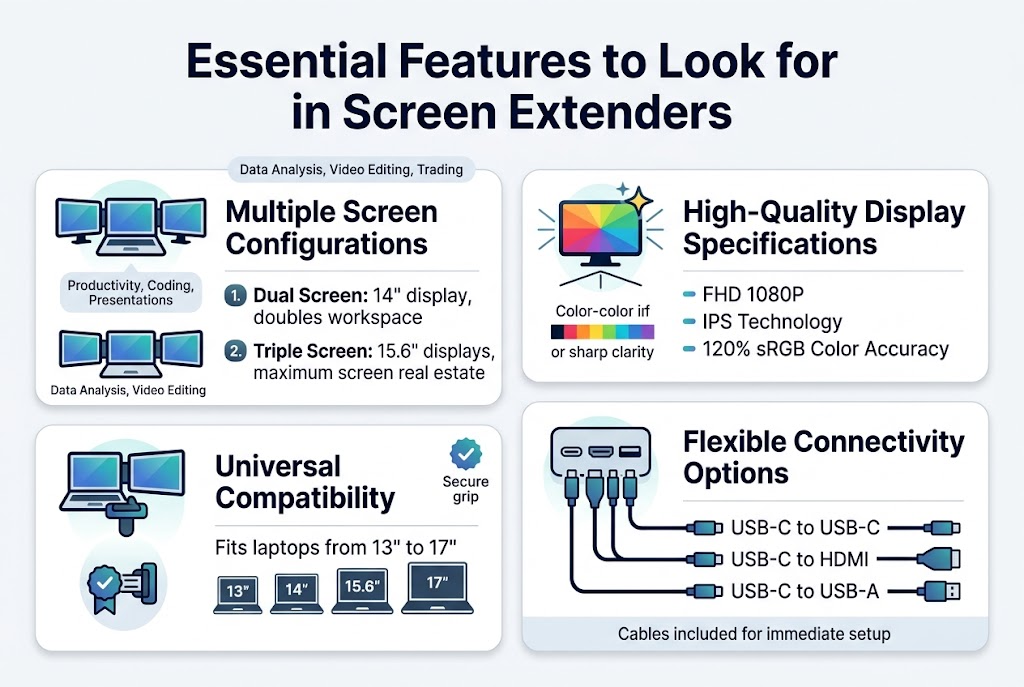
When selecting a laptop screen extender, configuration options play a crucial role in determining your productivity potential. The market offers versatile setups, with dual screen and triple screen configurations being the most popular choices. Dual screen setups typically feature a 14″ configuration, providing an additional display that effectively doubles your workspace. For users requiring maximum screen real estate, triple screen setups with 15.6″ displays deliver an expansive viewing experience that transforms your laptop into a multi-monitor workstation.
The choice between dual and triple configurations depends on your specific workflow requirements and the nature of your tasks. Dual screen setups excel for general productivity tasks, coding, and presentations, while triple screen configurations are ideal for complex data analysis, video editing, and financial trading where multiple information streams need simultaneous monitoring.
Display quality forms the backbone of any effective portable monitor for laptop. Premium laptop screen extenders feature 14″ FHD 1080P IPS displays that deliver exceptional visual clarity. The FHD 1080P resolution ensures crisp, clear, and sharp picture quality that rivals traditional desktop monitors.
IPS technology stands out as a game-changer in portable displays, offering surprisingly crisp and bright visuals with vibrant, popping colors and fantastic viewing angles. This technology ensures consistent color reproduction and clarity regardless of your viewing position, making it perfect for collaborative work environments.
Advanced models elevate the experience further with 120% sRGB color accuracy, delivering stunning image quality that meets professional standards. This level of color precision makes these devices suitable for graphic design, photo editing, and other color-critical applications where accuracy is paramount.
Universal Compatibility with Various Laptop Sizes
Modern laptop external displays prioritize universal compatibility to accommodate diverse user needs. Quality screen extenders are engineered for universal compatibility, featuring secure gripping mechanisms that accommodate laptops within the 13-17″ range. This broad compatibility ensures that whether you’re using a compact ultrabook or a larger gaming laptop, the extender will fit securely and function optimally.
The universal design eliminates the need for multiple devices across different laptop sizes, making it a cost-effective solution for users with multiple devices or teams with varied hardware preferences.
Connectivity flexibility defines the practicality of any USB-C portable monitor. Modern laptop monitor attachments offer comprehensive connectivity solutions including USB-C and HDMI ports, with all necessary cords provided for immediate setup.
The versatility extends to multiple connection methods: USB-C to USB-C for modern laptops with native USB-C support, USB-C to HDMI for traditional display connections, and USB-C to USB-A cables for older laptop models. This multi-connectivity approach ensures compatibility across various laptop generations and brands, accommodating different port configurations and power requirements.
Setup and Installation Advantages
True Plug-and-Play Functionality
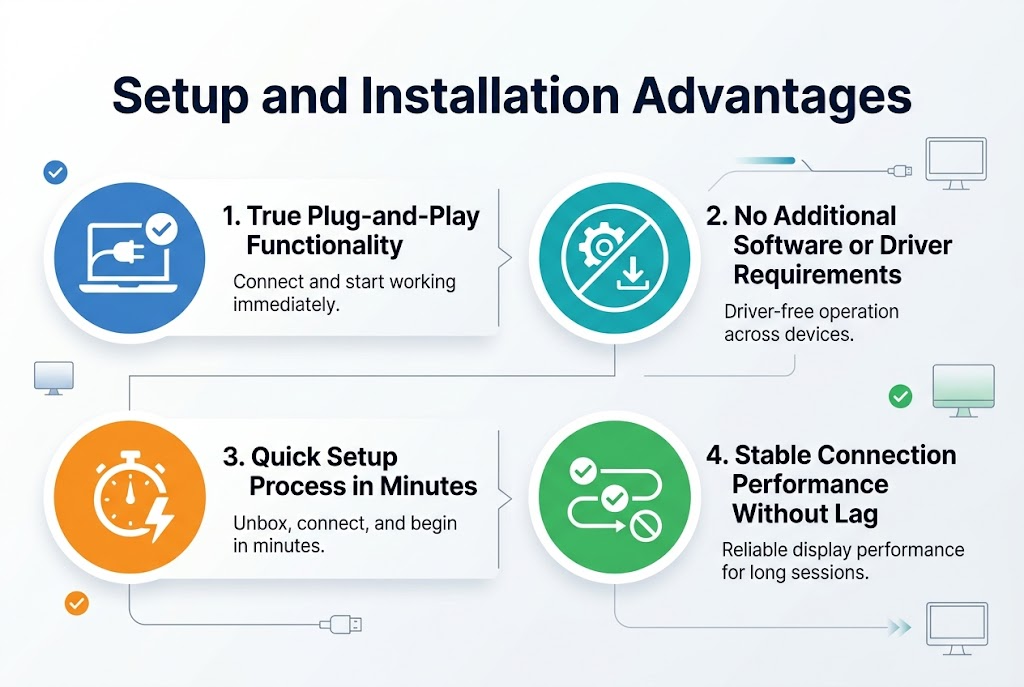
One of the most significant advantages of modern laptop screen extenders is their seamless plug-and-play capability. This functionality eliminates the traditional hassles associated with external display setup, allowing users to simply connect their portable monitor for laptop and begin working immediately. The true plug-and-play nature means the laptop external display is recognized instantly by your system, firing up without any complex configuration processes. This immediate recognition ensures that professionals can maintain their workflow momentum without technical interruptions, making laptop screen extension benefits immediately apparent from the moment of connection.
No Additional Software or Driver Requirements
The streamlined design of quality laptop screen extenders eliminates the need for downloading drivers or installing specialized software. This driver-free operation is particularly valuable for users who frequently switch between different devices or work in environments where software installation permissions are restricted. The absence of software dependencies also means fewer potential points of failure and reduced system resource consumption. This approach to USB-C portable monitor connectivity ensures compatibility across various operating systems and laptop models without the burden of maintaining updated drivers or dealing with compatibility issues that could arise from software updates.
Quick Setup Process in Minutes
The efficiency of modern portable dual monitor setup processes allows users to establish their dual screen setup within minutes of unboxing. This rapid deployment capability is essential for professionals who need to quickly transition between single and multi-screen configurations. The straightforward setup process typically involves a single connection step, after which the mobile monitor productivity benefits become immediately available. This time-efficient approach to travel screen extender setup means users can focus on their work rather than troubleshooting technical configurations, making these devices particularly valuable for time-sensitive projects and mobile work scenarios.
Stable Connection Performance Without Lag
Reliability in connection performance ensures that laptop monitor attachment systems maintain consistent operation throughout extended work sessions. The stable connection characteristics mean users experience no random disconnects or performance lag that could disrupt their productivity flow. This consistent performance is crucial for maintaining the integrity of multi-screen workflows, particularly when working with demanding applications or during video conferences where display reliability is paramount. The absence of connection instability ensures that the dual screen setup remains dependable for professional use, supporting uninterrupted productivity regardless of the duration or intensity of work sessions.
Portability and Travel Convenience
Lightweight and Compact Design for Easy Transport
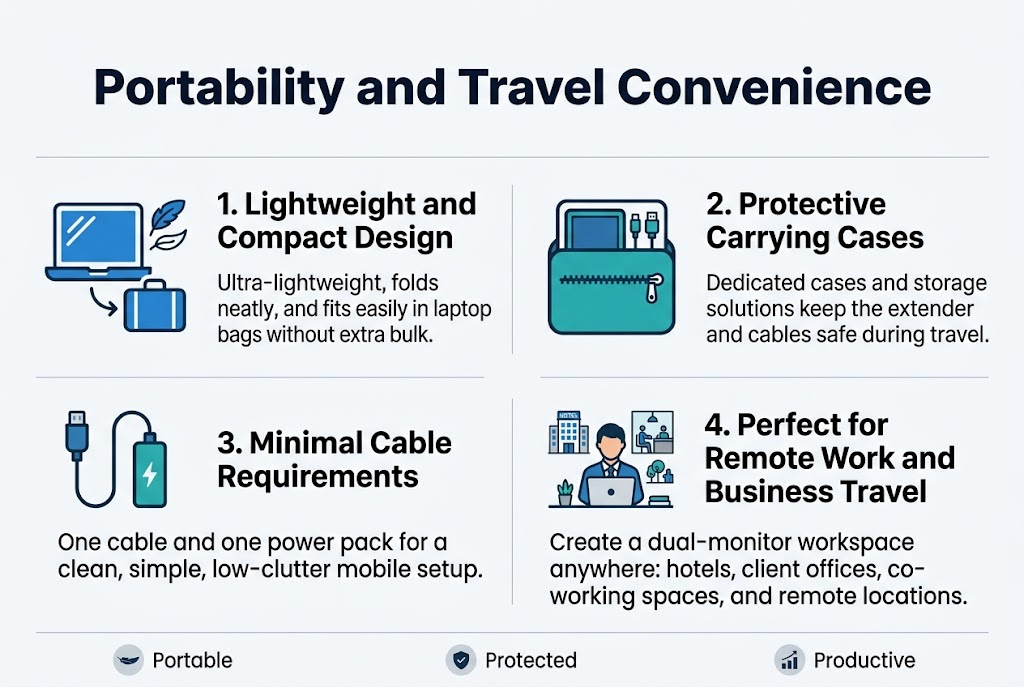
Modern laptop screen extenders excel in portability, featuring ultra-lightweight designs that won’t burden your mobile workspace. These portable monitors for laptops are engineered to fold up neatly, maintaining a sleek profile that seamlessly integrates with your existing setup. The lightweight construction ensures that adding a dual screen setup to your laptop bag doesn’t create unnecessary bulk, making travel screen extender solutions ideal for professionals who need flexibility without compromise.
The compact nature of these laptop external displays means they can easily slip into most laptop bags or briefcases alongside your primary device. This thoughtful engineering allows mobile professionals to maintain their productivity standards regardless of location, transforming any space into a functional dual-monitor workstation.
Protective Carrying Cases and Storage Solutions
Premium laptop screen extender models often include dedicated protective carrying solutions to safeguard your investment during transport. Some manufacturers provide elegant leather bags specifically designed for easy packing and transport, ensuring your portable dual monitor remains protected from scratches, impacts, and environmental factors during travel.
These specialized storage solutions are crafted to accommodate both the screen extender and necessary cables, creating an organized travel kit that prevents damage while maintaining easy accessibility. The inclusion of quality carrying cases demonstrates the manufacturer’s understanding of mobile professional needs and their commitment to providing comprehensive travel-ready solutions.
Minimal Cable Requirements for Clean Setup
One of the most significant advantages of modern USB-C portable monitors is their ability to dramatically reduce cable clutter in mobile workspaces. Advanced laptop monitor attachment systems can operate with just one cable and one power pack, eliminating the complexity traditionally associated with multiple screens, hubs, and various cable configurations.
This streamlined connectivity approach not only simplifies the setup process but also reduces the number of accessories you need to carry, further enhancing the portable nature of your mobile monitor productivity solution. The clean, minimal cable requirement makes these devices particularly appealing for professionals who value both functionality and aesthetic organization in their workspace.
Perfect for Remote Work and Business Travel
Laptop screen extenders represent the ideal solution for remote work scenarios and business travel requirements, providing desktop-level dual-monitor experiences regardless of location. These portable solutions enable professionals to maintain their productivity standards whether working from hotels, client offices, co-working spaces, or temporary remote locations.
The convenience factor for travel cannot be overstated – these devices allow you to establish a professional, efficient workspace anywhere you go. This capability is particularly valuable for consultants, sales professionals, and remote workers who need consistent access to expanded screen real estate while maintaining maximum mobility and flexibility in their work arrangements.
Technical Performance Considerations
Power Requirements and USB-C Port Compatibility
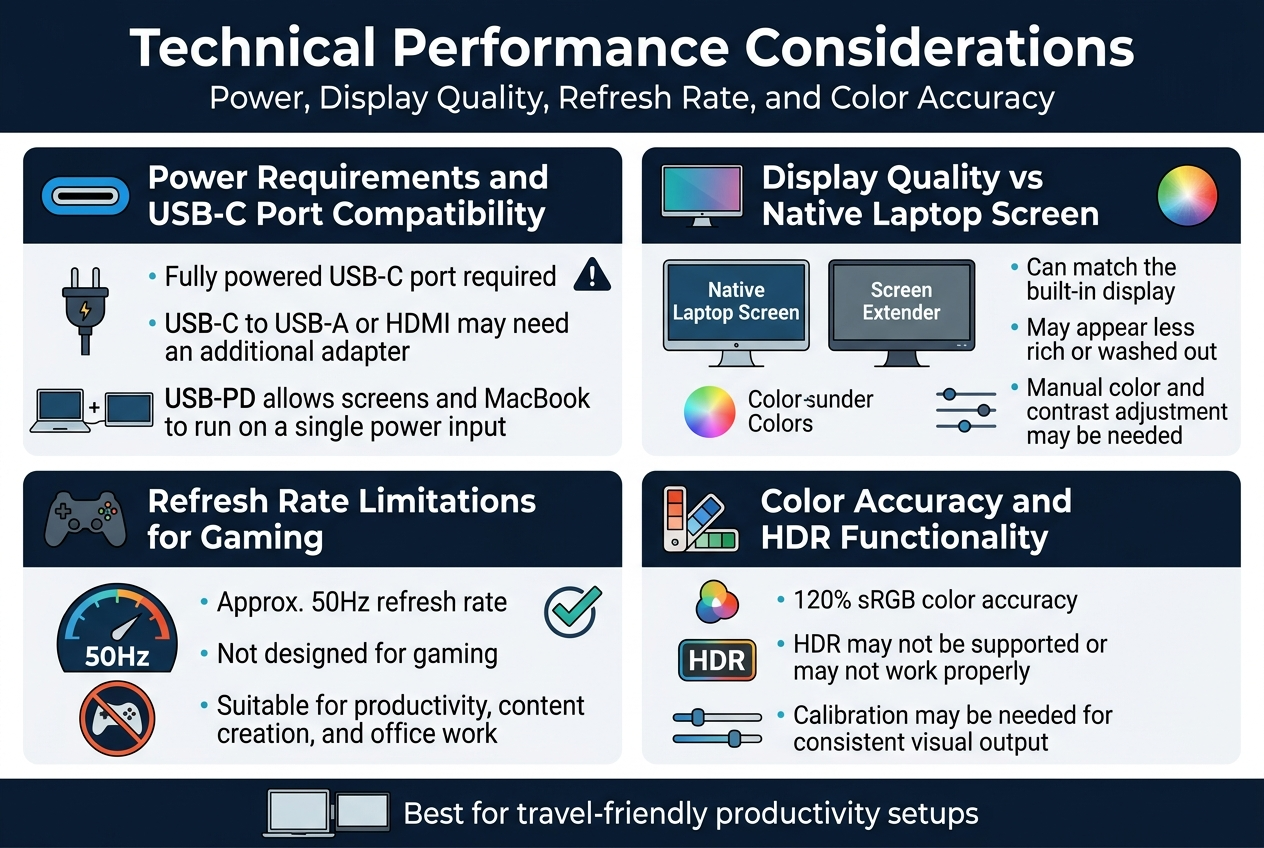
The power infrastructure of your laptop screen extender significantly impacts its performance and usability. A fully powered USB-C port on your laptop is essential for optimal functionality of these portable monitors. Standard USB-C to USB-A or HDMI connections may not provide sufficient power without requiring an additional adapter, which can complicate your setup and reduce portability.
The USB-PD (Power Delivery) design in modern laptop screen extenders offers a significant advantage, allowing both the screens and your MacBook to run on a single power input through the screens. This streamlined power management eliminates the need for multiple adapters and cables, making your dual screen setup more efficient and travel-friendly.
Display Quality Comparison with Native Laptop Screens
When evaluating portable monitor performance, display quality comparison with your laptop’s native screen reveals interesting patterns. Some users report that their laptop screen extender display quality easily matches their built-in laptop screens, creating a seamless experience when dragging windows between displays.
However, real-world usage shows varying results. Other users notice distinct differences in color reproduction, with the extender’s colors appearing less “rich” or somewhat “washed out” compared to native gaming laptop monitors. This variance often requires manual adjustment of color and contrast settings to achieve optimal visual consistency between your primary and extended displays.
Refresh Rate Limitations for Gaming Applications
The technical specifications of most laptop external displays include refresh rates of approximately 50Hz, which clearly indicates these devices are not designed for gaming applications. This refresh rate limitation makes them unsuitable for competitive gaming or applications requiring high frame rates.
Despite this gaming limitation, the 50Hz refresh rate proves perfectly suitable for non-gaming tasks such as productivity work, content creation, and general office applications where smooth motion isn’t critical.
Color Accuracy and HDR Functionality
While some mobile monitor productivity solutions boast impressive specifications like 120% sRGB color accuracy, HDR functionality presents challenges. HDR may not be supported or may not work properly with the provided equipment in many laptop monitor attachment setups.
Users should exercise caution when activating HDR features, as this can potentially lead to display issues. The color accuracy specifications, while promising on paper, may require calibration adjustments to match your primary display’s color profile for consistent visual output across your dual screen setup.
User Experience and Practical Benefits
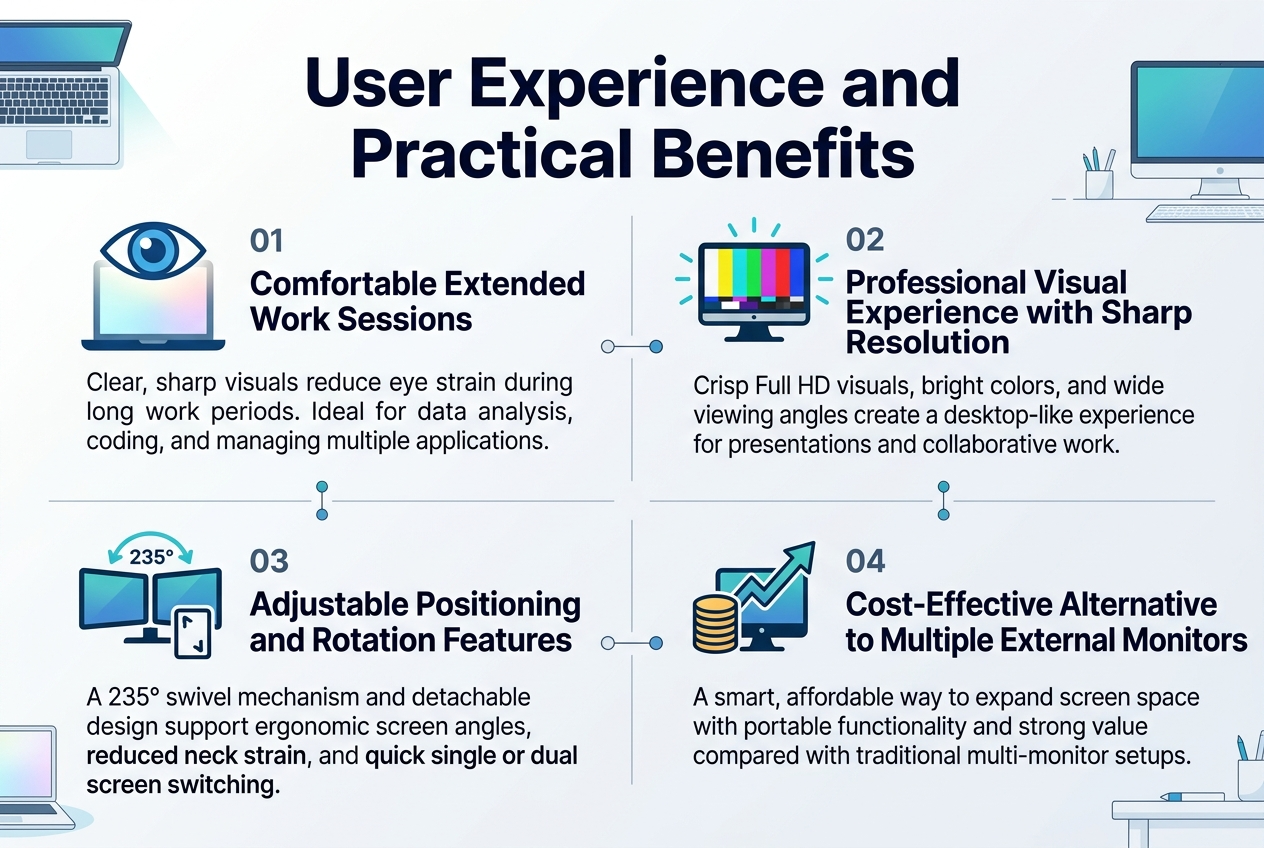
Comfortable Extended Work Sessions
The superior picture quality delivered by laptop screen extenders significantly enhances comfort during prolonged work periods. The clear and sharp visual output reduces eye strain that typically occurs when working on smaller laptop displays for extended hours. This improved visual clarity becomes particularly beneficial for professionals who spend entire workdays analyzing data, coding, or managing multiple applications simultaneously. The enhanced display quality creates a more comfortable viewing environment that supports sustained productivity without the fatigue commonly associated with squinting at cramped screen real estate.
Professional Visual Experience with Sharp Resolution
Modern portable monitor for laptop solutions deliver exceptional visual performance that rivals traditional desktop setups. These devices provide crisp, bright, and vivid colors combined with Full HD resolution, creating a professional-grade viewing experience. The fantastic viewing angles ensure consistent color accuracy and brightness regardless of your positioning, making them ideal for client presentations or collaborative work sessions. This professional visual experience transforms any workspace into a capable productivity environment, whether you’re working from a coffee shop, airport lounge, or temporary office space.
Adjustable Positioning and Rotation Features
The versatile 235° swivel mechanism and detachable design represent key practical advantages of laptop screen extension solutions. This extensive rotation capability allows users to adjust their dual screen setup according to specific needs, whether for intensive work tasks, focused study sessions, or entertainment purposes. The flexibility to position screens at optimal angles reduces neck strain and supports ergonomic working postures. The detachable design adds another layer of convenience, enabling quick transitions between single and dual monitor configurations based on workspace constraints or task requirements.
Cost-Effective Alternative to Multiple External Monitors
Investing in a laptop external display proves to be a smart financial decision compared to purchasing multiple traditional monitors. These portable solutions offer great value for money with an excellent purchase price to product relationship ratio. Rather than investing in expensive desktop monitor setups that lack portability, laptop screen extenders provide comparable functionality at a fraction of the cost while maintaining the flexibility to work from anywhere. This cost-effective approach to expanding screen real estate makes professional-grade productivity tools accessible to a broader range of users.
Best option to invest on
The 15.6″ FHD 1080P IPS Model: Your Productivity Game-Changer
When you’re ready to take your laptop screen extender investment seriously, the 15.6″ FHD 1080P IPS portable monitor stands out as the smart choice for professionals who mean business. This isn’t just another gadget – it’s a complete workspace transformation that fits in your backpack.
The 15.6-inch screen size hits that perfect sweet spot between usability and portability. You get enough real estate to run two full applications side by side without squinting, while keeping the weight manageable for daily commutes. The Full HD 1080P resolution ensures crisp text and vibrant visuals, making those spreadsheets and presentations look professional whether you’re in a coffee shop or corner office.
Compatibility That Works for Everyone
Universal compatibility with 13.6″ to 17.3″ laptops means this portable monitor for laptop setups works regardless of your current machine or future upgrades. Whether you’re team Mac or Windows, the seamless integration makes switching between devices effortless.
Connectivity Options That Matter
Dual connectivity through USB-C and HDMI gives you flexibility most alternatives can’t match. The USB-C connection handles both power and display through a single cable, reducing cable clutter significantly. The HDMI backup ensures older laptops stay in the game, making this laptop external display future-proof for years.
IPS Technology Advantage
The IPS panel technology delivers consistent colors and sharp viewing angles that cheaper TN panels simply can’t provide. Your dual screen setup maintains professional appearance quality from any position, crucial for client presentations or collaborative work sessions.
Value Proposition Analysis
Feature
Benefit
Long-term Value
FHD 1080P Resolution
Professional image quality
Reduces eye strain
IPS Panel
Wide viewing angles
Better collaboration
Dual Connectivity
Device flexibility
Future compatibility
15.6″ Size
Optimal portability ratio
Consistent productivity
This travel screen extender represents the intersection of professional needs and practical constraints, delivering measurable productivity gains without breaking your budget or your back.
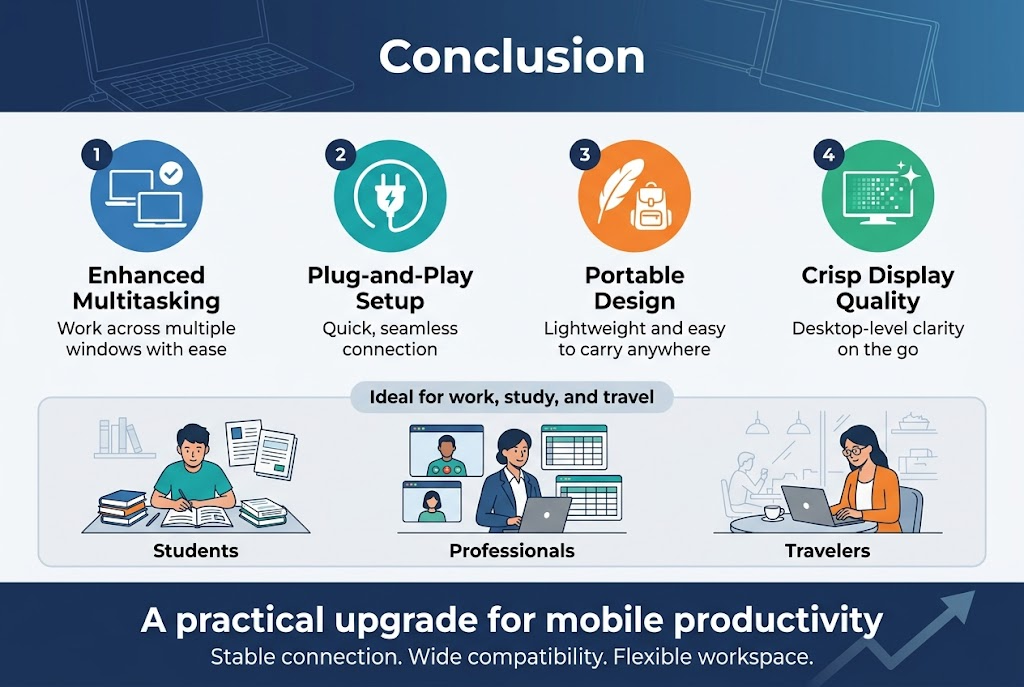
Laptop screen extenders have proven themselves as game-changing productivity tools that address the fundamental limitation of single-screen workflows. From enhanced multitasking capabilities and seamless plug-and-play setup to exceptional portability and crisp display quality, these devices consistently deliver on their promise to transform how you work. Whether you’re a student managing multiple research documents, a professional juggling video calls and spreadsheets, or a traveler needing a mobile workstation, the right screen extender offers the desktop-level experience you need without sacrificing mobility.
The overwhelmingly positive user feedback emphasizes that these devices are not just convenient accessories but essential investments in productivity. With features like lightweight designs, stable connections, and compatibility across multiple devices, laptop screen extenders eliminate the frustration of cramped single-screen work while maintaining the flexibility to work anywhere. As remote work continues to evolve and multitasking demands increase, adding a quality screen extender to your setup represents one of the most practical upgrades you can make to your mobile workspace.